Ⅰ. 插件描述
Adjust your vim colors using slidersⅡ. 基本信息
|
Ⅲ. 安装方法
使用Vundle管理器安装
在你的.vimrc下添加:Plugin 'zefei/vim-colortuner':source %
:PluginInstall对于Vundle版本 < 0.10.2,请用上面的Bundle替换Plugin。
使用NeoBundle管理器安装
在你的.vimrc下添加:NeoBundle 'zefei/vim-colortuner':source %
:NeoBundleInstall使用VimPlug管理器安装
在你的.vimrc下添加:Plug 'zefei/vim-colortuner':source %
:PlugInstall使用Pathogen管理器安装
在终端中运行以下命令:cd ~/.vim/bundle
git clone https://github.com/zefei/vim-colortunerⅣ. 文档说明
# vim-colortuner
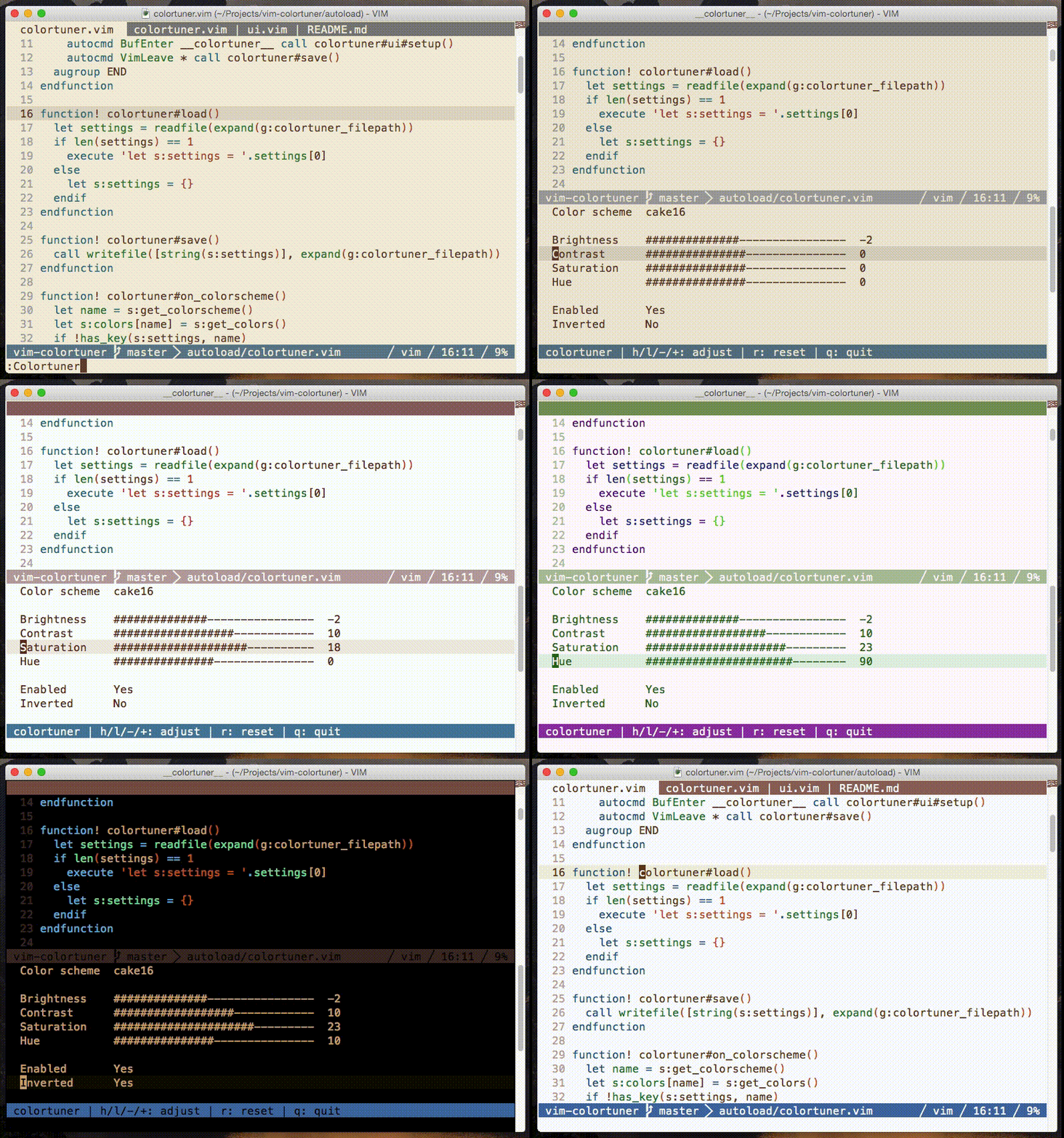
Colortuner is a simple utility to allow you tuning your color scheme using
- It can make any color scheme look great with very little effort.
Screenshots
Installation
Use your favorite package manager to install:
- `git clone https://github.com/zefei/vim-colortuner
~/.vim/bundle/vim-colortuner`
- `git clone https://github.com/zefei/vim-colortuner
Plugin 'zefei/vim-colortuner'
NeoBundle 'zefei/vim-colortuner'
Usage
Once installed, you can type :Colortuner to open the tuner panel, then just
use normal movement keys to adjust settings. Tuner settings are persisted to
disk on a per-colorscheme basis.
Configuration
g:colortuner_preferred_schemes
values: list of strings
default: []
example: ['zenburn', 'solarized', 'cake16']
    Colortuner rotates among these colorschemes when you adjust the
    colorscheme option in tuner panel. If empty list (default) is set,
    colortuner will rotate among all installed colorschemes.

g:colortuner_vivid_mode
values: 0 or 1
default: 0
    Colortuner by default tries to avoid over-saturation when tuning
    brightness or contrast. This might result in under-saturated colors. You
    can set this option to 1 to reverse the effect.

g:colortuner_filepath
values: string
default: '~/.vim-colortuner'
    This option sets the file path of tuner panel settings.

g:colortuner_enabled
values: 0 or 1
default: 1
    Colortuner is enabled at start if this option is set.
FAQ
Q: Does colortuner support vim in terminal?
A: Currently no, since true color support is essential for tuning colors.
However, Neovim has support for true color terminals, and colortuner supports
Neovim in the terminal. But notice that at the moment very few terminals work
well with Neovim true color mode.
Q: How can I save tuned colorscheme?
A: You can press 'y' in the colortuner window to yank all color values to
current register, then 'p'ut it wherever you want.
License
MIT License.