Ⅰ. 插件描述
Vim plugin: All-in-one highlighter, highlight custom pattern like indentation, inactive window, word under the cursorⅡ. 基本信息
|
Ⅲ. 安装方法
使用Vundle管理器安装
在你的.vimrc下添加:Plugin 'bimlas/vim-high':source %
:PluginInstall对于Vundle版本 < 0.10.2,请用上面的Bundle替换Plugin。
使用NeoBundle管理器安装
在你的.vimrc下添加:NeoBundle 'bimlas/vim-high':source %
:NeoBundleInstall使用VimPlug管理器安装
在你的.vimrc下添加:Plug 'bimlas/vim-high':source %
:PlugInstall使用Pathogen管理器安装
在终端中运行以下命令:cd ~/.vim/bundle
git clone https://github.com/bimlas/vim-highⅣ. 文档说明
= Vim-High: all-in-one Vim highlighter plugin
A Vim plugin to highlight custom patterns on any buffer (filetype
whitelist/blacklist supported), for example highlight indentation, inactive
window, word under the cursor or even user made Vim highlighting.
- https://gitlab.com/bimlas/vim-high (main respository)
- https://github.com/bimlas/vim-high (mirror, please star if you like it)
image:https://img.shields.io/travis/bimlas/vim-high/master.svg?label=Travis%20CI["Travis CI", link="https://travis-ci.org/bimlas/vim-high"]
image:https://img.shields.io/github/license/bimlas/vim-high.svg["License", link="LICENSE"]


[NOTE]
It's in beta version (API and defaults may change) while I don't get enough
response that everything works as expected.
image::https://imgs.xkcd.com/comics/standards.png["Philosophy of the plugin", link="https://xkcd.com/927/"]
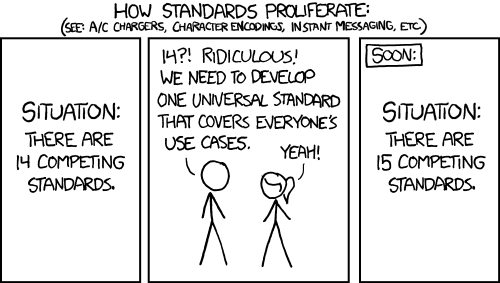
image::http://i.imgur.com/oFgLo29.png["Vim-High in action, showing the example config", width="100%"]

To try out, install in your preferred way, then enable a lighter by:HighEnable <C-D>.
To enable lighters by default, add the preferred ones to g:high_lighter as a
dictionary in your _.vimrc_, like this:
[source,viml]
let g:high_lighters = {
'_': { <1>
'blacklist': ['help', 'qf', 'lf', 'vim-plug'], <2>
},
'inactive_window': {}, <3>
'indent': {'_hlgroupA': 'HighIndentA', '_hlgroupB': 'HighIndentB'}, <4>
'long_line': {'hlgroup': 'DiffAdd'},
'unite_directory': {},
'your_custom_lighter': {'pattern': 'TODO|NOTE', 'hlgroup': 'ErrorMsg'} <5>
}
<1> The _ key means these settings will affect every lighter,
<2> for example all of them will be disabled in these filetypes.
<3> You can add predefined lighters, whose can be found in
link:autoload/high/light/[] directory.<4> To override the global settings, pass the lighter-specific ones in the
dictionary.<5> You can create your own lighters as you want.
== Override default settings
By default, every lighter in g:high_lighters are enabled at Vim startup, but
passing 'enabled': 0 will disable it. To use the lighter, call `:HighEnable
lighter or :HighToggle lighter`.
The available configuration parameters can be found in link:plugin/high.vim[]
as g:high.defaults. Options starting with double underscore
(__init_function for example) are private and you shouldn't override those.
See :help matchadd for pattern and priority; :highlight for
possible values of hlgroup.
Some lighters have specific settings, starting with an underscore (_length
of link:autoload/high/light/long_line.vim[long_line] for example) are
lighter-specific, the underscore is used only to prevent conflicts with global
settings, but you can safely override those.
Do not fear to view the source files to get the possibilities, because there
is no help file for the plugin, link:autoload/high/light[source codes] and
link:test[test files] contains everything.
== Custom colors
To define your own hlgroup, take a look at :help highlight. Here are the
highlight groups of the example config, place it to your _.vimrc_:
[source,viml]
autocmd ColorScheme,VimEnter *
highlight! HighIndentA guibg=#002029 guifg=#063642 |
highlight! HighIndentB guibg=#003542 guifg=#063642
== Dynamic update of highlighters
Some lighters are based on Vim settings, for example
link:autoload/high/light/indent.vim[indent] uses shiftwidth to highlight the
- The highlighting will follow the change of it only on certain
- (jumping to another window, switching buffer, etc.). To apply the new
settings automatically, you have to write an autocommand in your _.vimrc_:
[source,viml]
autocmd CursorHold *
let pos = winnr()
| windo call high#UpdateGroups()
| exe pos.'wincmd w'
It will update every lighter where the __update_function is set.
== Examples of user-defined highlight in Vim
For example, a very basic implentation of
https://github.com/Valloric/vim-operator-highlight[Valloric/vim-operator-highlight]
should looks like this:
[source,viml]
let g:high_lighters = {
'operator': { <1>
'pattern': '[-?+|*;:,<>&|!~%=)({}.[]]', <2>
'blacklist': ['help', 'markdown', 'qf', 'conque_term', 'diff', 'html', <3>
'css', 'less', 'xml', 'sh', 'bash', 'notes', 'jinja'],
'hlgroup': 'Error', <4>
}}
<1> Add a name to the lighter (which is not in use),
<2> define the pattern to match,
<3> add whitelist/blacklist,
<4> choose a hlgroup from the existing ones.
=== Vim Netrw filetype coloring
The plugin can be used in another plugins, for example if you want to colorize
files by extension in Netrw (:Explore, :edit ./), then you can do
something like this:
[source,viml]
let g:high_lighters = {
'netrw_yaml': {
'whitelist': ['netrw'],
'pattern': 'v^([|│] )*zsf+.yml',
'hlgroup': 'HighNetrwYaml',
},
'netrw_asciidoc': {
'whitelist': ['netrw'],
'pattern': 'v^([|│] )*zsf+.adoc',
'hlgroup': 'HighNetrwAsciidoc',
}}
autocmd ColorScheme,VimEnter *
highlight! HighNetrwYaml guifg=#ae9400 |
highlight! HighNetrwAsciidoc guifg=#dd3a00
Note that ^([|│] )* part is needed by tree view (most right picture on the
screenshot).
image::http://i.imgur.com/JkVorP9.png["Vim Netrw filetype coloring"]

== Plugins that inspired
|===
h| Name of lighter h| Original plugin
| link:autoload/high/light/deep_indent.vim[deep_indent]
| https://github.com/dodie/vim-disapprove-deep-indentation[dodie/vim-disapprove-deep-indentation]
| link:autoload/high/light/inactive_window.vim[inactive_window]
| https://github.com/blueyed/vim-diminactive[blueyed/vim-diminactive]
| link:autoload/high/light/indent.vim[indent]
| https://github.com/nathanaelkane/vim-indent-guides[nathanaelkane/vim-indent-guides]
| link:autoload/high/light/long_line.vim[long_line]
| https://github.com/whatyouhide/vim-lengthmatters[whatyouhide/vim-lengthmatters]
| link:autoload/high/light/trailing_whitespace.vim[trailing_whitespace]
| https://github.com/ntpeters/vim-better-whitespace[ntpeters/vim-better-whitespace]
| link:autoload/high/light/words.vim[words]
| https://github.com/lfv89/vim-interestingwords[lfv89/vim-interestingwords]
|===