Ⅰ. 插件描述
A vim plugin for pinning text to the top of the screenⅡ. 基本信息
|
Ⅲ. 安装方法
使用Vundle管理器安装
在你的.vimrc下添加:Plugin 'j-c-w/vimpin':source %
:PluginInstall对于Vundle版本 < 0.10.2,请用上面的Bundle替换Plugin。
使用NeoBundle管理器安装
在你的.vimrc下添加:NeoBundle 'j-c-w/vimpin':source %
:NeoBundleInstall使用VimPlug管理器安装
在你的.vimrc下添加:Plug 'j-c-w/vimpin':source %
:PlugInstall使用Pathogen管理器安装
在终端中运行以下命令:cd ~/.vim/bundle
git clone https://github.com/j-c-w/vimpinⅣ. 文档说明
vimpin

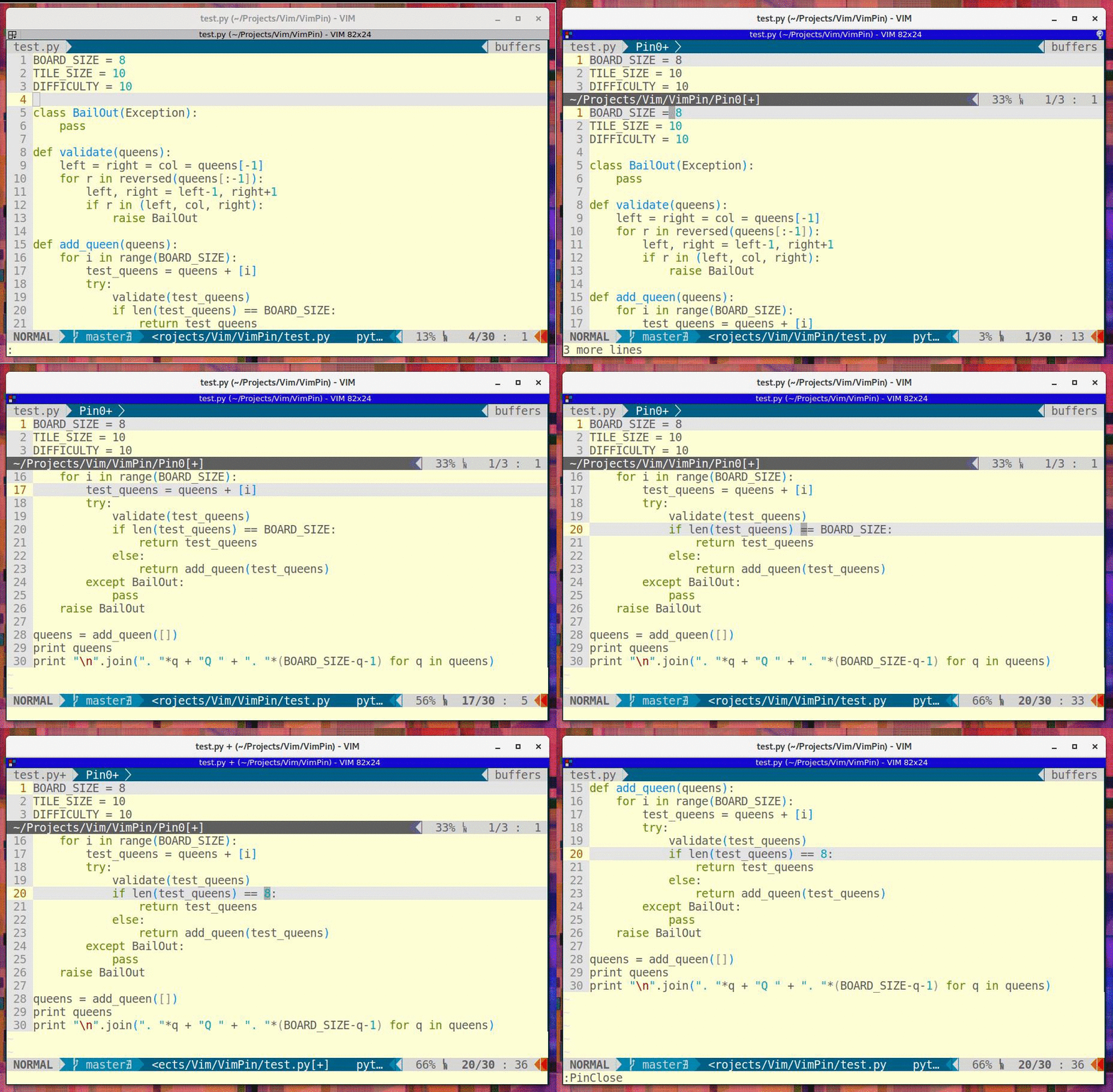
This is a plugin for vim that allows you to pin some lines to the top of the screen.
Intsall
Install using Vundle by adding the following to your .vimrc:
Bundle 'j-c-w/vimpin'
:BundleInstall
Setup (Recommended)
Map the following command:
" Pin toggling:
nnoremap <leader>p :<C-U>PinToggle(v:count)<CR>
Then press N<leader>p to open an N line pin, and <leader>p to close this pin.
Setup (for multiple simultaneous pins)
Map the following (with the keybindings as you wish):
" Opening pins
nnoremap <leader>o :<C-U>PinOpen(v:count)<CR>
" Closing pins
nnoremap <leader>c :PinClose<CR>
And optionally:
" Closing all pins
nnoremap <leader><leader>c :PinCloseAll<CR>
" Closing nth pin:
nnoremap <leader><leader>n :<C-U>PinCloseN(v:count)<CR>
Use
Vimpin keeps a stack of pins that have been opened. They open
from the top of the screen downwards.
Closing a pin closes the most recently opened pin.
Example