Ⅰ. 插件描述
Vim text objects for commentsⅡ. 基本信息
|
Ⅲ. 安装方法
使用Vundle管理器安装
在你的.vimrc下添加:Plugin 'glts/textobj-comment':source %
:PluginInstall对于Vundle版本 < 0.10.2,请用上面的Bundle替换Plugin。
使用NeoBundle管理器安装
在你的.vimrc下添加:NeoBundle 'glts/textobj-comment':source %
:NeoBundleInstall使用VimPlug管理器安装
在你的.vimrc下添加:Plug 'glts/textobj-comment':source %
:PlugInstall使用Pathogen管理器安装
在终端中运行以下命令:cd ~/.vim/bundle
git clone https://github.com/glts/vim-textobj-commentⅣ. 文档说明
textobj-comment
This Vim plugin provides text objects for comments.
ac selects a comment including the comment delimiters and ic selects
just the comment content. (There's also a third text object, aC, which
selects a comment including trailing or leading whitespace.) These
mappings are available in Visual and Operator-pending mode.
This plugin uses the 'comments' and 'commentstring' settings to
determine what a comment looks like for a given filetype. It works with
both /* paired */ and // simple comment delimiters.
This plugin depends on the textobj-user plugin.
Usage
Comprehensive on-line documentation is included and available at:h textobj-comment.
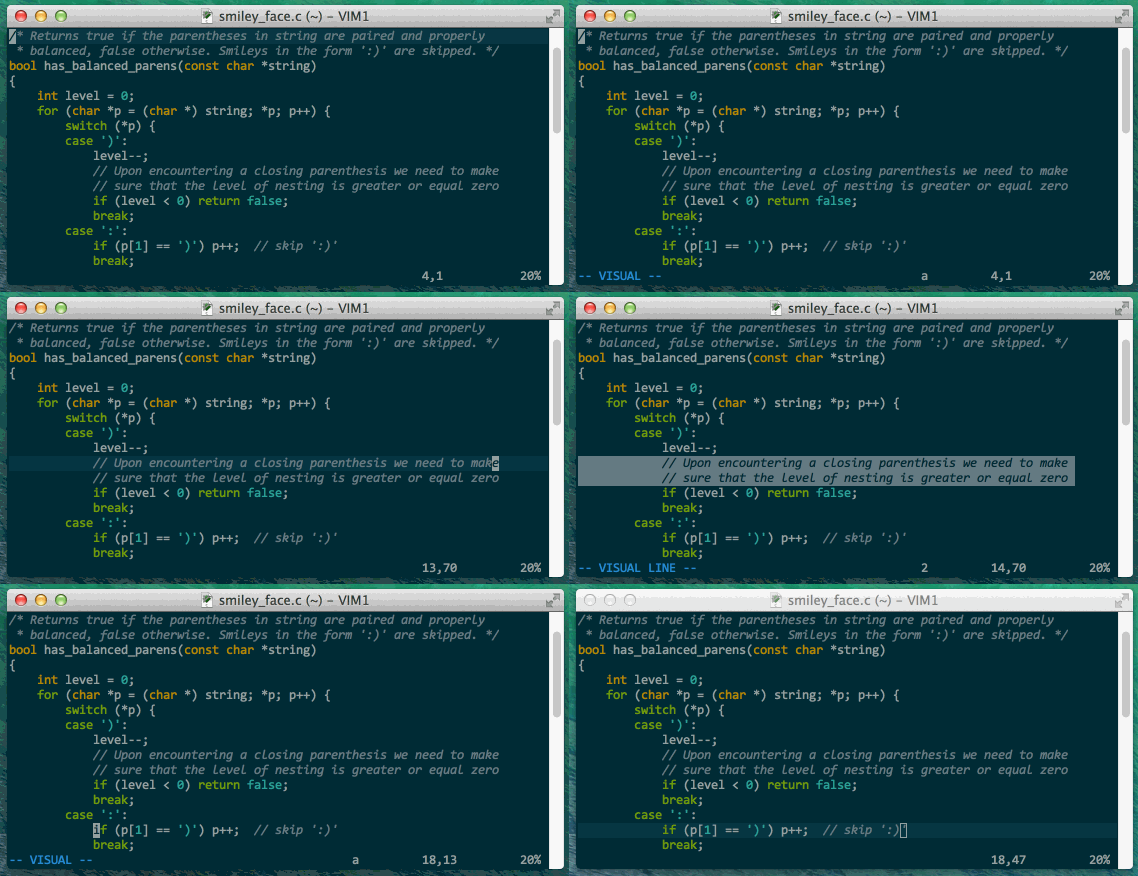
Below is a quick demo of the 'a comment' text object. The command used
is vac. The targeted area is the same for analogous commands using an
operator, such as dac, cac, and gqac.
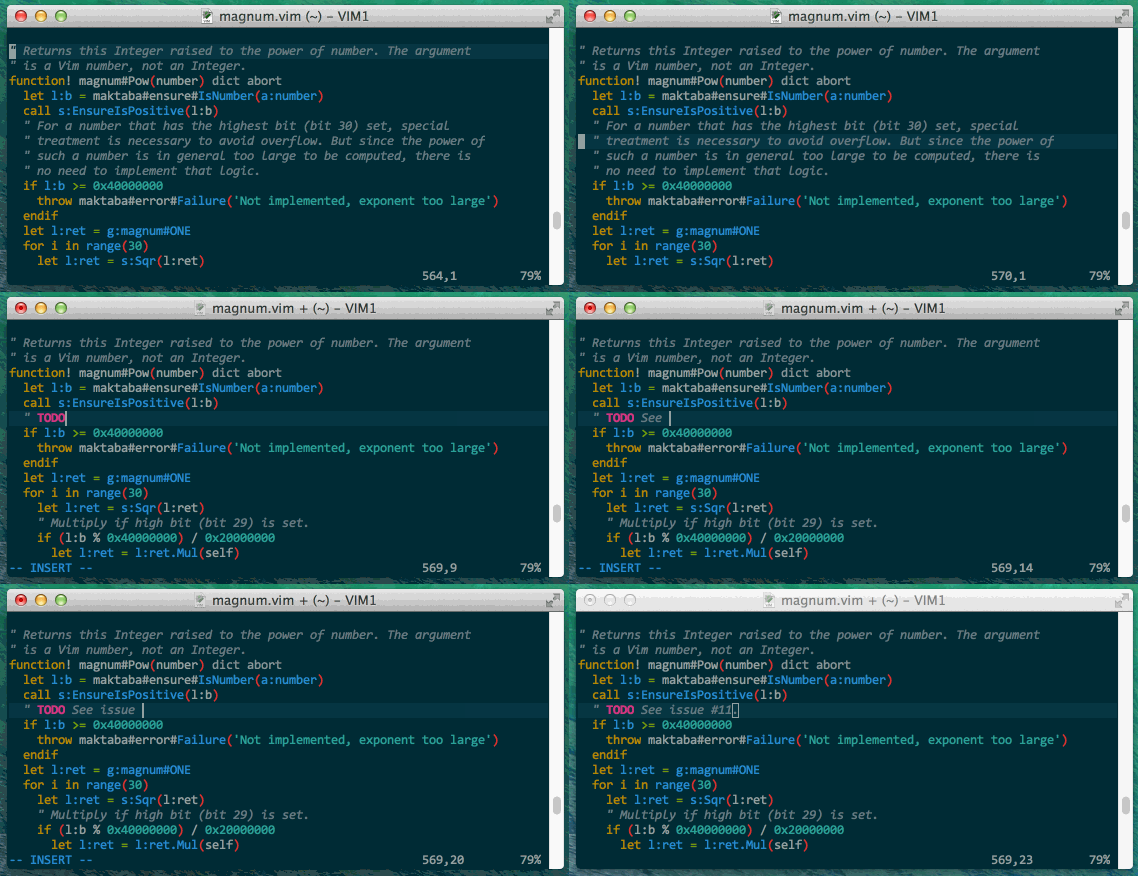
The 'inner comment' text object targets the inside of a comment. Here I
use cic:
Requirements
- Vim 7.3 or later
- textobj-user Vim plugin, at least version 0.4.0
Installation
Move the files into their respective directories inside your ~/.vim
directory (or your $HOME\vimfiles directory if you're on Windows).
With pathogen.vim the installation is as simple as:
git clone git://github.com/glts/vim-textobj-comment.git ~/.vim/bundle/textobj-comment
This plugin also plays well with other plugin managers.
Don't forget to install textobj-user, too, if your setup doesn't take
care of dependencies automatically.
Development
The code isn't pretty. If you look closely you'll notice a lot of effort
being made to cover corner cases and make the behaviour of the text
objects as similar to the built-ins as possible. That said, if you are
interested in working on it, use the test suite to make sure you don't
break anything.
The test suite is written using vspec.
make test runs the whole suite and make t/<test>.vim runs a specific
- You may need to adapt the paths to the vspec executable and to the
- path directories at the top of the Makefile.