Ⅰ. 插件描述
Tame the quickfix windowⅡ. 基本信息
|
Ⅲ. 安装方法
使用Vundle管理器安装
在你的.vimrc下添加:Plugin 'romainl/vim-qf':source %
:PluginInstall对于Vundle版本 < 0.10.2,请用上面的Bundle替换Plugin。
使用NeoBundle管理器安装
在你的.vimrc下添加:NeoBundle 'romainl/vim-qf':source %
:NeoBundleInstall使用VimPlug管理器安装
在你的.vimrc下添加:Plug 'romainl/vim-qf':source %
:PlugInstall使用Pathogen管理器安装
在终端中运行以下命令:cd ~/.vim/bundle
git clone https://github.com/romainl/vim-qfⅣ. 文档说明
# vim-qf
vim-qf—short for vim-quickfix—is a growing collection of settings, commands and mappings put together to make working with the location list/window and the quickfix list/window smoother.
Features
Anti-features
Vim-qf and all quickfix-related plugins necessarily have overlapping features and thus undefined behaviors. Therefore, I don't recommend vim-qf to Syntastic/Neomake/ALE users.
Global features (available from any window)
- quickfix buffers are hidden from
:lsand buffer navigation - quit Vim if the last window is a location/quickfix window
- close the location window automatically when quitting parent window
- (optional) mappings for
:cnext,:cprevious,:lnext,:lpreviousthat wrap around the beginning and end of the list - (optional) mapping for jumping to and from the location/quickfix window,
- (optional) mappings for toggling location/quickfix windows
- (optional) open the location/quickfix window automatically after
:make,:grep,:lvimgrepand friends if there are valid locations/errors - (optional) automatically set the height of location/quickfix windows to the number of list items if less than Vim's default height (10) or the user's prefered height
Local features (available only in location/quickfix windows)
- disable relative numbers
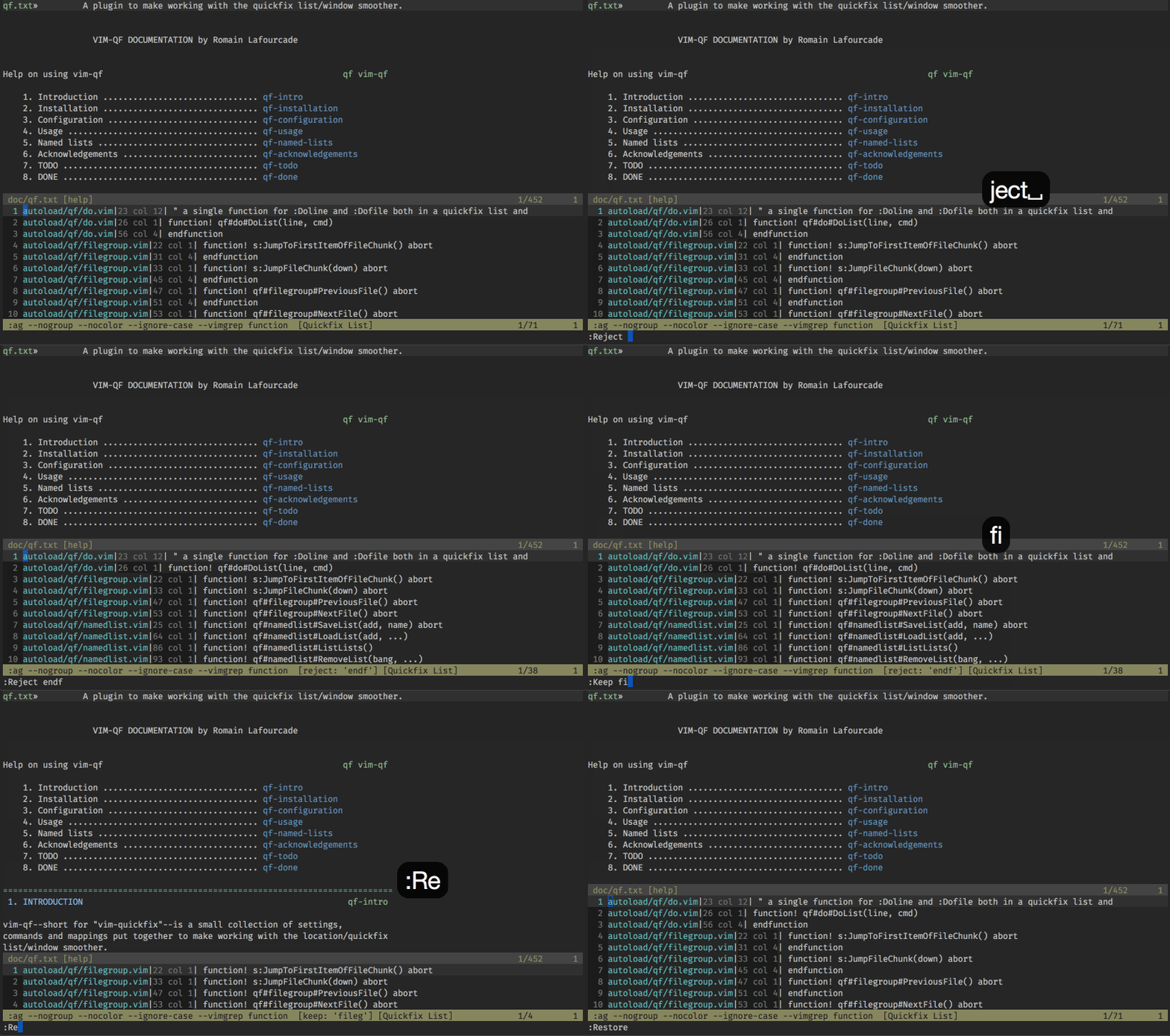
- filter and restore the current list:
- perform commands on each line in the current list
- perform commands on each file in the current list
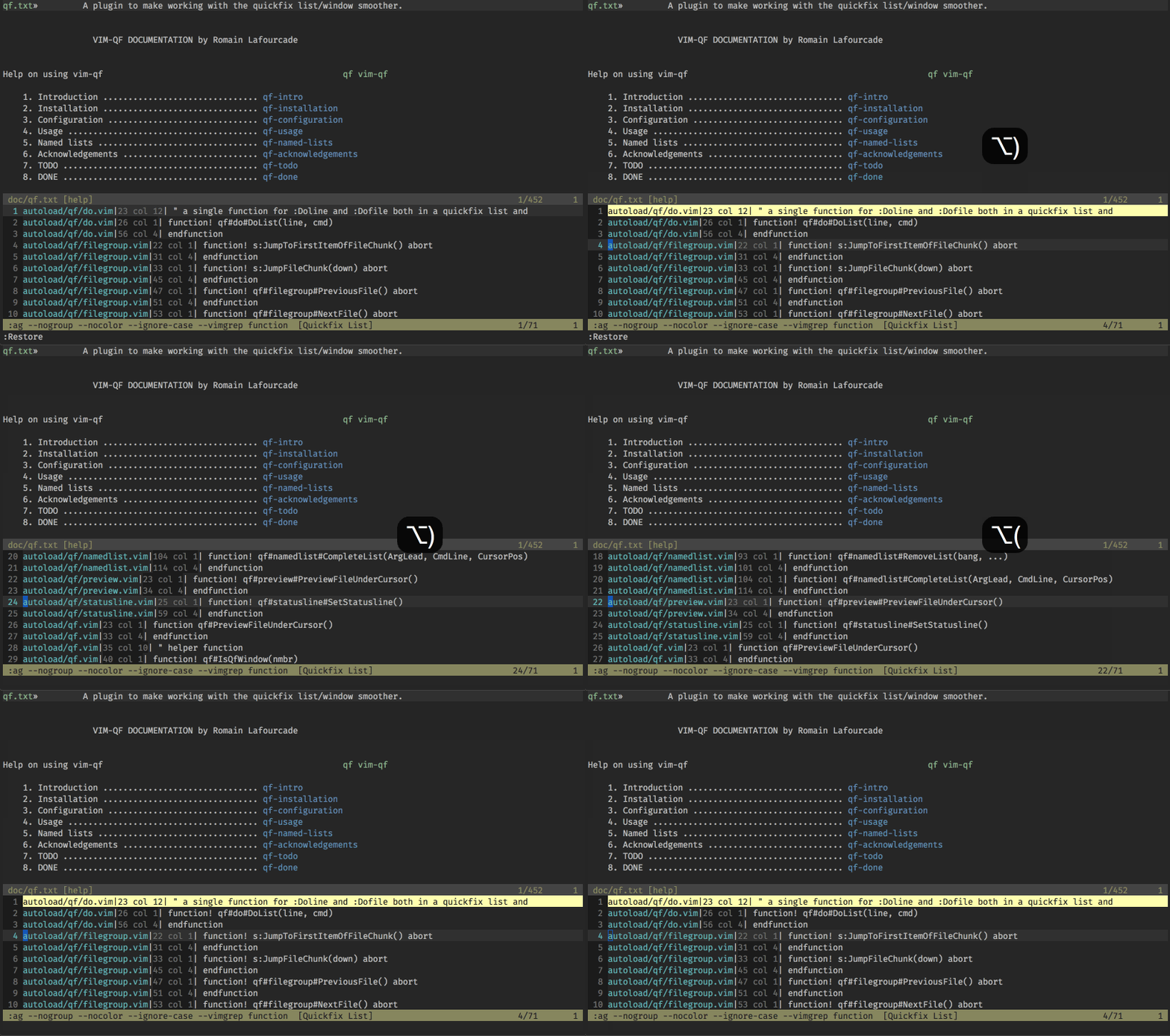
- jump to next group of entries belonging to same file ("file grouping"):
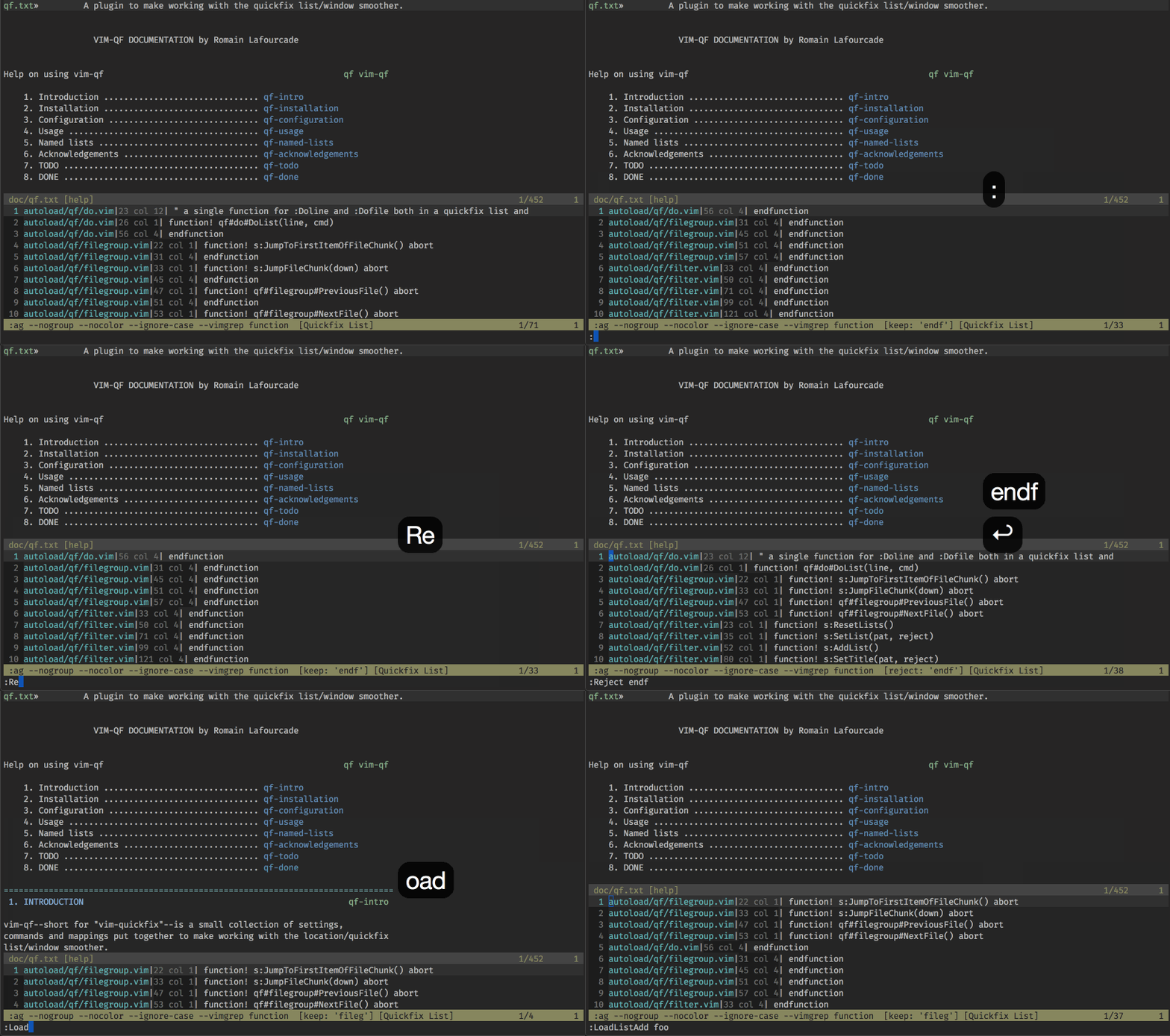
- save and load named lists:
- (optional) disable soft-wrapping
- (optional) Ack.vim-inspired mappings
Installation
Use your favorite runtimepath/plugin manager or dump the files below in their standard location:
# Unix-like systems
~/.vim/after/ftplugin/qf.vim
~/.vim/autoload/qf.vim
~/.vim/autoload/qf/*.vim
~/.vim/doc/qf.txt
~/.vim/plugin/qf.vim

# Windows
%userprofile%\vimfiles\after\ftplugin\qf.vim
%userprofile%\vimfiles\autoload\qf.vim
%userprofile%\vimfiles\autoload\qf\*.vim
%userprofile%\vimfiles\doc\qf.txt
%userprofile%\vimfiles\plugin\qf.vim
Documentation
If you go with the manual installation method, don't forget to index the documentation:
# Unix-like systems
:helptags ~/.vim/doc

# Windows
:helptags %userprofile%\vimfiles\doc
Once the documentation is indexed, you can use this command to get help on vim-qf:
:help vim-qf
TODO
- Export more options?
- Add titles to saved lists, e.g. to display in :ListLists?
- Add
:packaddsupport?
DONE
- Use
<Plug>mappings. - Add proper attribution for a few features.
- Write a proper
helpfile. - Ask #vim's opinion.
- Add a gifcast to the README.