Ⅰ. 插件描述
Run any file and show output inside vimⅡ. 基本信息
|
Ⅲ. 安装方法
使用Vundle管理器安装
在你的.vimrc下添加:Plugin 'leafoftree/vim-run-frighten-you':source %
:PluginInstall对于Vundle版本 < 0.10.2,请用上面的Bundle替换Plugin。
使用NeoBundle管理器安装
在你的.vimrc下添加:NeoBundle 'leafoftree/vim-run-frighten-you':source %
:NeoBundleInstall使用VimPlug管理器安装
在你的.vimrc下添加:Plug 'leafoftree/vim-run-frighten-you':source %
:PlugInstall使用Pathogen管理器安装
在终端中运行以下命令:cd ~/.vim/bundle
git clone https://github.com/leafoftree/vim-runⅣ. 文档说明
# vim-run
<p align="center">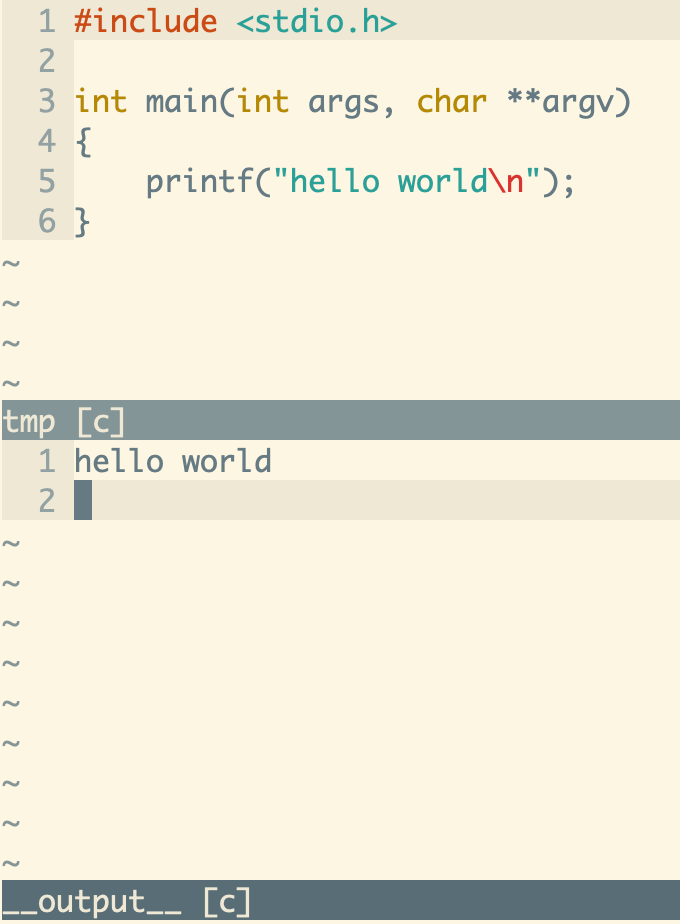
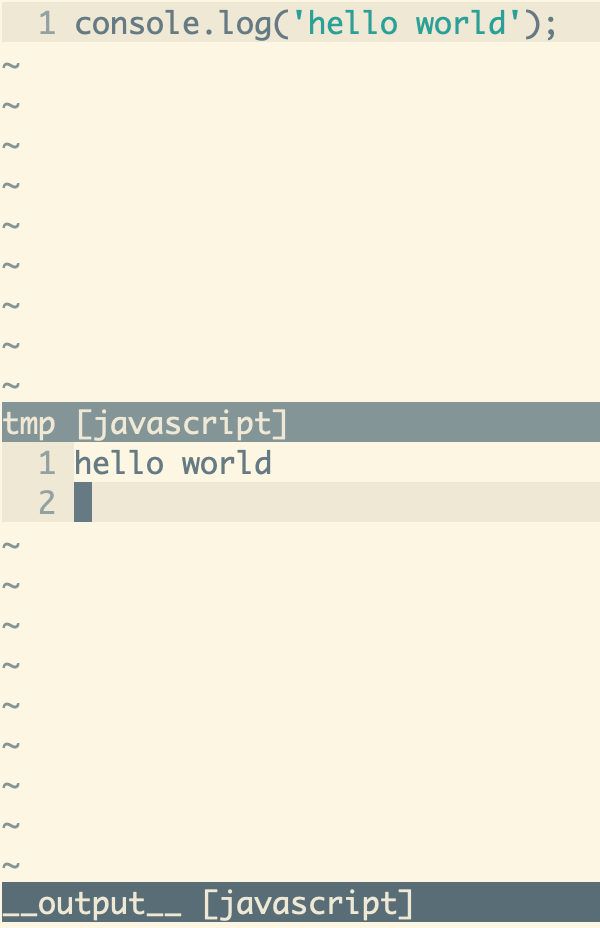
</p>
Run any file and show output inside vim.
Usage
With config
let g:run_cmd = {
      \'c':           'gcc -Wall -Wextra -std=c99 -pedantic',
      \'c_plus':      './a.out',
      \'python':      'python',
      \'javascript':  'node',
      \'vim':         'source',
      \}
Open a tmp.c or tmp.py file and Press go in NORMAL mode. Vim will run the file and split a window that displays output.
Installation
<details>
<summary>How to install</summary>
- VundleVim
Plugin 'leafOfTree/vim-run'
- vim-pathogen
cd ~/.vim/bundle && \
git clone https://github.com/leafOfTree/vim-run --depth 1 - vim-plug
Plug 'leafOfTree/vim-run'
:PlugInstall - Or manually, clone this plugin to
path/to/this_plugin, and add it tortpin vimrcset rtp+=path/to/this_plugin
</details>
Please stay up to date. Feel free to open an issue or a pull request.
Configuration
g:run_cmd: { key: <filetype>[_plus], value: cmd }
- description:
<filetype>specifies cmd to run file and generate output. File name will be appended to it. If there is%or%:rin cmd, they are replaced by file name and file name without extension. File name won't be appended in this case.<filetype>_plusspecifies cmd to generate output. It's optional. It's useful if previous cmd only compiles file, for example. - type:
Dictionry - default:
Undefined example:
let markdown_to_html = 'pandoc
      \ --metadata title="%"
      \ -c http://cdn.bootcss.com/bootstrap/3.3.5/css/bootstrap.min.css
      \ -s % -o %:r.html'

let g:run_cmd = {
      \'c':             'gcc -Wall -Wextra -std=c99 -pedantic',
      \'c_plus':        './a.out',
      \'cpp':           'g++ -Wall -Wextra -pedantic',
      \'javascript':    'node',
      \'python':        'python',
      \'markdown':      markdown_to_html,
      \'markdown_plus': 'open %:r.html',
      \}
g:run_mapping
- description: run file mapping.
- default:
'go' example:
let g:run_mapping = '<F5>'
g:run_output_focus
- description: focus output window.
- default:
0
g:run_output_scroll_bottom
- description: let output window scroll to bottom.
- default:
0