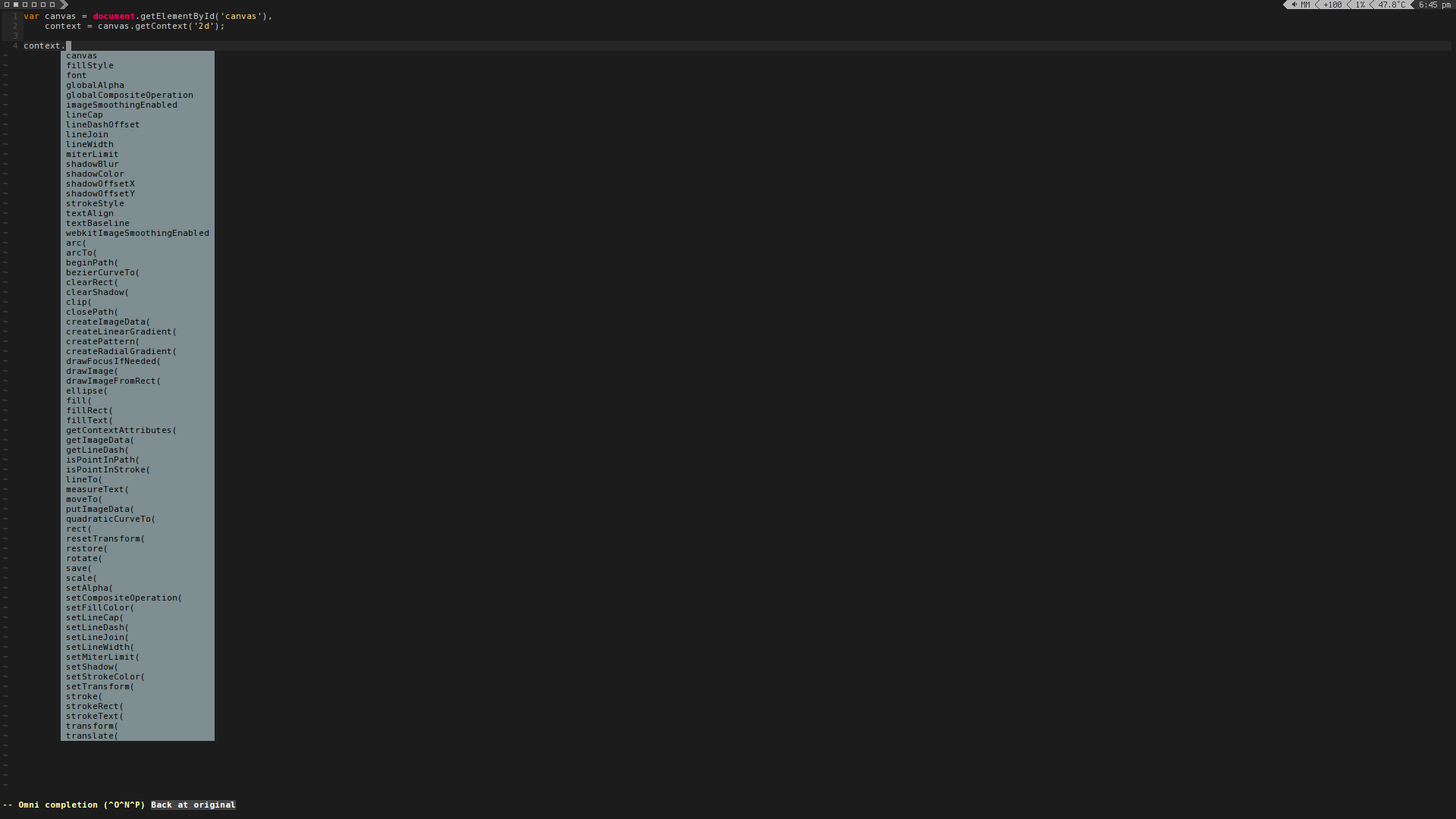
Ⅰ. 插件描述
An expansion of Vim's current JavaScript syntax file.Ⅱ. 基本信息
|
Ⅲ. 安装方法
使用Vundle管理器安装
在你的.vimrc下添加:Plugin '1995eaton/vim-better-javascript-completion':source %
:PluginInstall对于Vundle版本 < 0.10.2,请用上面的Bundle替换Plugin。
使用NeoBundle管理器安装
在你的.vimrc下添加:NeoBundle '1995eaton/vim-better-javascript-completion':source %
:NeoBundleInstall使用VimPlug管理器安装
在你的.vimrc下添加:Plug '1995eaton/vim-better-javascript-completion':source %
:PlugInstall使用Pathogen管理器安装
在终端中运行以下命令:cd ~/.vim/bundle
git clone https://github.com/1995eaton/vim-better-javascript-completionⅣ. 文档说明
Installation
Just throw this folder in your .vim/bundle directory. This should automatically replace Vim's existing JavaScript completion plugin
Features
- Much more up-to-date completion including support for many HTML5 methods/globals
- HTML5 canvas -> getContext completion
- NodeIterator, Treewalker, localStorage/sessionStorage methods
- All of the existing methods were updated including the
.stylecompletions (webkit supported), andconsole.object
Options
- I removed a couple of things from the original plugin and turned them into options:
let g:vimjs#casesensistive = 1
" Enabled by default. flip the value to make completion matches case insensitive

let g:vimjs#smartcomplete = 0
" Disabled by default. Enabling this will let vim complete matches at any location
" e.g. typing 'ocument' will suggest 'document' if enabled.

let g:vimjs#chromeapis = 0
" Disabled by default. Toggling this will enable completion for a number of Chrome's JavaScript extension APIs
Example