Ⅰ. 插件描述
devdocs in a bufferⅡ. 基本信息
|
Ⅲ. 安装方法
使用Vundle管理器安装
在你的.vimrc下添加:Plugin 'thomasthune/devdocsbuf':source %
:PluginInstall对于Vundle版本 < 0.10.2,请用上面的Bundle替换Plugin。
使用NeoBundle管理器安装
在你的.vimrc下添加:NeoBundle 'thomasthune/devdocsbuf':source %
:NeoBundleInstall使用VimPlug管理器安装
在你的.vimrc下添加:Plug 'thomasthune/devdocsbuf':source %
:PlugInstall使用Pathogen管理器安装
在终端中运行以下命令:cd ~/.vim/bundle
git clone https://github.com/thomasthune/devdocsbufⅣ. 文档说明
# devdocsbuf
devdocsbuf is a small plugin bridging the gap between devdocs and vim. The plugin automates looking up devdocs, converting the result to markdown and opening the result in a new buffer in vim.
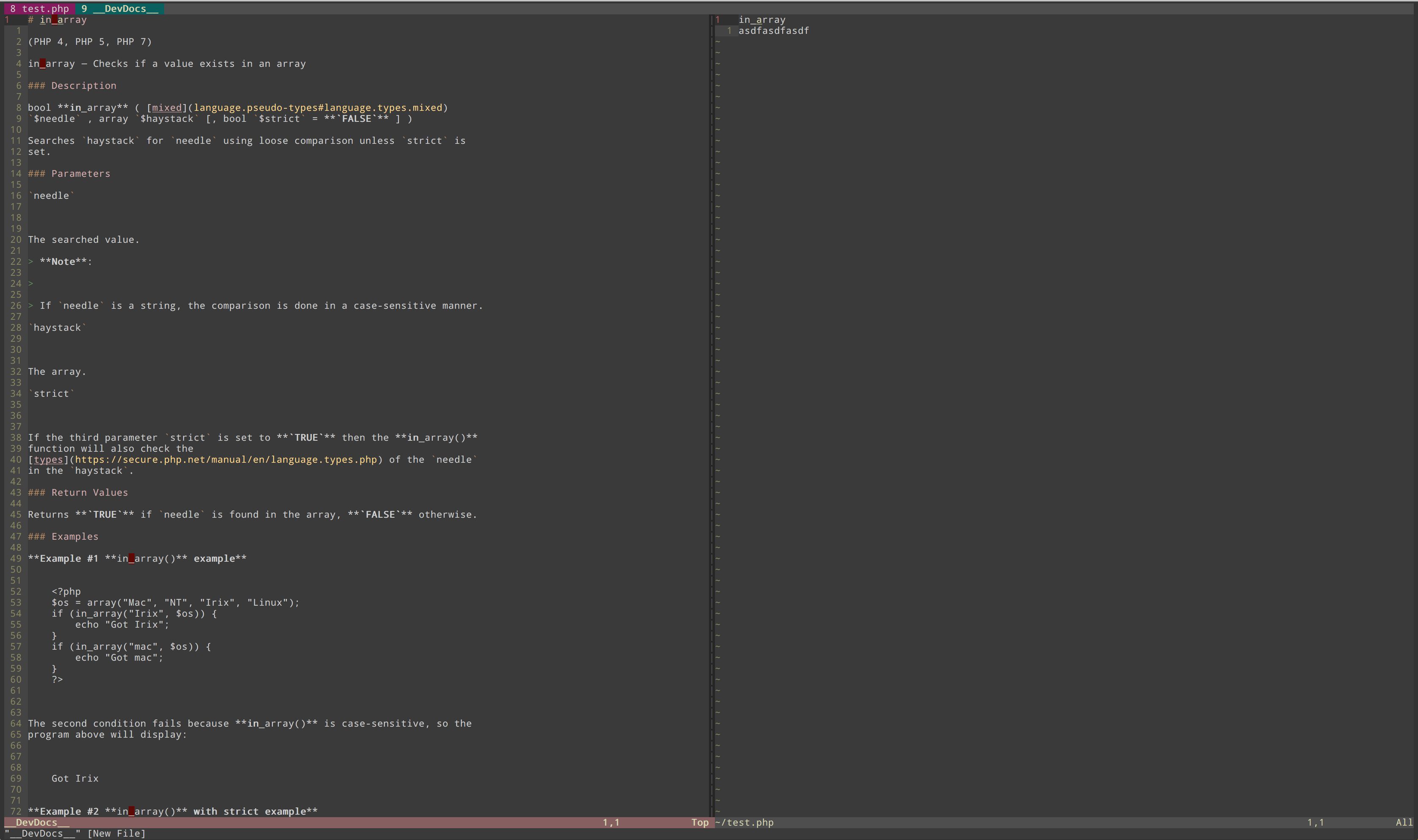
Requirements
The plugin relies on devdocs beeing set up locally and the html2text converting tool.
- devdocs -
Install locally and download the wanted docs. Follow the excellent guide on the github page. - html2text -
Install with pippip install [-g] html2text, and make sure it is executable from your $PATH.
How does it work
When called the plugin searches the index.json file for the given filetype, for a keyword matching the the word under the cursor. If a match i found, the html file is converted to markdown using html2text and opened in a new buffer.
If a exact match is not found, one that contains the word under the cursor is shown (see "Whats missing".
Settings
let g:devdocsbuf_devdocs_path = "/path/to/devdocs/public/docs/"
Useful mappings
Find docs for the current word, when pressing "K".
nmap K :Devdocsbuf<cr>
Why?
I love the devdocs resources, but i hate leaving vim. So i thought, why not combine the two and make it even easier to view the docs, while writing some code.
Whats missing
There are a number of things that i would like to add.
- Extend functionality when no exact match is found
- Manage installed devdocs from plugin
- Allow for filetype mapping
License
MIT License, see LICENSE.