Ⅰ. 插件描述
Vim plugin to remove distractionsⅡ. 基本信息
|
Ⅲ. 安装方法
使用Vundle管理器安装
在你的.vimrc下添加:Plugin 'bilalq/lite-dfm':source %
:PluginInstall对于Vundle版本 < 0.10.2,请用上面的Bundle替换Plugin。
使用NeoBundle管理器安装
在你的.vimrc下添加:NeoBundle 'bilalq/lite-dfm':source %
:NeoBundleInstall使用VimPlug管理器安装
在你的.vimrc下添加:Plug 'bilalq/lite-dfm':source %
:PlugInstall使用Pathogen管理器安装
在终端中运行以下命令:cd ~/.vim/bundle
git clone https://github.com/bilalq/lite-dfmⅣ. 文档说明
LiteDFM
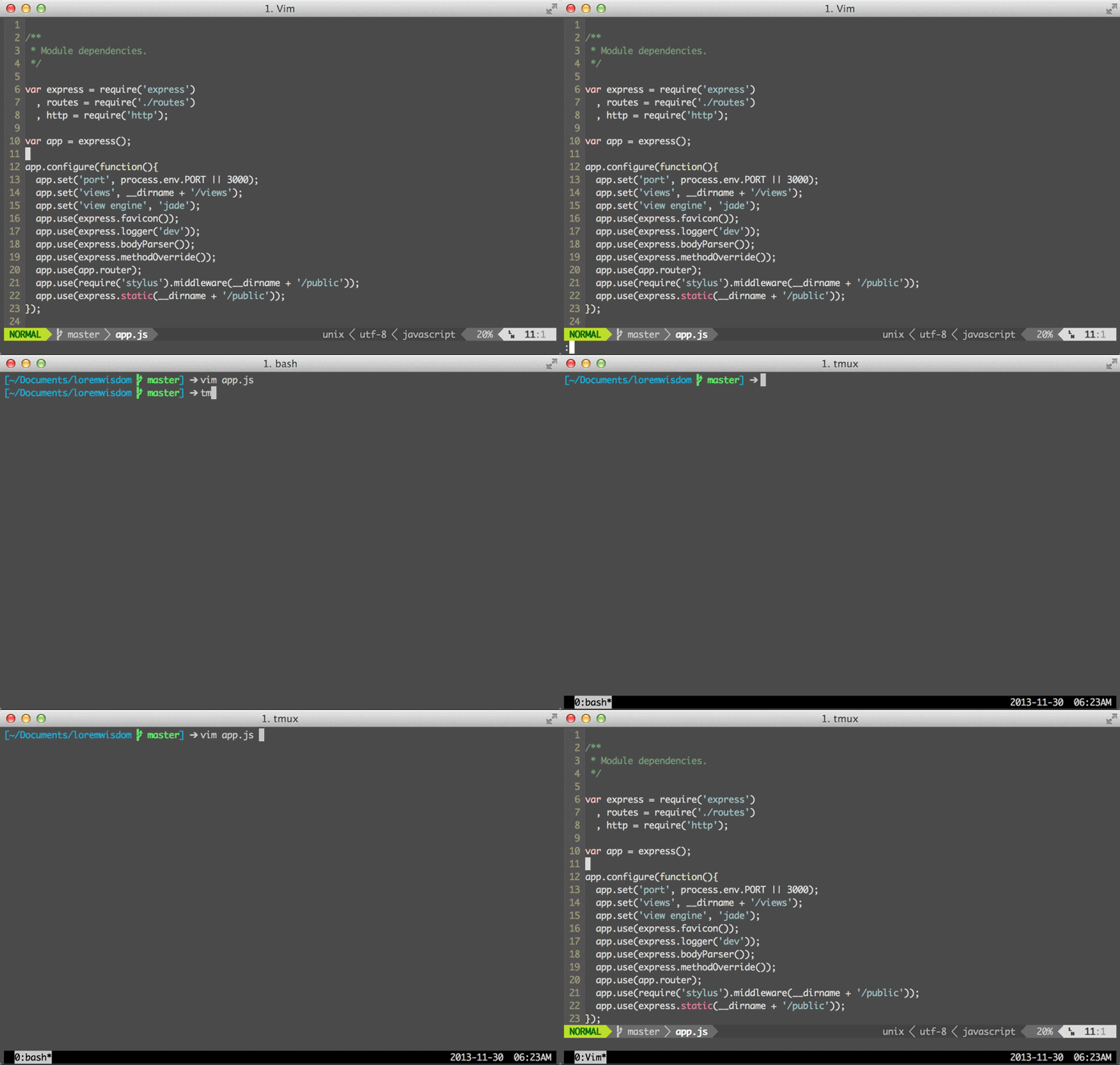
A lightweight plugin to remove distractions from Vim.
This is based loosely on Distraction Free Mode in Sublime Text.
A key differentiator from most other implementations of distraction free writing
in Vim is that support for vsplits remains uncrippled. This comes at the expense
of proper centering, though, so there's a tradeoff.
Installation
For Pathogen:
git clone https://github.com/bilalq/lite-dfm ~/.vim/bundle
For Vundle, add this to your vimrc and run BundleInstall:
Bundle 'bilalq/lite-dfm'Usage
There are 3 commands that are exposed:
LiteDFMLiteDFMCloseLiteDFMToggle
For convenience, I would recommend setting up a mapping to quickly toggle.
nnoremap <Leader>z :LiteDFMToggle<CR>If you dislike the fact that the last run command shows up as a message, use
this mapping instead:
nnoremap <Leader>z :LiteDFMToggle<CR>i<Esc>`^If you're a tmux user and really want to get fancy, this should interest you:
nnoremap <Leader>z :LiteDFMToggle<CR>:silent !tmux set status > /dev/null 2>&1<CR>:redraw!<CR>Customization
Colors
You can manually specify the color to be used for hiding UI elements. There
are two global variables that can be used to override the one that is normally
- One is for CLI Vim, while the other is for gui Vim. You can set
- in your vimrc like so:
let g:lite_dfm_normal_bg_cterm = 234
let g:lite_dfm_normal_bg_gui = '#abcabc'
If you are using a value of none for your background color, this is the only
way you will be able to make this plugin properly hide your UI elements.
Left offset
This plugin doesn't center, but instead offsets text from the left. You can
specify exactly how many columns you want this offset to be. Any value from 1 to
22 is valid. By default, 22 is used.
let g:lite_dfm_left_offset = 16Keeping the ruler
You may prefer to have the ruler on when you have LiteDFM active. You can do so
by adding this to your vimrc:
let g:lite_dfm_keep_ruler=1