Ⅰ. 插件描述
:christmas_tree: Vim undo tree visualizerⅡ. 基本信息
|
Ⅲ. 安装方法
使用Vundle管理器安装
在你的.vimrc下添加:Plugin 'simnalamburt/vim-mundo':source %
:PluginInstall对于Vundle版本 < 0.10.2,请用上面的Bundle替换Plugin。
使用NeoBundle管理器安装
在你的.vimrc下添加:NeoBundle 'simnalamburt/vim-mundo':source %
:NeoBundleInstall使用VimPlug管理器安装
在你的.vimrc下添加:Plug 'simnalamburt/vim-mundo':source %
:PlugInstall使用Pathogen管理器安装
在终端中运行以下命令:cd ~/.vim/bundle
git clone https://github.com/simnalamburt/vim-mundoⅣ. 文档说明
vim-mundo
A Vim plugin to visualizes the Vim [undo tree].
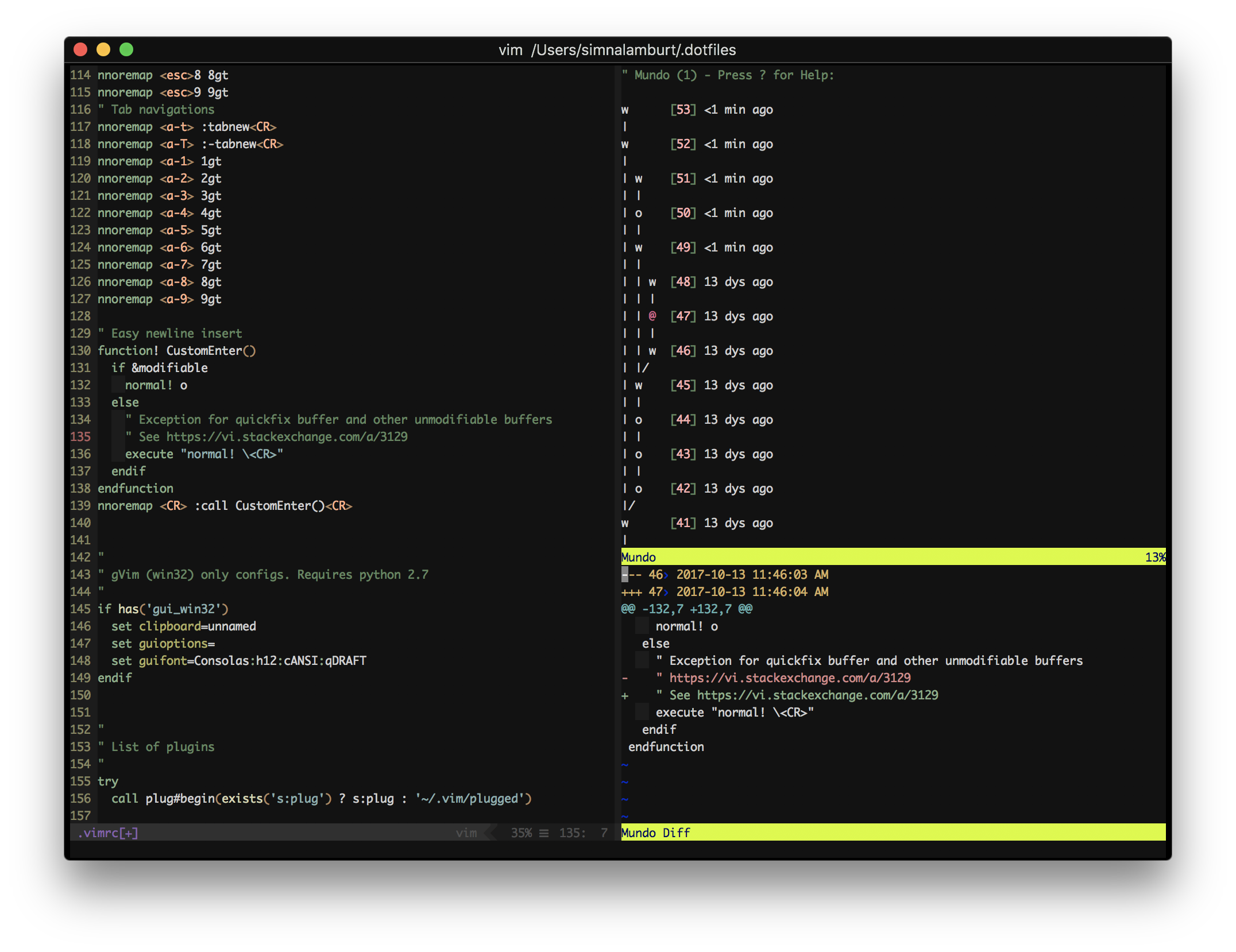
- [Official webpage]
- [Introductory Video]
How is this different than other plugins?
Mundo is a fork of [Gundo], and it has bunch of improvements.
Several new features:
- Ability to search undo history using /.
- An 'in line' diff mode.
- Navigation keys J and K to move thru written undos.
Merged upstream [pull requests]:
- [Neovim] support
What's your further plan?
- Make faster
- Automated test
Requirements
- Vim ≥ 7.3 or [Neovim]
+python3or+pythoncompile option- Python ≥ 2.4
Recommended vim settings:
" Enable persistent undo so that undo history persists across vim sessions
set undofile
set undodir=~/.vim/undo
Installation
It is recommended to use one of the popular plugin managers for Vim. There are
many and you probably already have a preferred one, but a few examples for your
copy-and-paste convenience:
Pathogen
$ git clone https://github.com/simnalamburt/vim-mundo ~/.vim/bundle/mundo.vim
Vundle
Plugin 'simnalamburt/vim-mundo'NeoBundle
NeoBundle 'simnalamburt/vim-mundo'Vim-Plug
Plug 'simnalamburt/vim-mundo'Manual (not recommended)
Download the plugin and extract it in ~/.vim/ (or%PROGRAMFILES%/Vim/vimfiles on Windows).
Unit tests
Tests unit tests can be run with [nose]:
cd autoload
nosetests
vim-mundo is primarily distributed under the terms of the [GNU General Public
License, version 2] or any later version. See [COPYRIGHT] for details.