Ⅰ. 插件描述
Ⅱ. 基本信息
|
Ⅲ. 安装方法
使用Vundle管理器安装
在你的.vimrc下添加:Plugin 'petrbroz/glsl-vim-frighten-you':source %
:PluginInstall对于Vundle版本 < 0.10.2,请用上面的Bundle替换Plugin。
使用NeoBundle管理器安装
在你的.vimrc下添加:NeoBundle 'petrbroz/glsl-vim-frighten-you':source %
:NeoBundleInstall使用VimPlug管理器安装
在你的.vimrc下添加:Plug 'petrbroz/glsl-vim-frighten-you':source %
:PlugInstall使用Pathogen管理器安装
在终端中运行以下命令:cd ~/.vim/bundle
git clone https://github.com/petrbroz/vim-glslⅣ. 文档说明
# glsl.vim
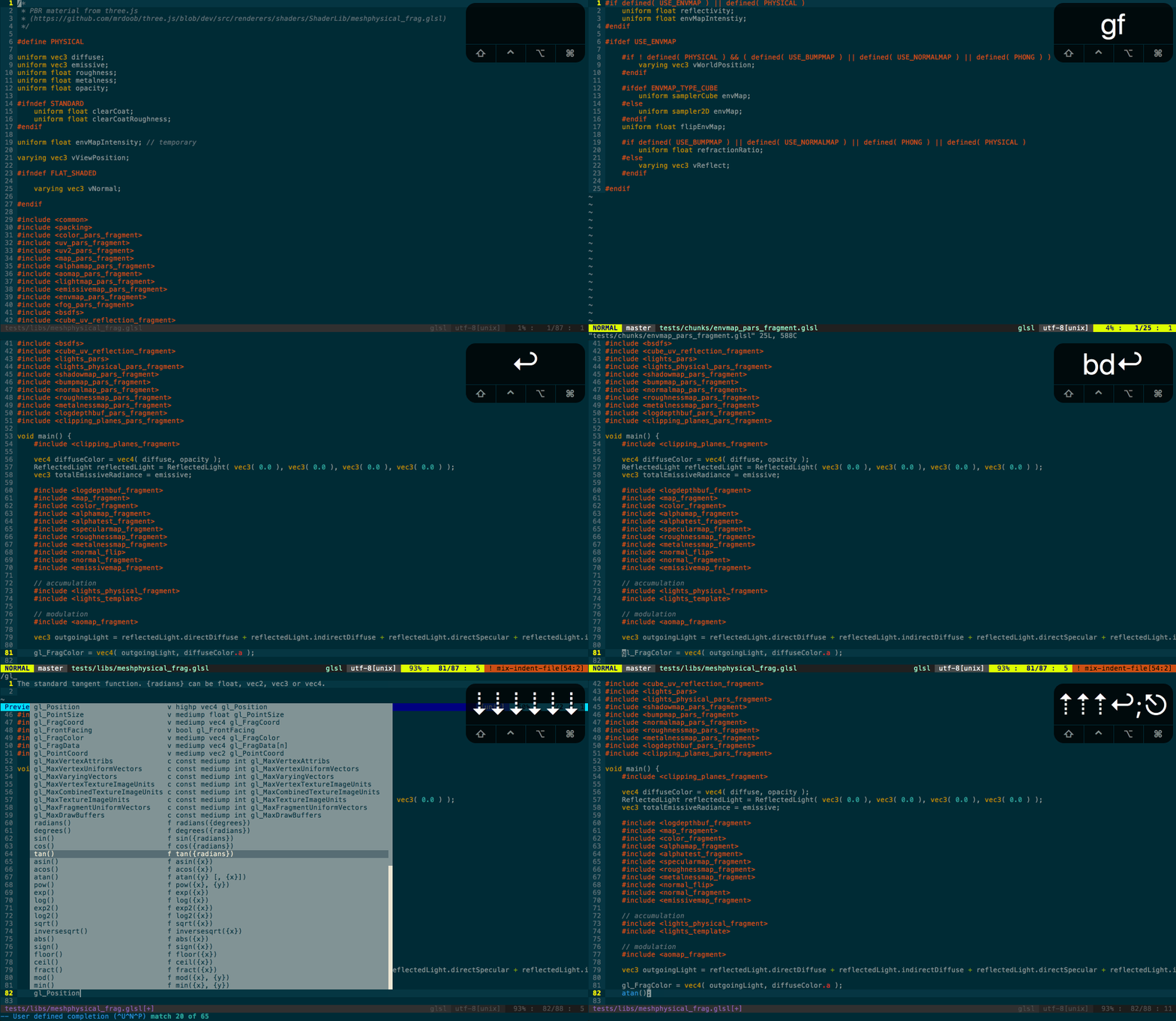
Provides basic functionality such as syntax highlighting or code folding
for standard OpenGL ES 1.0 shaders, and for additional directives used in
three.js (for example, #include).
Supported file extensions: .glsl, .vs, .fs
Installation
- Using pathogen? Open your terminal and run:
cd ~/.vim/bundle && git clone git://github.com/petrbroz/vim-glsl.git- Using Vundle? Open your .vimrc and add:
Plugin 'petrbroz/vim-glsl'- Using NeoBundle? Open your .vimrc and add:
NeoBundle 'petrbroz/vim-glsl'Features
Syntax highlighting
Based on WebGL 1.0 specs.
Additionally, #include directives used in three.js
are also recognized.
Code folding
Simply based on cindent.
Reference documentation
The built-in variables, constants, and functions of OpenGL ES GLSL are documented
using vim's docs format, so you can look up the documentation using something like:h texture2D(), or just hit K while the cursor is on the function.
If these don't work, you may need to update your help tags. See
:h helptags
for more information.
Autocomplete
The same reference documentation mentioned above is used to provide the user-defined
- Hit
ctrl-xctrl-uwhile in insert mode to invoke it. If you want - use omnicompletion instead (
ctrl-xctrl-o), add the following line to your
.vimrc file:
set omnifunc=glsl#CompleteFuncGo to shader chunk
With cursor inside the brackets of the #include<foo> directive, gf will try to find
foo.glsl_, _foo.vs_, or _foo.fs in the subtree of the current working directory.
License
Distributed under the same terms as Vim. See :help license.