Ⅰ. 插件描述
Porting of Rogue-clone II for VimⅡ. 基本信息
|
Ⅲ. 安装方法
使用Vundle管理器安装
在你的.vimrc下添加:Plugin 'katono/rogue-vim-sweeter-than-fiction':source %
:PluginInstall对于Vundle版本 < 0.10.2,请用上面的Bundle替换Plugin。
使用NeoBundle管理器安装
在你的.vimrc下添加:NeoBundle 'katono/rogue-vim-sweeter-than-fiction':source %
:NeoBundleInstall使用VimPlug管理器安装
在你的.vimrc下添加:Plug 'katono/rogue-vim-sweeter-than-fiction':source %
:PlugInstall使用Pathogen管理器安装
在终端中运行以下命令:cd ~/.vim/bundle
git clone https://github.com/katono/rogue.vimⅣ. 文档说明
rogue.vim
"Hello Vimmer, welcome to the Dungeons of Doom..."
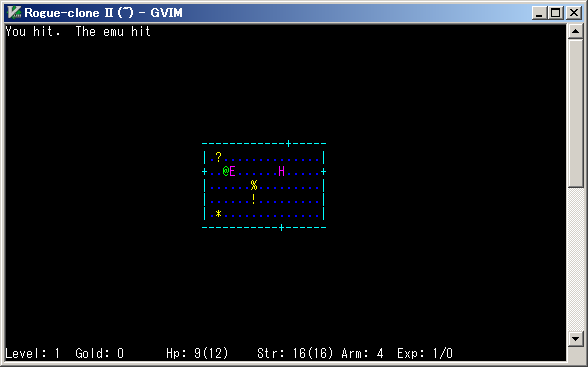
Description
This Vim plugin is a game that is porting of Rogue-clone II.
You can enjoy the game on your Vim.
This rogue-clone is message-separated, and so you can make your original message file.
By the way, you can get the original of this game from FreeBSD ports japanese/rogue_s.
Repository
You can get the latest version from here.
https://github.com/katono/rogue.vim
Requirements
rogue.vim requires Lua-enabled Vim.
Check :echo has('lua') returns 1 and :echo luaeval('_VERSION') returns Lua 5.1 or later.
LuaJIT is recommended because that is very fast.
Installation
Copy autoload, doc, plugin, and syntax directories into your Vim runtimepath,
like $HOME/.vim or $VIM/vimfiles.
And execute this Vim command to make help tags.
:helptags <installed directory>/doc
You can execute :h rogue to see this plugin's help.
If you use a Vim plugin manager, follow its way.
License
MIT License