Ⅰ. 插件描述
A community-driven modular vim distribution - The ultimate vim configurationⅡ. 基本信息
|
Ⅲ. 安装方法
使用Vundle管理器安装
在你的.vimrc下添加:Plugin 'spacevim/spacevim-hands-off':source %
:PluginInstall对于Vundle版本 < 0.10.2,请用上面的Bundle替换Plugin。
使用NeoBundle管理器安装
在你的.vimrc下添加:NeoBundle 'spacevim/spacevim-hands-off':source %
:NeoBundleInstall使用VimPlug管理器安装
在你的.vimrc下添加:Plug 'spacevim/spacevim-hands-off':source %
:PlugInstall使用Pathogen管理器安装
在终端中运行以下命令:cd ~/.vim/bundle
git clone https://github.com/spacevim/spacevimⅣ. 文档说明

Wiki |
Quick start guide |
Documentation |
Community |
Sponsors |
Twitter |
Gitter Chat |
中文官网





About SpaceVim
SpaceVim is a community-driven modular Vim distribution. It manages collections
of plugins in layers, which help to collect related packages together to provide IDE-like features.
SpaceVim is not just a vimrc but an ultimate Vim configuration, It contains many built-in features.
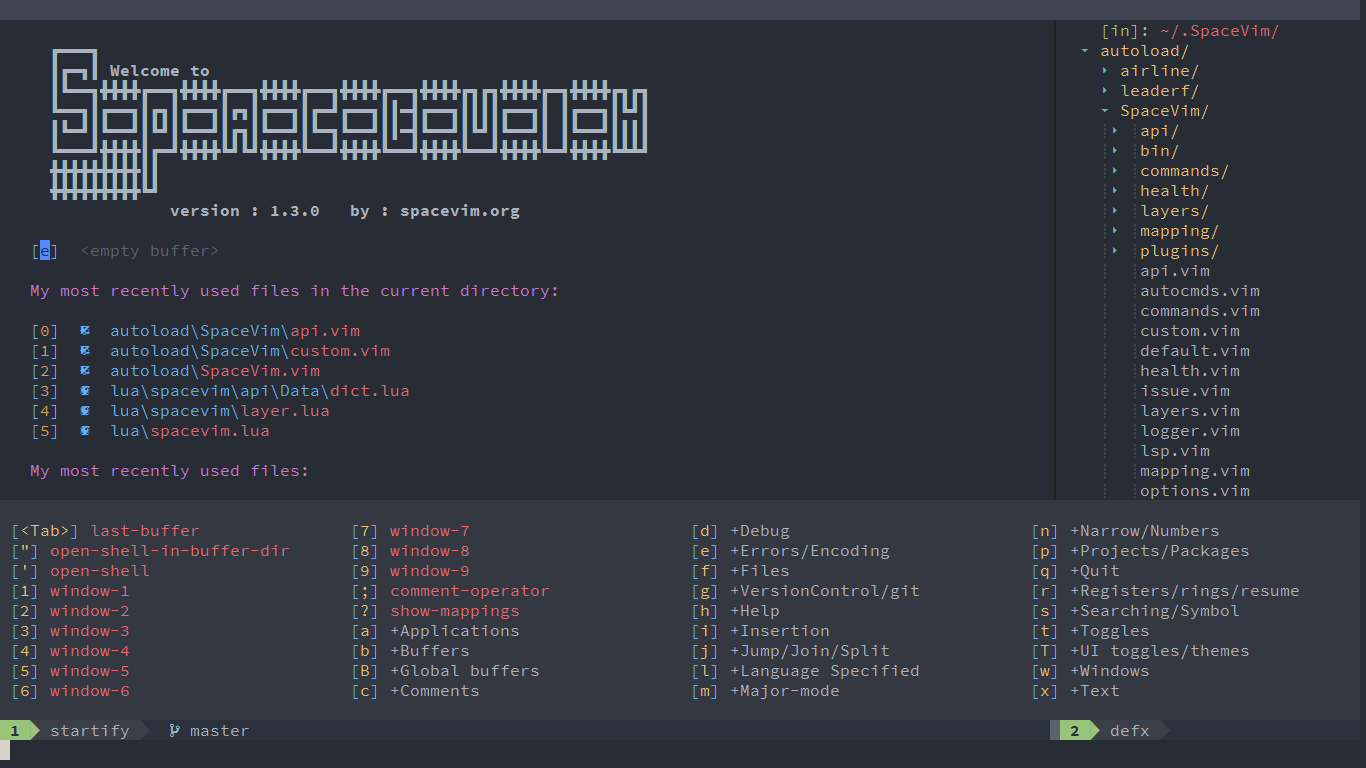
The last release is v1.3.0, check out following-HEAD page for what happened since last release.
Instructions
See the followings below for more information:
If you have any questions about SpaceVim, please follow the Getting Help Guide.
<!-- vim-markdown-toc GFM -->
<!-- vim-markdown-toc -->
New Features
This is a list of latest features implemented in SpaceVim:
Use toml as default configuration
Here is an example for using toml as SpaceVim config:
# This is basic configuration example for SpaceVim.

# All SpaceVim options below [options] snippet.
[options]
    # Set SpaceVim theme. By default colorscheme layer is not loaded.
    # If you want to use more colorschemes, please load the colorscheme
    # layer.
    colorscheme = "gruvbox"
    colorscheme_bg = "dark"
    # Disable guicolors in basic mode, many terminal do not support 24bit
    # true colors
    enable_guicolors = false
    # Disable statusline separator, if you want to use other value, please
    # install nerd fonts
    statusline_separator = "nil"
    statusline_inactive_separator = "bar"
    buffer_index_type = 4
    windows_index_type = 3
    enable_tabline_ft_icon = false
    enable_statusline_mode = false
    statusline_unicode_symbols = false
    # Enable Vim compatible mode, avoid changing origin Vim key bindings
    vimcompatible = true

# Enable autocomplete layer
[[layers]]
    name = 'autocomplete'
    auto-completion-return-key-behavior = "complete"
    auto-completion-tab-key-behavior = "cycle"

[[layers]]
    name = 'shell'
    default_position = 'top'
    default_height = 30
Iedit mode
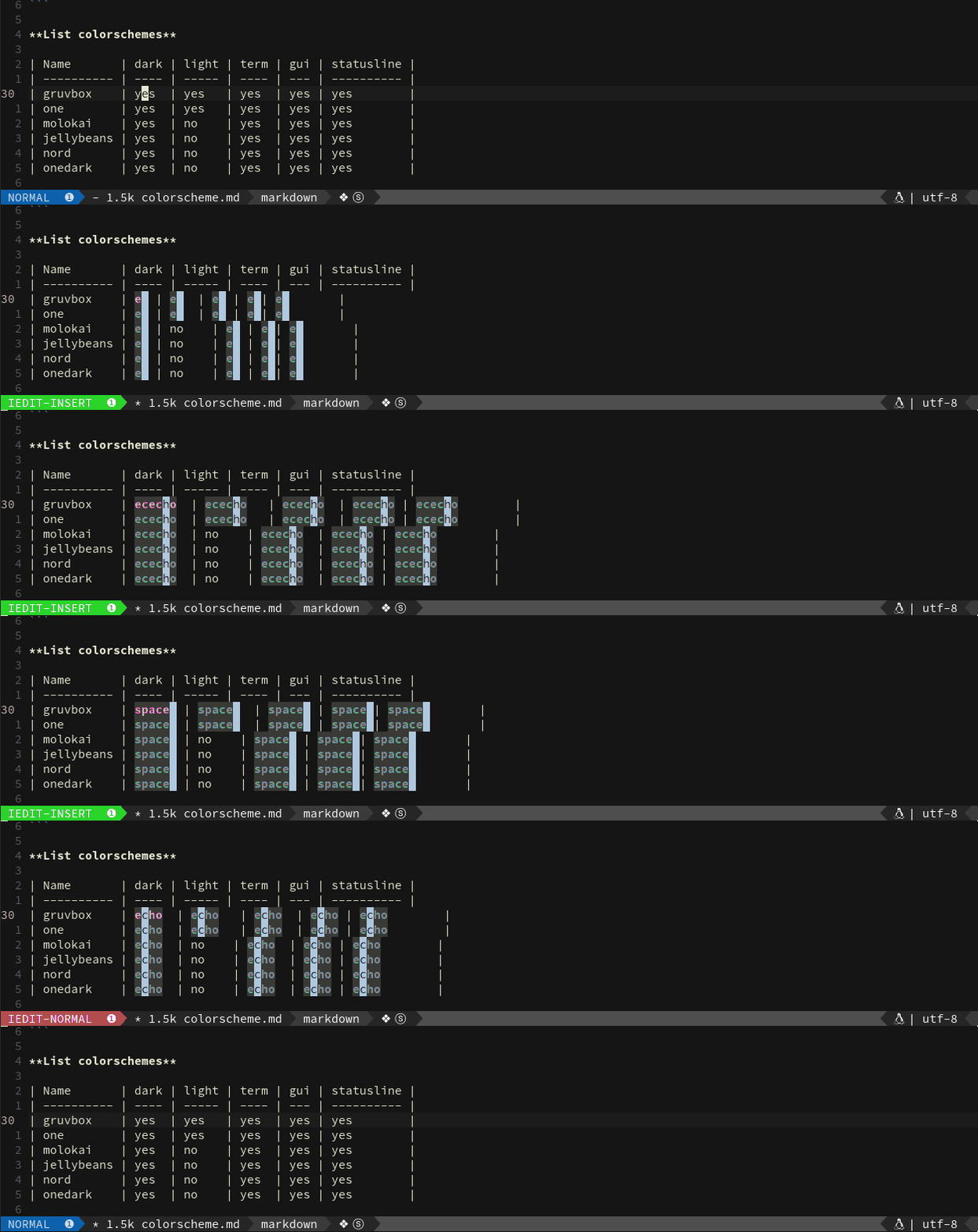
SpaceVim uses a powerful iedit mode to quick edit multiple occurrences of a symbol or selection. Two new modes:iedit-Normal/iedit-Insert.
The default color for iedit is red/green which is based on the current colorscheme.
Highlight cursor symbol
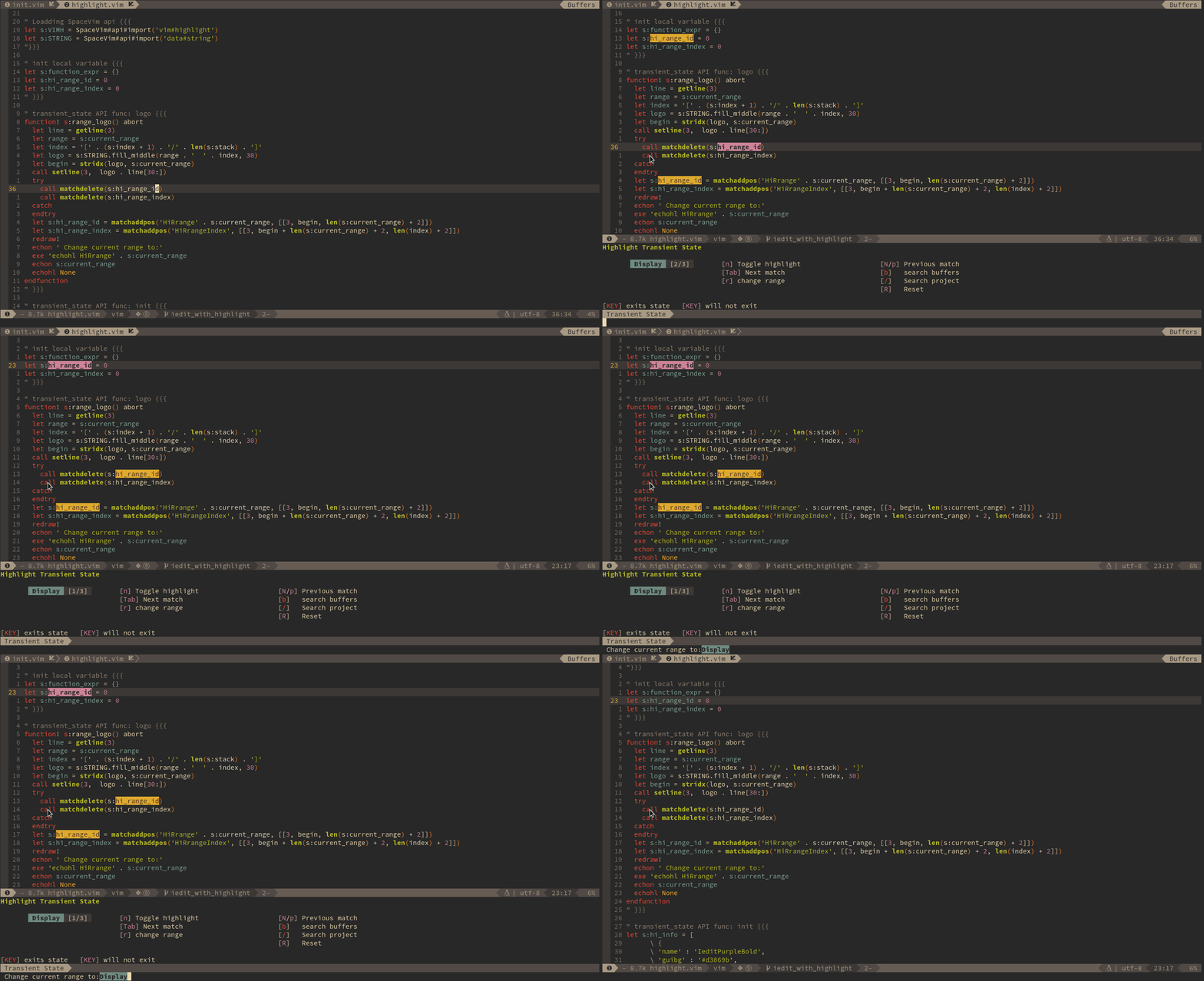
SpaceVim supports highlighting of the current symbol on demand and adds
a transient state to easily navigate and rename this symbol.
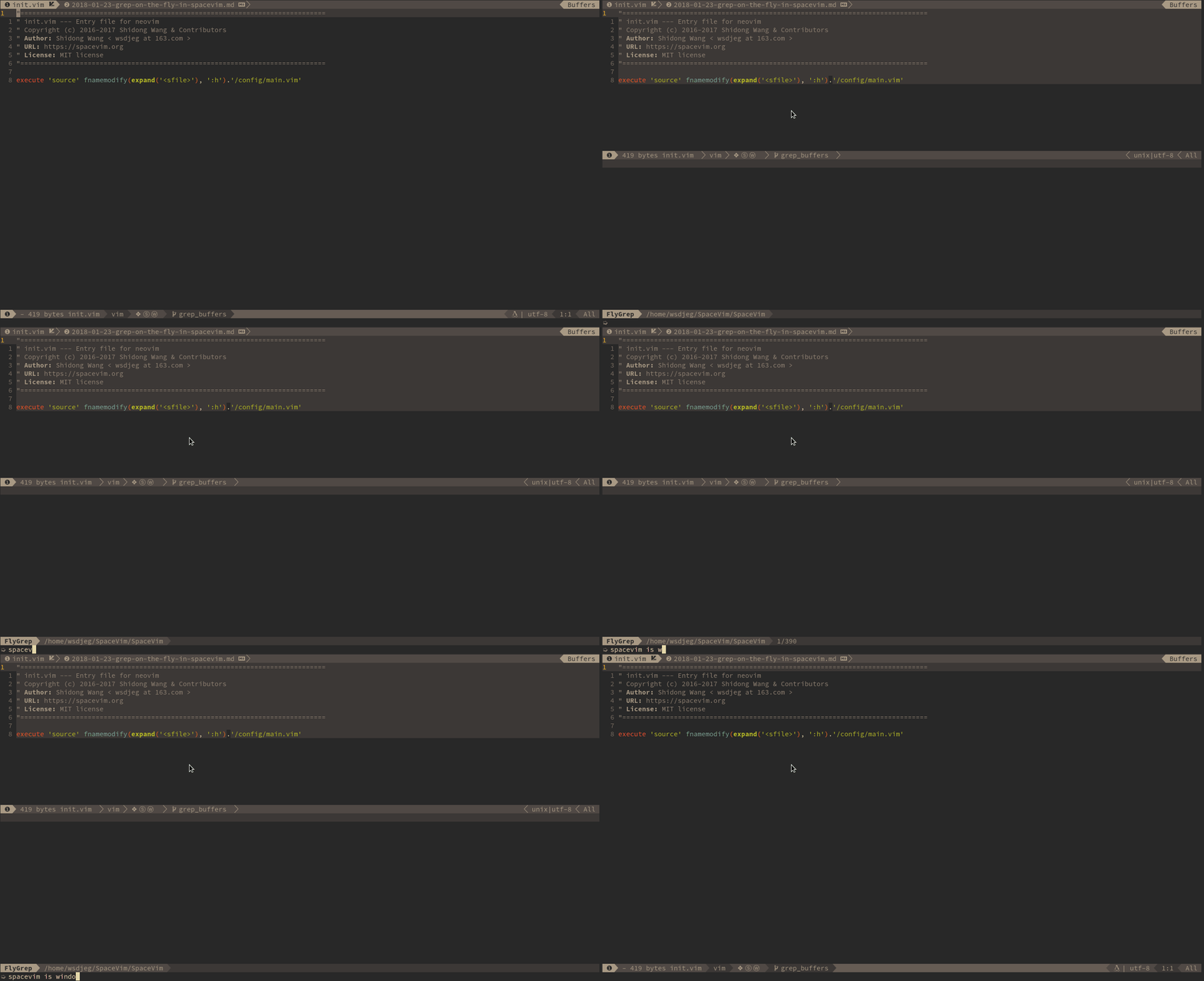
With this feature, Vim will display the searching result as you type. Of course, it is running
- Before using this feature, you need to install a searching tool. FlyGrep works
- search tools:
ag,rg,ack,ptandgrep, Choose one you like.
Mnemonic key bindings navigation
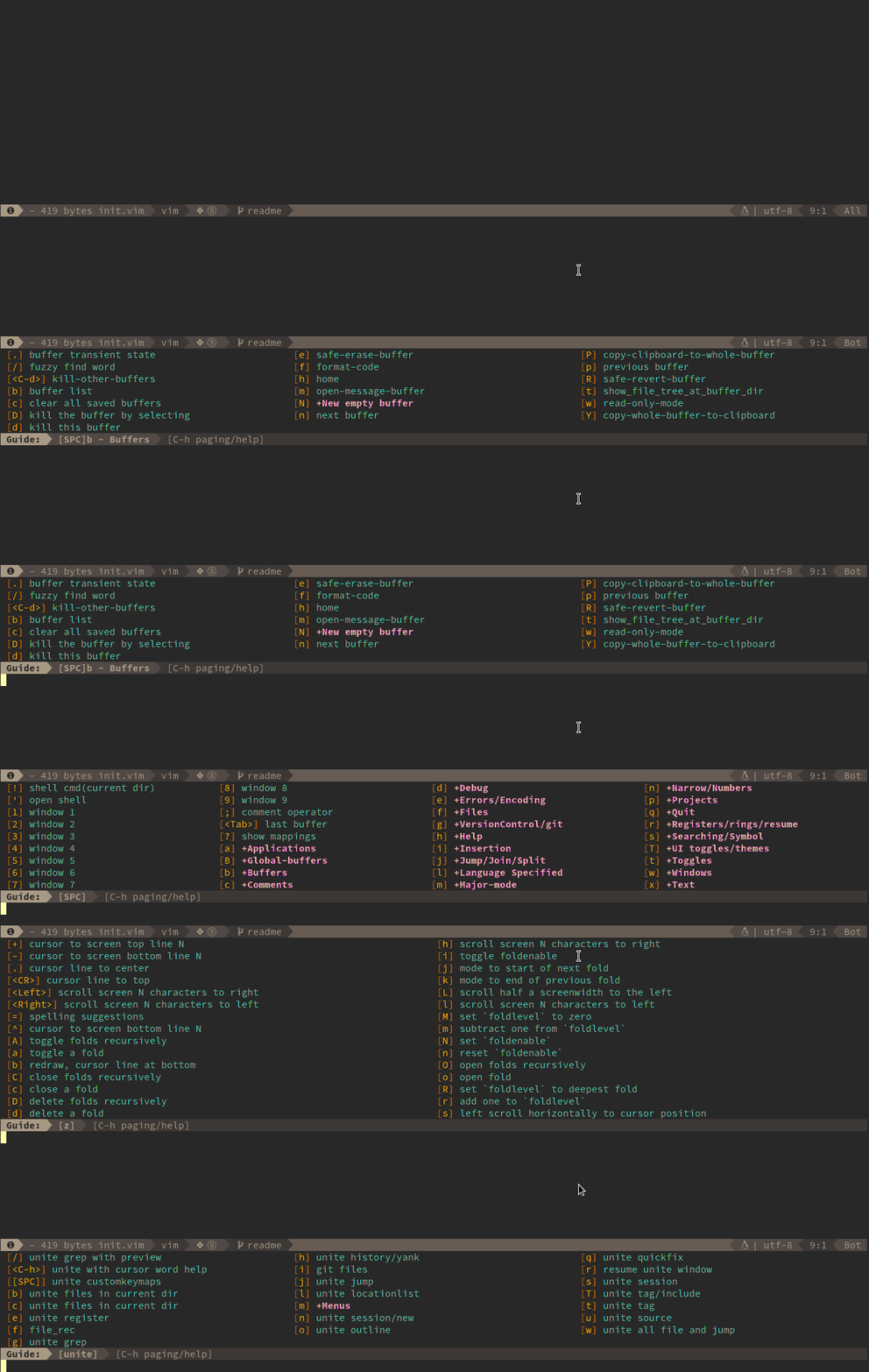
You don't need to remember any key bindings, as the mapping guide will show up after the SPC is pressed.
The mapping guide is also available for g, z, and s.
Help description for key bindings
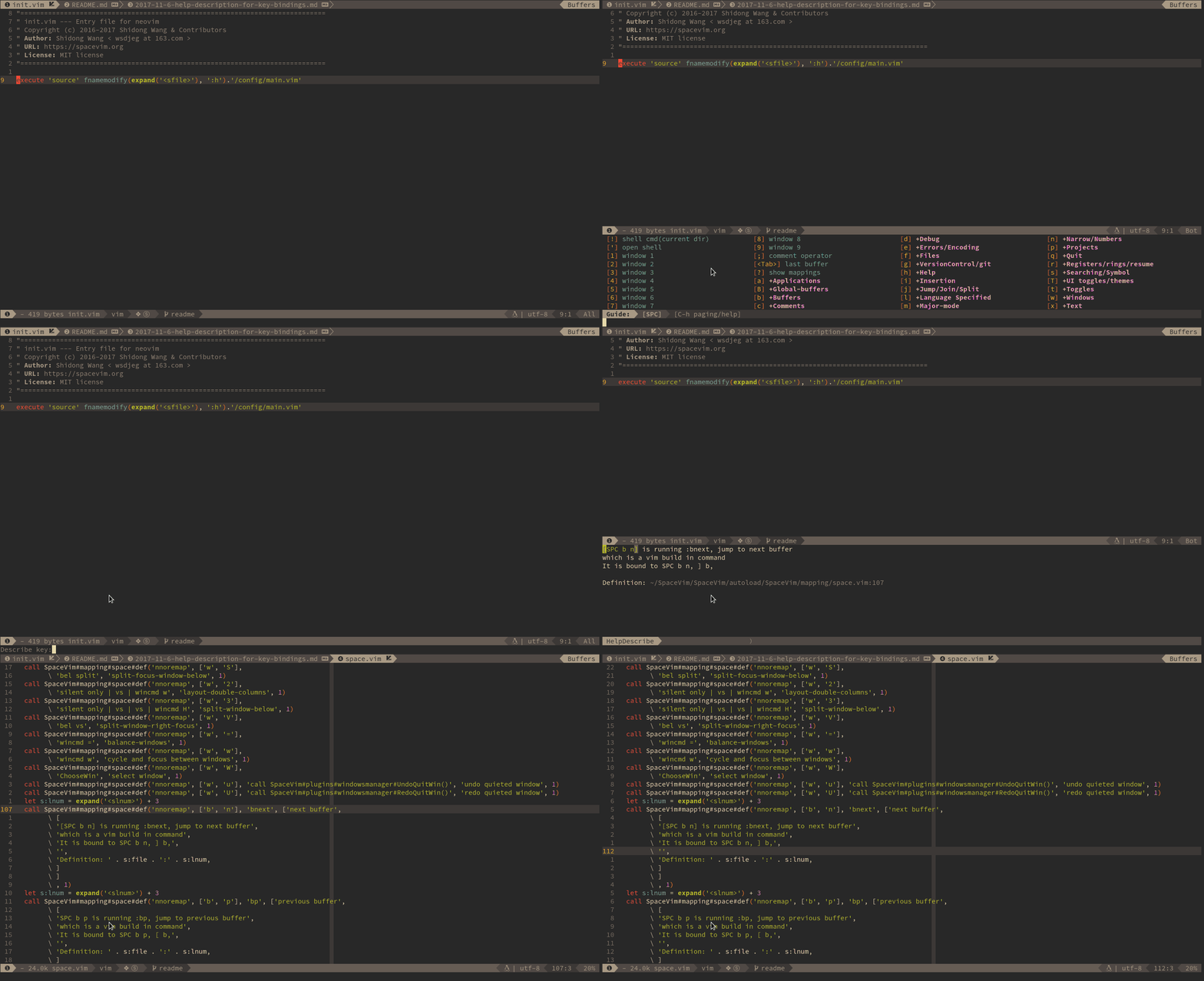
Use SPC h d k to get the help description of a key binding, and gd to find definition of key bindings.
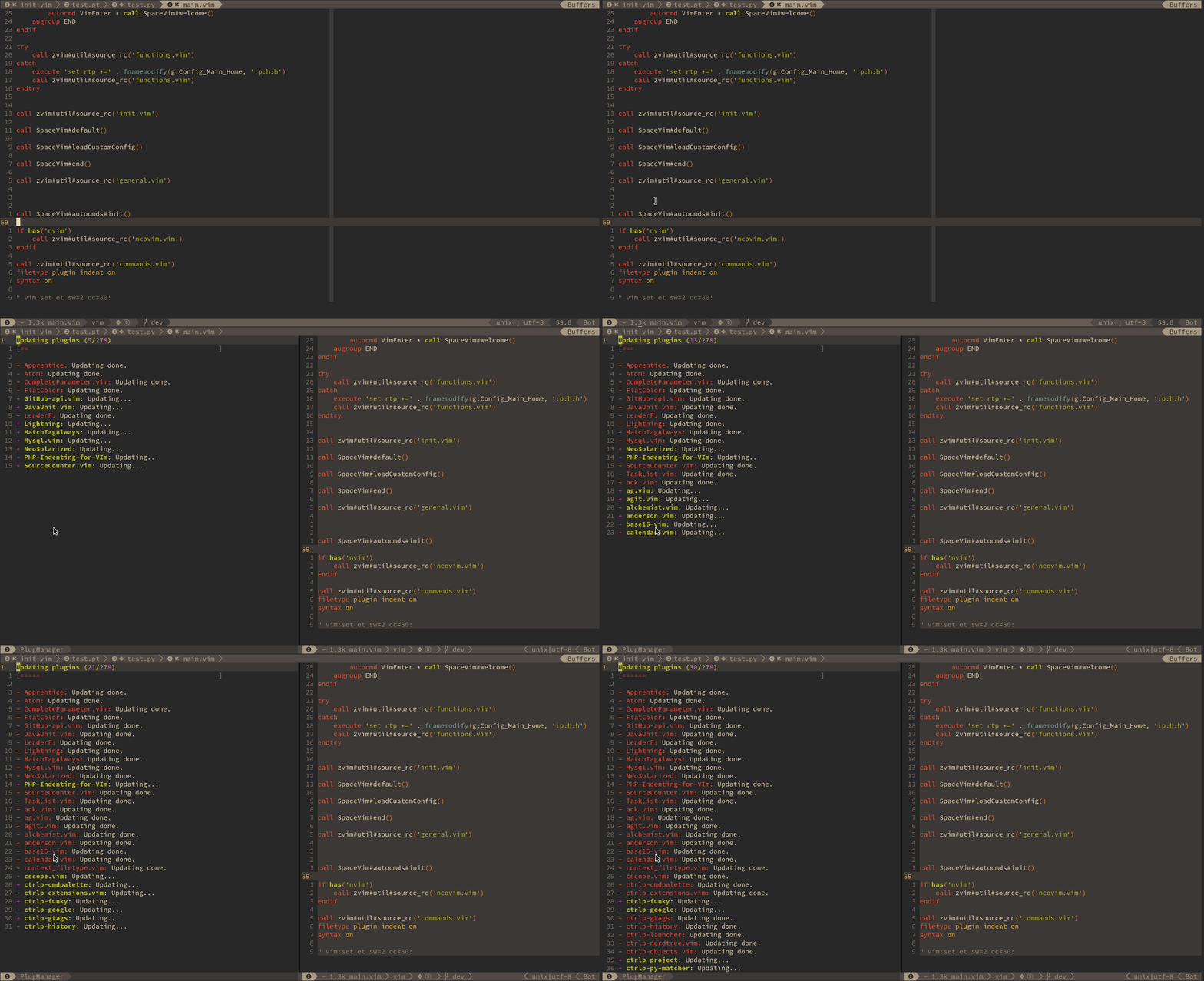
Create an UI for dein.vim - the best asynchronous vim plugin manager
For more features, please read SpaceVim's Blog
Project layout
├─ .ci/                           build automation
├─ .github/                       issue/PR templates
├─ .SpaceVim.d/                   project specific configuration
├─ autoload/SpaceVim.vim          SpaceVim core file
├─ autoload/SpaceVim/api/         Public APIs
├─ autoload/SpaceVim/layers/      available layers
├─ autoload/SpaceVim/plugins/     buildin plugins
├─ autoload/SpaceVim/mapping/     mapping guide
├─ doc/                           help(cn/en)
├─ docs/                          website(cn/en)
├─ wiki/                          wiki(cn/en)
├─ bin/                           executable
└─ test/                          tests
Support SpaceVim
The best way to support SpaceVim is to contribute to it either by reporting bugs.
Helping the community on the Gitter Chat or sending pull requests.
For more information please check our development guidelines.
If you want to show your support financially you can buy a drink for the maintainer by clicking following icon.

| alipay | |
|---|---|
 |  |
Bitcoin: 1DtuVeg81c2L9NEhDaVTAAbrCR3pN5xPFv
Credits & Thanks
This project exists to thank all the people who have contributed:
- @Gabirel and his Hack-SpaceVim
- @everettjf and his SpaceVimTutorial
- vimdoc generate doc file for SpaceVim
- Rafael Bodill and his vim-config
- Bailey Ling and his dotvim
- Authors of all the plugins used in SpaceVim.
<!-- vim:set nowrap: -->