Ⅰ. 插件描述
Vim plugin to give you automatic angular dependency expression managementⅡ. 基本信息
|
Ⅲ. 安装方法
使用Vundle管理器安装
在你的.vimrc下添加:Plugin 'michaelrfairhurst/angular-dep-vim':source %
:PluginInstall对于Vundle版本 < 0.10.2,请用上面的Bundle替换Plugin。
使用NeoBundle管理器安装
在你的.vimrc下添加:NeoBundle 'michaelrfairhurst/angular-dep-vim':source %
:NeoBundleInstall使用VimPlug管理器安装
在你的.vimrc下添加:Plug 'michaelrfairhurst/angular-dep-vim':source %
:PlugInstall使用Pathogen管理器安装
在终端中运行以下命令:cd ~/.vim/bundle
git clone https://github.com/michaelrfairhurst/angular-dep.vimⅣ. 文档说明
AngularDep.vim
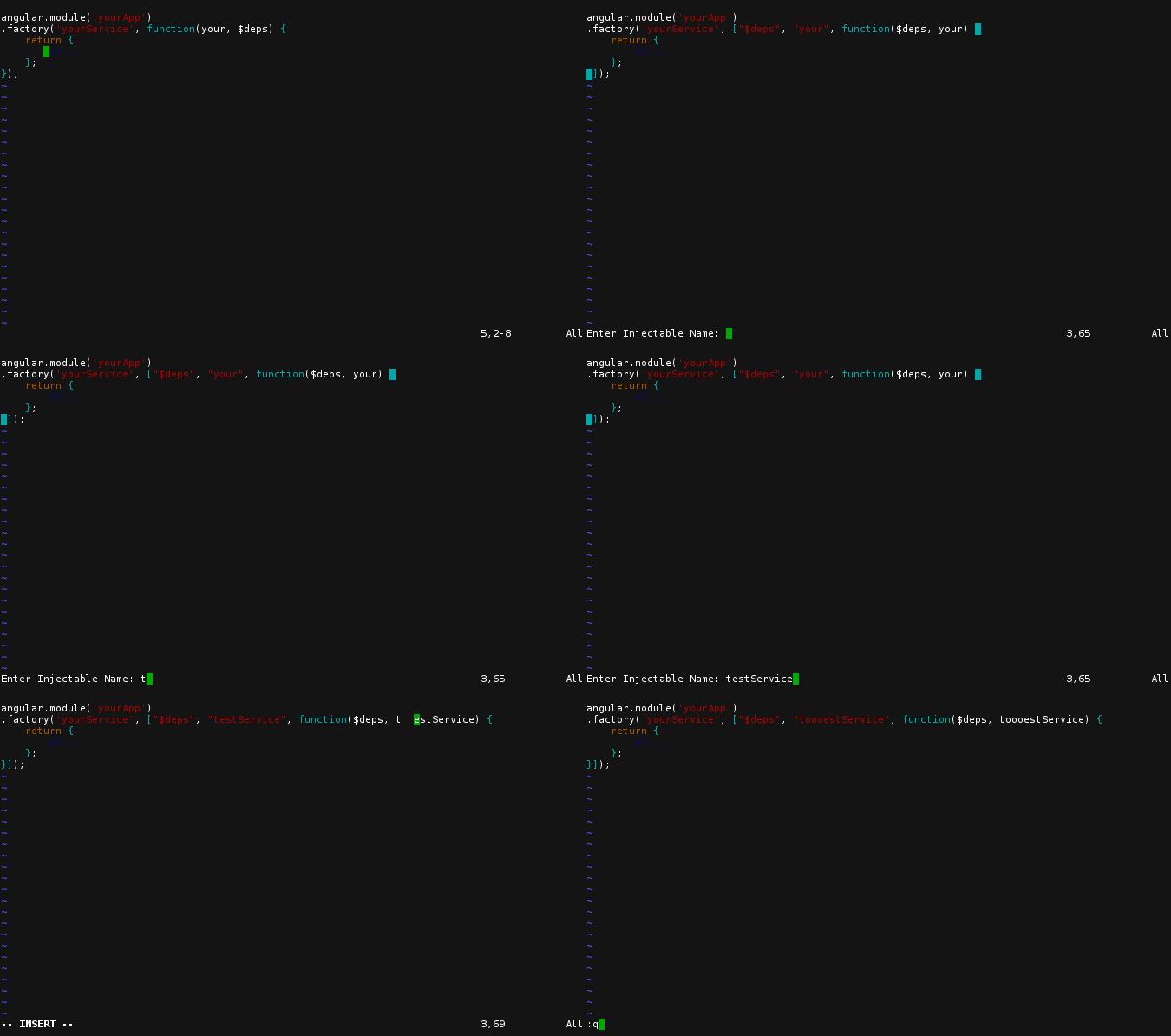
Automatically update angular injection syntax with vim:
["out", "of", "date", "dependencies", function($brand, $new, dependencies, here) {
    ...
}]
Simply put your cursor anywhere on the first line, and type
<Leader>adu
to have the line updated to
["$brand", "$new", "dependencies", "here", function($brand, $new, dependencies, here) {
Should preserve most if not all formatting in the line.
Other features:
<Leader>ado - order dependencies alphabetically
<Leader>ada - add a new dependency with a prompt for the name
<Leader>adr - choose to remove a dependency from a list
<Leader>adc - newly wrap a function with dependency declarations (put your cursor on the f in function)
distributed under the MIT license
Installing:
If you have pathogen, simply git clone git@github.com:MichaelRFairhurst/angular-dep.vim.git within ~/.vim/bundle. Otherwise copy javascript.vim into ~/.vim/ftplugin/javascript.vim.
Configuring:
Currently the only option is to change single quotes or double quotes by defining the following in your .vimrc
let g:angular_dep_quote = '"'