Ⅰ. 插件描述
Arc Theme for VimⅡ. 基本信息
|
Ⅲ. 安装方法
使用Vundle管理器安装
在你的.vimrc下添加:Plugin 'netsgnut/arctheme-vim':source %
:PluginInstall对于Vundle版本 < 0.10.2,请用上面的Bundle替换Plugin。
使用NeoBundle管理器安装
在你的.vimrc下添加:NeoBundle 'netsgnut/arctheme-vim':source %
:NeoBundleInstall使用VimPlug管理器安装
在你的.vimrc下添加:Plug 'netsgnut/arctheme-vim':source %
:PlugInstall使用Pathogen管理器安装
在终端中运行以下命令:cd ~/.vim/bundle
git clone https://github.com/netsgnut/arctheme.vimⅣ. 文档说明
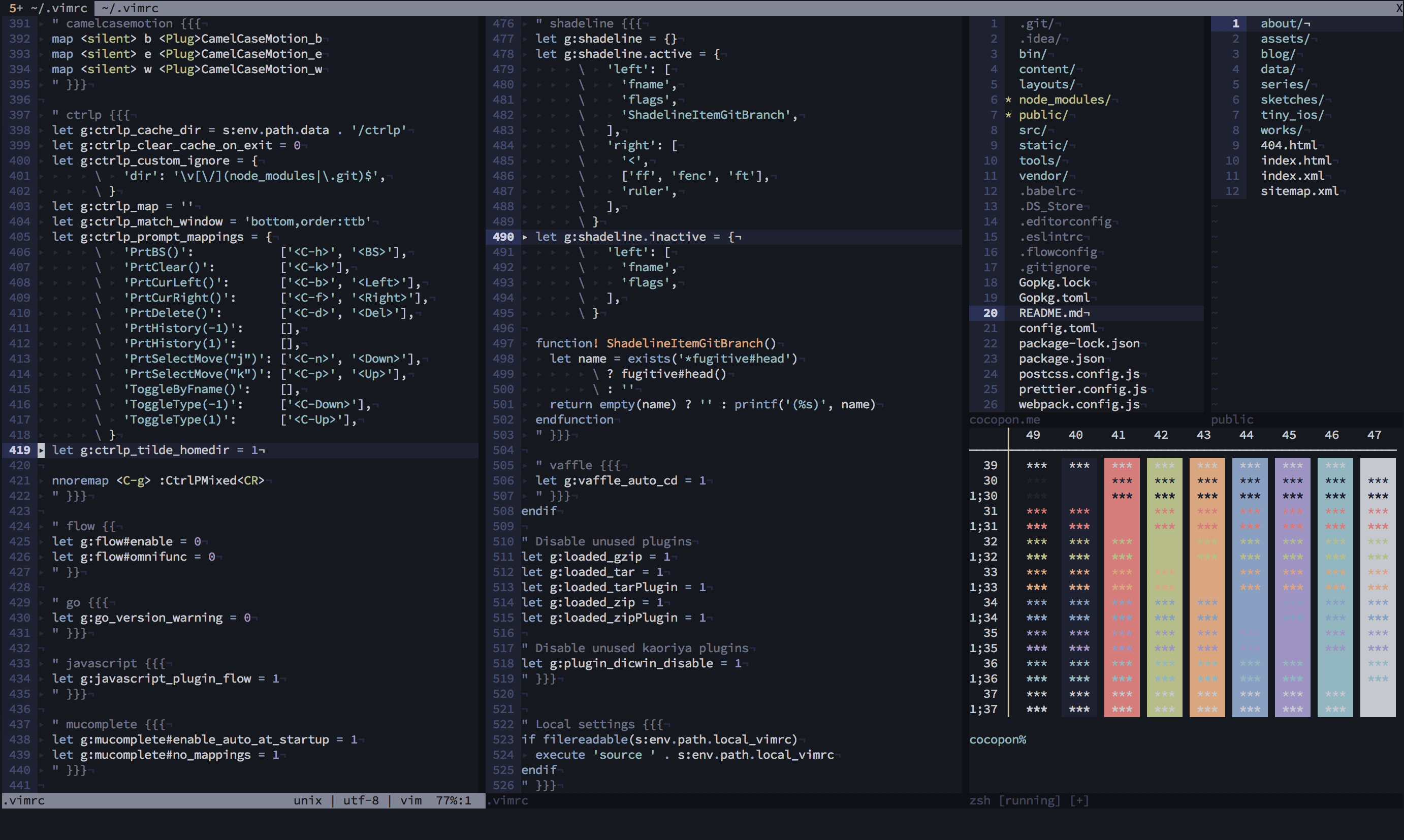
Iceberg is a well-designed, eye-friendly, dark blue color scheme for Vim and
Neovim.
See the official site or the
vimonline page for more
information.
Features
/ CtrlP
/ Denite
/ EasyMotion
/ Git Gutter
/ Signify
/ Sneak
/ Startify
/ Syntastic
/ vim-plug
/ vim-zenspace
etc.
- Better syntax highlight with:
typescript-vim
/ vim-flow
/ vim-graphql
/ vim-javavscript
/ vim-markdown
etc.
- Neovim terminal colors support
Philosophy
Creator of Iceberg talked about how to create your lovely color scheme in
VimConf 2017, international Vim conference.
This presentation also explained the philosophy of
Iceberg.
Building your own Iceberg
- Install cocopon/pgmnt.vim, a template engine for Vim color scheme,
to your Vim. - To modify a color palette, edit
autoload/iceberg/palette/dark.vim. If you
make changes, be sure to:sourcethis file before step 4 otherwise your
color palette changes will not be reflected.
- To modify highlighting groups or links, edit
src/iceberg.vim. After editing, compile the source file as below:
:e src/iceberg.vim
:cd %:h
:source %
Compiled files will be output into autoload directory.
For other environments
- Terminal.app profile by cocopon
- iTerm2 by aseom
- Atom by cocopon
- Xcode by cocopon
- AppCode by Kuniwak
- Fish by pkazmier
- bumblebee-status by Aaron
NOTE: terminal.sexy provides configuration files for
the 16 ANSI colors for many terminal emulators. Use .Xresources file
as import and export it for the emulator of your choice.
License
MIT License. See LICENSE.txt for more information.