Ⅰ. 插件描述
A vim plugin to set up your workspace on starting vim.Ⅱ. 基本信息
|
Ⅲ. 安装方法
使用Vundle管理器安装
在你的.vimrc下添加:Plugin 'itmammoth/bon-voyage-vim':source %
:PluginInstall对于Vundle版本 < 0.10.2,请用上面的Bundle替换Plugin。
使用NeoBundle管理器安装
在你的.vimrc下添加:NeoBundle 'itmammoth/bon-voyage-vim':source %
:NeoBundleInstall使用VimPlug管理器安装
在你的.vimrc下添加:Plug 'itmammoth/bon-voyage-vim':source %
:PlugInstall使用Pathogen管理器安装
在终端中运行以下命令:cd ~/.vim/bundle
git clone https://github.com/itmammoth/bon-voyage.vimⅣ. 文档说明
# bon-voyage.vim
bon-voyage.vim is a simple vim plugin that sets up your workspace on starting vim.
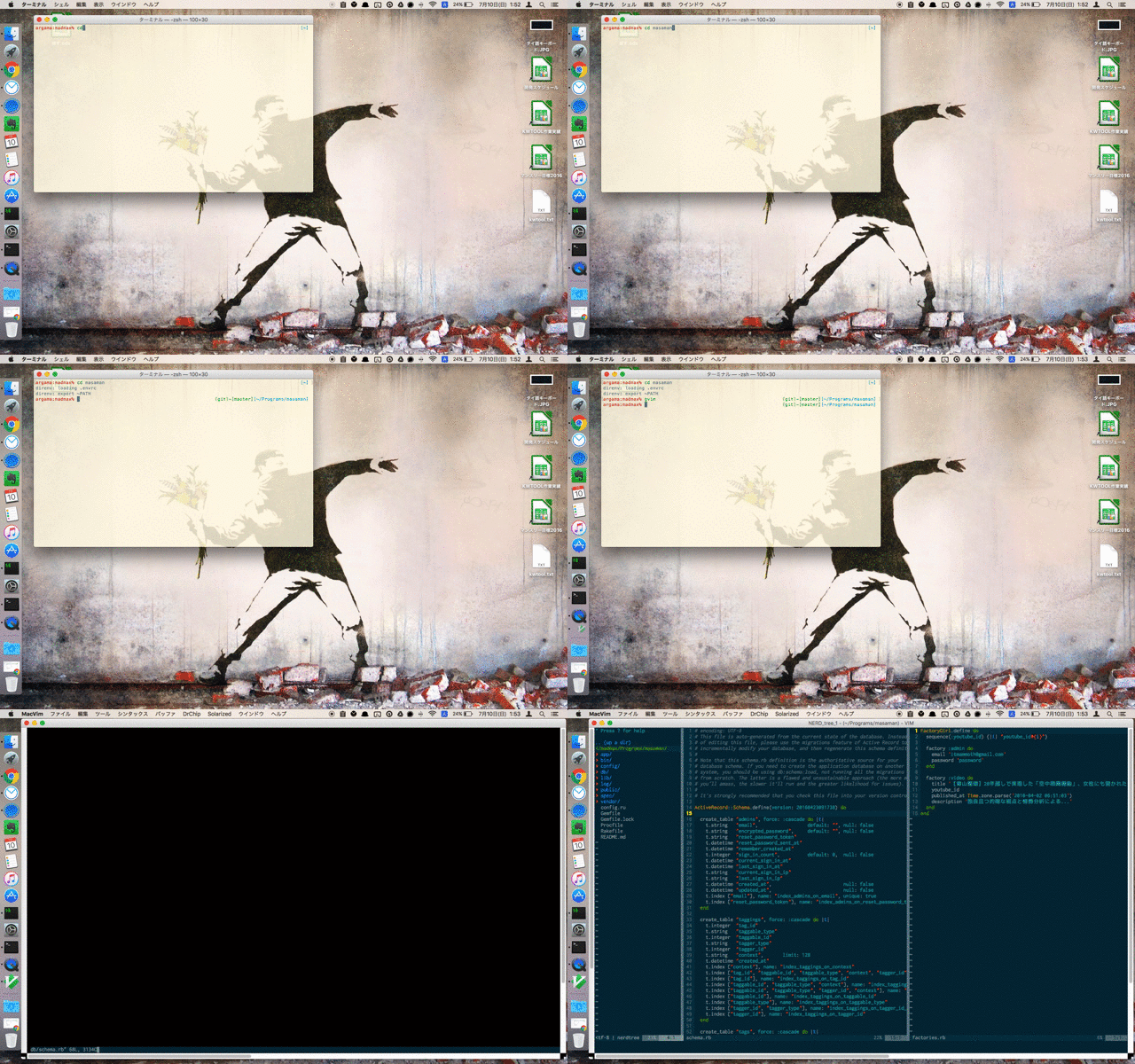
Features
Auto sourcing
.bon-voyage.vimin the current directory on starting up vim- And if it's not found, try to source
.bon-voyage.vimin your $HOME directory
- And if it's not found, try to source
- Loading source files from multiple
cargofiles. - Never run when vim is running with any arguments or reading stdin
Installation
vim-plug
Add this to your .vimrc file.
Plug 'itmammoth/bon-voyage.vim'
Then, :PlugInstall
dein.vim
Add this to your .vimrc file.
call dein#add('itmammoth/bon-voyage.vim')
Then, :call dein#install()
Vundle
Plugin 'itmammoth/bon-voyage.vim'
... and many other plugin managers.
Example
For rails project
Create .bon-voyage.vim in a rails root directory.
" the_rails_root/.bon-voyage.vim
if has('gui_running')
  set columns=190 lines=70
endif
edit spec/factories.rb
vsplit db/schema.rb
let NERDTreeIgnore = ['tmp[[dir]]', 'bundle[[dir]]']
NERDTree
wincmd =
Rcd
Run vim in the directory without any arguments.
$ cd the_rails_root
$ gvim
For global
Create .bon-voyage.vim in your $HOME directory. (If .bon-voyage.vim is not found in the current directory, $HOME directory will be the search directory to find bon-voyage.vim)
" ~/.bon-voyage.vim
edit $MYVIMRC
Run vim without any arguments.
$ cd any_directory
$ vim
Using cargo
You can split source into multiple files as cargos for reusing in any directories.
Create cargo files in ~/.bon-voyage/cargos
" ~/.bon-voyage/cargos/ide.vim
if has('gui_running')
  set columns=190 lines=70
endif
NERDTree
" ~/.bon-voyage/cargos/javascript.vim
set ts=4 sw=4 sts=4
Create .bon-voyage.vim in a directory, then load the cargos with BonVoyageLoad command.
" the_javascript_project/.bon-voyage.vim
BonVoyageLoad 'ide'
BonVoyageLoad 'javascript'
Run vim in the directory without any arguments.
$ cd the_javascript_project
$ gvim
Configuration
g:bonvoyage_filename
Set the filename to be sourced on starting vim. default: ".bon-voyage.vim"
e.x.)
let g:bonvoyage_filename = '.bv.vim'
g:bonvoyage_cargo_dir
Set cargos directory. default: "~/.bon-voyage/cargos"
e.x.)
let g:bonvoyage_cargo_dir = '~/.dotfiles/vim/bon-voyage/cargos'
Contribution
Fork it, blankslate.vimrc is the essential vim script file for testing.
$ vim -u blankslate.vimrc -U NONE
License
MIT License.