Ⅰ. 插件描述
a cloud-based clipboard, yank text into a numbered cloud register on a machine, put the text from the cloud register on another machine.Ⅱ. 基本信息
|
Ⅲ. 安装方法
使用Vundle管理器安装
在你的.vimrc下添加:Plugin 'brookhong/cloudboard-vim':source %
:PluginInstall对于Vundle版本 < 0.10.2,请用上面的Bundle替换Plugin。
使用NeoBundle管理器安装
在你的.vimrc下添加:NeoBundle 'brookhong/cloudboard-vim':source %
:NeoBundleInstall使用VimPlug管理器安装
在你的.vimrc下添加:Plug 'brookhong/cloudboard-vim':source %
:PlugInstall使用Pathogen管理器安装
在终端中运行以下命令:cd ~/.vim/bundle
git clone https://github.com/brookhong/cloudboard.vimⅣ. 文档说明
# cloudboard.vim
A cloud-based clipboard, yank(copy) text into a numbered cloud register on a machine, put(paste) the text from the cloud register on another machine.
It uses GITHUB's gist as the cloud service.
Usage
- run command
:CBInitto set up your own cloudboard. - visual select the text that you want to copy (otherwise all the current buffer), use command
:CBYank 0to copy it into cloud register 0.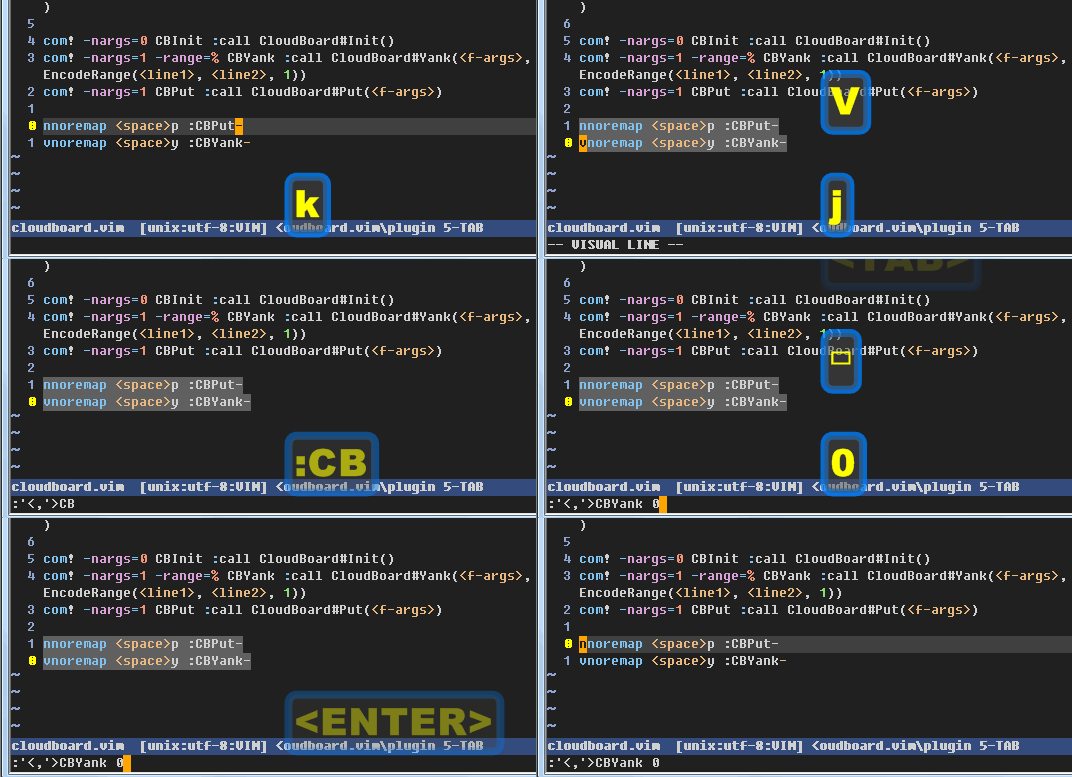
- open vim on another machine, use command
:CBPut 0to paste the text from cloud register 0.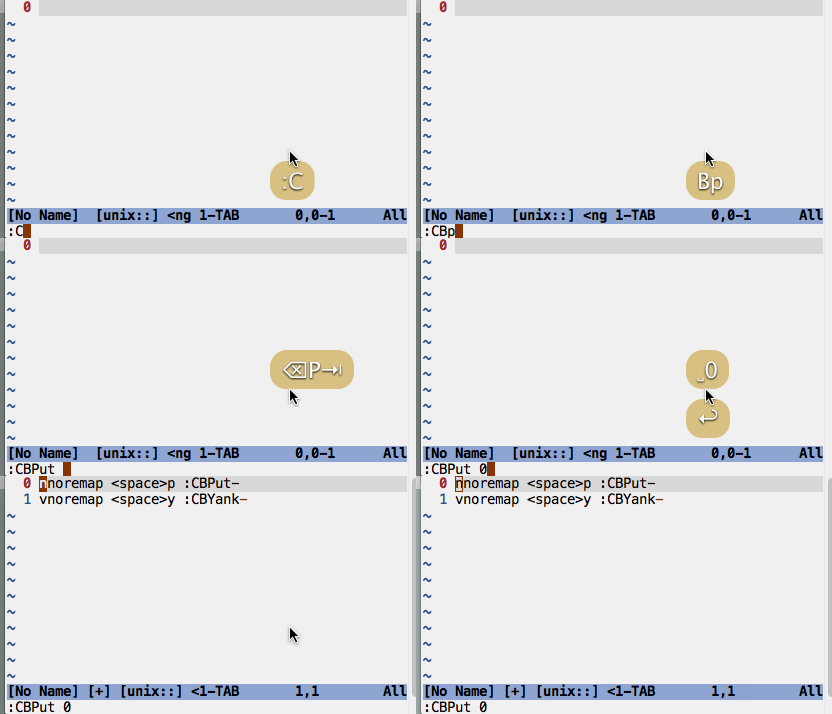
Cloud Register
The number starts from 0, you can use anyone you'd like, for example:
:CBYank 5
:CBPut 5
:CBList to put the contents from all cloud registers into current buffer.
Auto Clear of Cloud Registers
When AutoClear is turned on for a cloud register, the content of the cloud register will be cleared automatically after its content is read by a CBPut action.
:CBAutoClear 2 to toggle on/off AutoClear of cloud register 2.
Cloud Files
Cloud files are named files stored in a GITHUB gist.
:CBSave test.c      to save selected range into a cloud file named test.c.
:CBLoad test.c      to load a cloud file test.c into current buffer.
:CBRm test.c        to delete a cloud file test.c.
:CBListFiles        to list all cloud files in the cloudboard gist.
Loading cloud files requires two requests to GITHUB, thus cloud register is faster to be used as a clipboard across machines.
Cloud files is better when the text is huge, especial in case of that you prefer to save them for long period.
Recommended Mappings
nnoremap <space>p :CBPut
vnoremap <space>y :CBYank
Use it with internal simple service instead of gist
- start an internal simple service as below:
python plugin/internal.py
eg.
python plugin/internal.py -a brookhong:123456The simple service will print auth_code, which will be used next step.
open vim, and run command:
CBAddInternalURL a http://<ip_of_running_internal_service>:8080/rega <auth_code_from_output_above>eg.
CBAddInternalURL a http://192.168.0.1:8080/rega YnJvb2tob25nOjEyMzQ1Ng==
- Now,
CBYank aandCBPut awill work with registera. You can add many other more registers in this way.
Use third party REST service with curl
Some example of ~/.cloudboard.json here.
{
    "self_service": {
        "z": {
            "push_cmd": "curl -s -u : --anyauth --location-trusted -b ~/.cloudboard.azn.cookie -c ~/.cloudboard.azn.cookie -H 'Content-Type: application/json' -d '{ \"pathEdits\": [ { \"editAction\": \"PUT\", \"path\": \"/description\", \"data\": \"%s\" } ] }' https://api.xxx.com/notes/133/edits",
            "pull_cmd": "curl -s -u : --anyauth --location-trusted -b ~/.cloudboard.azn.cookie -c ~/.cloudboard.azn.cookie https://api.xxx.com/notes/133",
            "pull_json": "result['description']"
        },
    }
}
push_cmdis the curl command to put text on remote storage,%sis the placeholder for the text to put.pull_cmdis the curl command to yank text from remote storage.pull_jsonis the expression to extract text from response of remote service, if that is a JSON response.
Another example is to use aws dynamodb as service,
{
    "self_service": {
        "z": {
            "pull_cmd": "aws dynamodb get-item --table-name MyRegisters --key '{\"reg_id\": {\"S\": \"1234\"}}'",
            "pull_json": "result['Item']['content']['S']",
            "push_cmd": "aws dynamodb update-item --table-name MyRegisters --key '{\"reg_id\": {\"S\": \"1234\"}}' --update-expression \"SET content=:clip\" --expression-attribute-values '{\":clip\": {\"S\": \"%s\"}}'"
        }
    }
}
Installation
Your VIM must have python support, check it with :python print 'hello'.
Bundle 'brookhong/cloudboard.vim'