Ⅰ. 插件描述
A subtle, elegant color scheme for vim.Ⅱ. 基本信息
|
Ⅲ. 安装方法
使用Vundle管理器安装
在你的.vimrc下添加:Plugin 'archseer/colibri-vim':source %
:PluginInstall对于Vundle版本 < 0.10.2,请用上面的Bundle替换Plugin。
使用NeoBundle管理器安装
在你的.vimrc下添加:NeoBundle 'archseer/colibri-vim':source %
:NeoBundleInstall使用VimPlug管理器安装
在你的.vimrc下添加:Plug 'archseer/colibri-vim':source %
:PlugInstall使用Pathogen管理器安装
在终端中运行以下命令:cd ~/.vim/bundle
git clone https://github.com/archseer/colibri.vimⅣ. 文档说明
# colibri
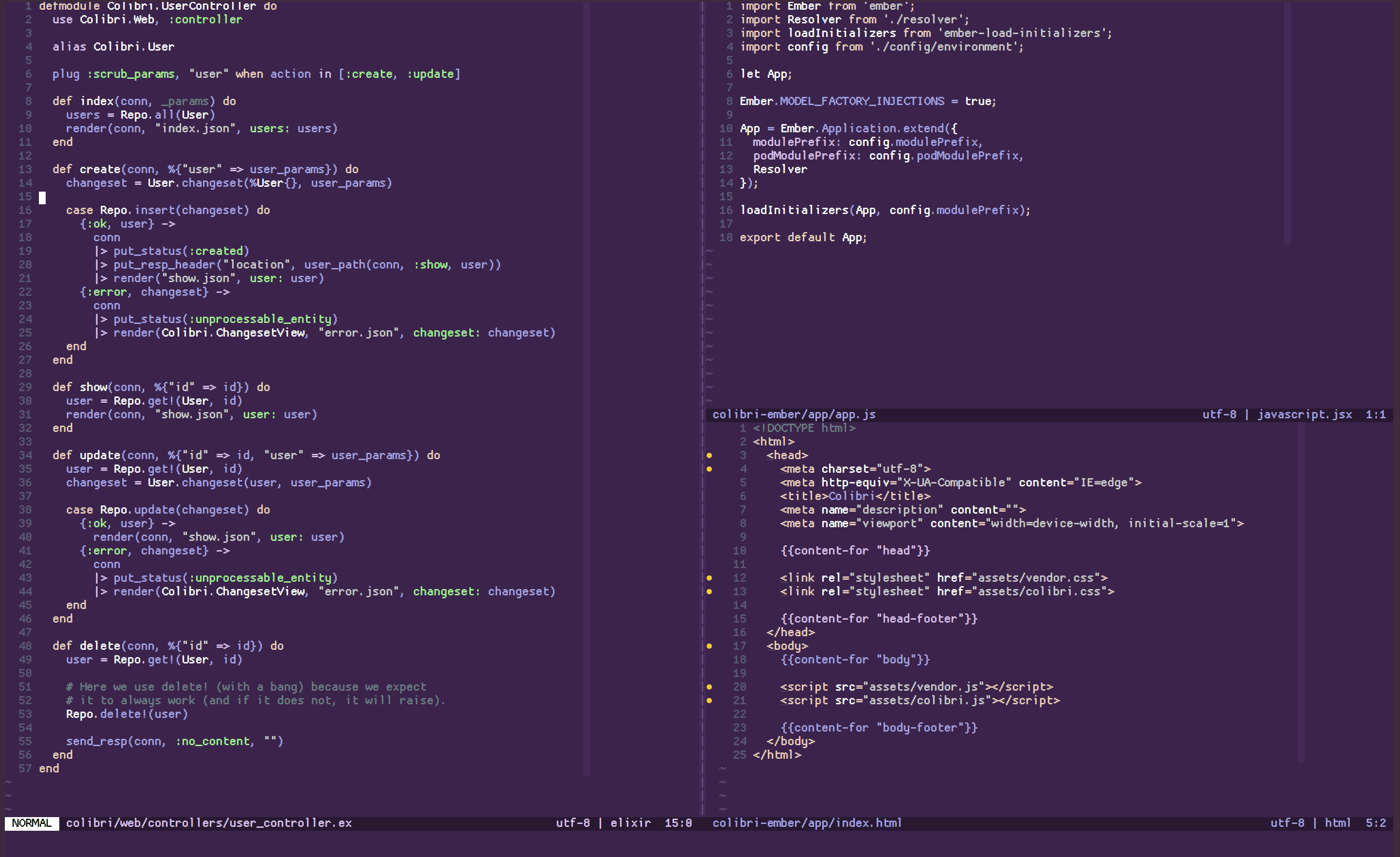
A subtle colorscheme for Vim. You can preview the color palette here.
I've always appreciated color schemes, but felt that they often
add more visual clutter than I needed (using more than a few colors distracts my
eye and makes the file look more like a box of crayons).
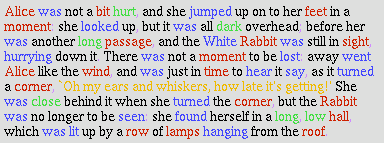
I wanted a color scheme that would be minimal, look good at all times of the
day, and work well with f.lux at night.
Colibri is a genus of hummingbird, which inspired the base colors for this
scheme (long story short, I sampled these colors from a photograph of
a hummingbird for a web UI project that I never ended up finishing).
Design rationale
- Different colors should be used minimally as a way of visual cues. Use
similar handpicked shades to introduce subtle contrast. - Regular text should complement the background; [pure white or pure black
overpower](https://ianstormtaylor.com/design-tip-never-use-black/) and should
be used sparingly to draw attention.
- Start minimal, tweak often, introduce colors as needed.
I use the complement green for constants to introduce some contrast, especially
for elixir/ruby symbols (I think it could be a bit subtler, but that's the best
complement green I found after 10-20 iterations).
I was using/working on this color scheme for a while from my dotfiles
repository, you can see a [fuller commit history
here](https://github.com/archSeer/dotfiles/commits/77758f6675381ec5123438b385700a8ba11fb33c/vim/colors/colibri.vim).
Installation
" vim-plug
Plug 'archseer/colibri.vim'
" NeoBundle
NeoBundle 'archseer/colibri.vim'
" Vundle
Plugin 'archseer/colibri.vim'
If you don't use a plugin manager just copy the content of vim/colors/ to ~/.vim/colors.
When you have the plugin installed, you can set it in your vimrc:
For 24 Bit Terminals
set termguicolors
set background=dark
colorscheme colibri
For GUI
set background=dark
colorscheme colibri
There is some support for a 256 color version, but the colors are much cruder.
There is an experimental light version of the scheme, set background=light to
test it out. Feel free to report your feedback at https://github.com/archSeer/colibri.vim/issues/2 .
Contributing
Contributors are welcome! There's still a lot of room for improvement, so any
suggestions or patches are appreciated.
License
Logo: Hummingbird by Lane F. Kinkade from the Noun Project.
MIT © 2017 Blaž Hrastnik, see the license.