Ⅰ. 插件描述
Color schemes I've used for an extended period of time and likeⅡ. 基本信息
|
Ⅲ. 安装方法
使用Vundle管理器安装
在你的.vimrc下添加:Plugin 'chrishunt/color-schemes':source %
:PluginInstall对于Vundle版本 < 0.10.2,请用上面的Bundle替换Plugin。
使用NeoBundle管理器安装
在你的.vimrc下添加:NeoBundle 'chrishunt/color-schemes':source %
:NeoBundleInstall使用VimPlug管理器安装
在你的.vimrc下添加:Plug 'chrishunt/color-schemes':source %
:PlugInstall使用Pathogen管理器安装
在终端中运行以下命令:cd ~/.vim/bundle
git clone https://github.com/chrishunt/color-schemesⅣ. 文档说明
# Vim/iTerm2 Color Schemes
Here are some color schemes I've used for an extended period of time and like.
I am keeping them here as a reference to share with others and make it easier
for me to switch back in the future.
To get started, clone the repository to your machine and follow the steps for
the color scheme you'd like to use.
$ git clone https://github.com/chrishunt/color-schemes.gitTo test your color scheme:
$ ./script/testRailscasts Theme
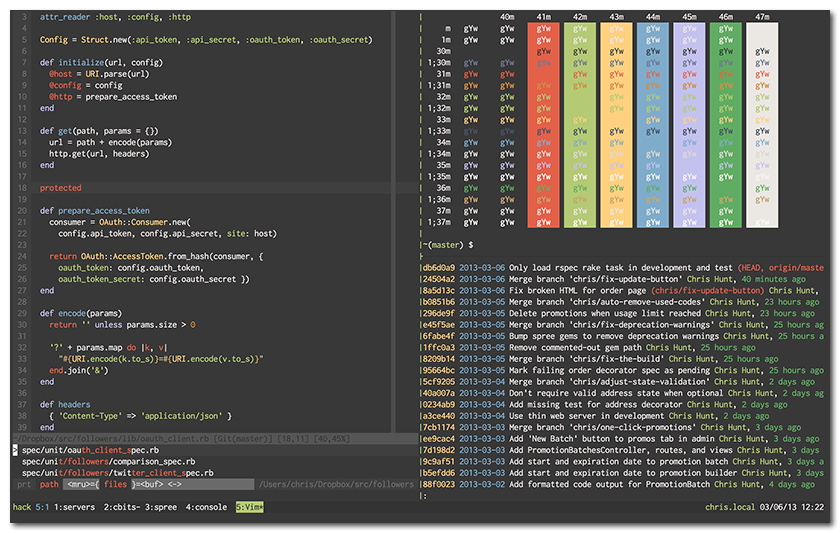
Vim | Base16, by Chris Kempson
$ cp railscasts/base16-railscasts.vim ~/.vim/colors/
$ vim ~/.vimrc

  " ~/.vimrc
  set background=dark
  colorscheme base16-railscasts

  highlight clear SignColumn
  highlight VertSplit    ctermbg=236
  highlight ColorColumn  ctermbg=237
  highlight LineNr       ctermbg=236 ctermfg=240
  highlight CursorLineNr ctermbg=236 ctermfg=240
  highlight CursorLine   ctermbg=236
  highlight StatusLineNC ctermbg=238 ctermfg=0
  highlight StatusLine   ctermbg=240 ctermfg=12
  highlight IncSearch    ctermbg=3   ctermfg=1
  highlight Search       ctermbg=1   ctermfg=3
  highlight Visual       ctermbg=3   ctermfg=0
  highlight Pmenu        ctermbg=240 ctermfg=12
  highlight PmenuSel     ctermbg=3   ctermfg=1
  highlight SpellBad     ctermbg=0   ctermfg=1
iTerm2 | Base16, by Chris Kempson
$ open railscasts/base16-railscasts-custom.dark.256.itermcolors  # adds to iTerm color list
$ vi ~/.tmux.conf

  # ~/.tmux.conf
  set -g default-terminal "screen-256color"
  set -g status-bg colour235
  set -g status-fg white

  set-window-option -g window-status-current-fg black
  set-window-option -g window-status-current-bg green

  set -g pane-border-fg colour235
  set -g pane-border-bg black
  set -g pane-active-border-fg green
  set -g pane-active-border-bg black
Thayer Theme
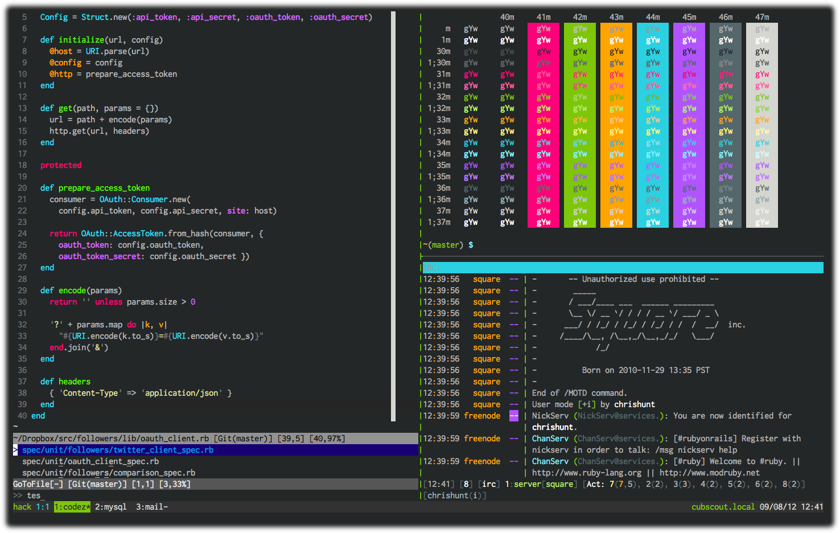
Vim | Vimbrant, by Thayer Williams
$ cp thayer/vimbrant.vim ~/.vim/colors/vimbrant.vim
$ vim ~/.vimrc

  " ~/.vimrc
  set background=dark
  colorscheme vimbrant
  highlight ColorColumn ctermbg=7
  highlight ColorColumn guibg=Gray
iTerm2 | Thayer (Vimbrant clone), by Bastien Dejean
$ open thayer/thayer.itermcolors  # adds to iTerm color list
$ vi ~/.tmux.conf

  # ~/.tmux.conf
  set -g status-bg colour235
  set -g status-fg white

  set-window-option -g window-status-current-fg black
  set-window-option -g window-status-current-bg green

  set -g pane-border-fg colour235
  set -g pane-border-bg black
  set -g pane-active-border-fg green
  set -g pane-active-border-bg black