Ⅰ. 插件描述
C++ 98/11/14 manual pages for Linux/MacOSⅡ. 基本信息
|
Ⅲ. 安装方法
使用Vundle管理器安装
在你的.vimrc下添加:Plugin 'aitjcize/cppman':source %
:PluginInstall对于Vundle版本 < 0.10.2,请用上面的Bundle替换Plugin。
使用NeoBundle管理器安装
在你的.vimrc下添加:NeoBundle 'aitjcize/cppman':source %
:NeoBundleInstall使用VimPlug管理器安装
在你的.vimrc下添加:Plug 'aitjcize/cppman':source %
:PlugInstall使用Pathogen管理器安装
在终端中运行以下命令:cd ~/.vim/bundle
git clone https://github.com/aitjcize/cppmanⅣ. 文档说明
.. image:: http://img.shields.io/travis/aitjcize/cppman.svg?style=flat
:target: https://travis-ci.org/aitjcize/cppman
.. image:: http://img.shields.io/pypi/v/cppman.svg?style=flat
:target: https://pypi.python.org/pypi/cppman
.. image:: https://img.shields.io/github/downloads/aitjcize/cppman/total.svg
:target: https://pypi.python.org/pypi/cppman#downloads



cppman
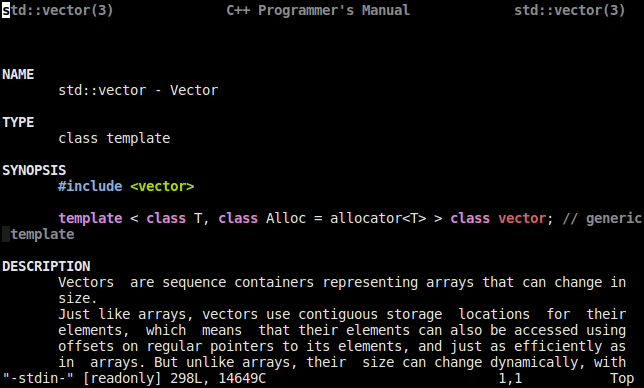
C++ 98/11/14/17/20 manual pages for Linux, with source from cplusplus.com <http://cplusplus.com/>_ and cppreference.com <https://cppreference.com/>_.
.. image:: https://raw.github.com/aitjcize/cppman/master/wiki/screenshot.png
Features
Supports two backends (switch it with
cppman -s):cplusplus.com <http://cplusplus.com/>_cppreference.com <http://cppreference.com/>_
- Syntax highlighting support for sections and example source code.
- Usage/Interface similar to the 'man' command
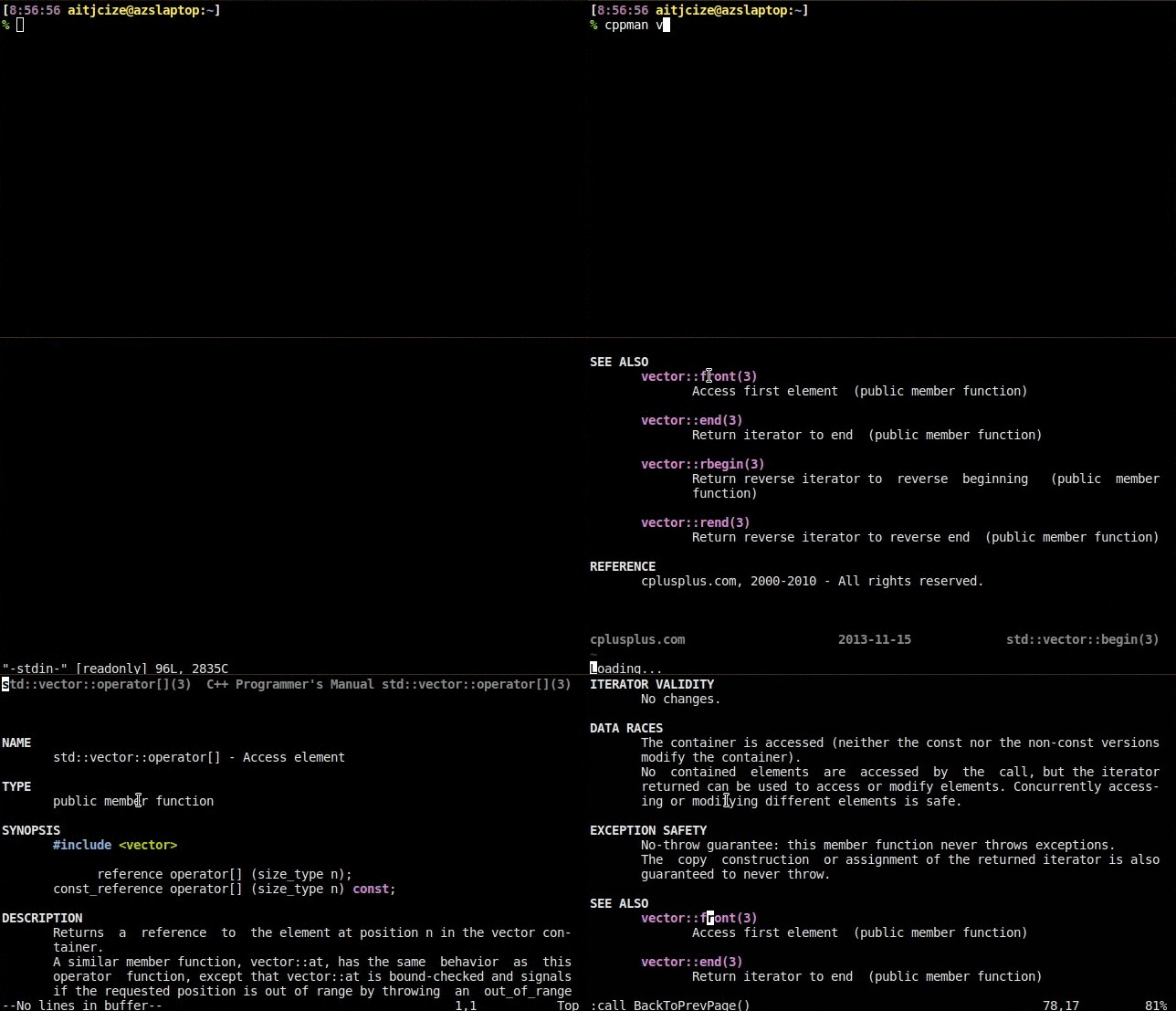
Hyperlink between manpages (only available when pager=vim)
- Press
Ctrl-]when cursor is on keyword to go forward andCtrl-Tto go backward. - You can also double-click on keyword to go forward and right-click to go backward.
- Press
- Frequently update to support
cplusplus.com <http://cplusplus.com/>_.
Demo
Using vim as pager
.. image:: https://raw.github.com/aitjcize/cppman/master/wiki/demo.gif
Installation
- Install from PyPI:
.. code-block:: bash
$ pip install cppman
Note that cppman requires Python 3. Make sure that either pip is configured for Python 3 installation, your default Python interpreter is version 3 or just use pip3 instead.
- Arch Linux users can find it on AUR or using
Trizen <https://wiki.archlinux.org/title/Trizen>_:
.. code-block:: bash
$ trizen -S cppman
or install the git version
.. code-block:: bash
$ trizen -S cppman-git
- Debian / Ubuntu: cppman is available in Debian sid/unstable and Ubuntu vivid.
.. code-block:: bash
$ sudo apt-get install cppman
- MacOS X: cppman is available in Homebrew and MacPorts.
.. code-block:: bash
$ brew install cppman
or
.. code-block:: bash
$ sudo port install cppman
Package Maintainers
- Arch Linux: myself
- Debian:
czchen <https://github.com/czchen>_ - Gentoo:
rindeal <https://github.com/rindeal>_ - MacPorts:
eborisch <https://github.com/eborisch>_
FAQ
- Q: Can I use the system
mancommand instead ofcppman? - A: Yes, just execute
cppman -m trueand all cached man pages are exposed to the systemmancommand. Note: You may want to download all available man pages withcppman -c. - Q: Why is bash completion is not working properly with
::? - A: It is because bash treats
:like a white space. To fix this addexport COMP_WORDBREAKS=" /\"\'><;|&("to your~/.bashrc.
Bugs
- Please report bugs / mis-formatted pages to the github issue tracker.
Contributing
- Fork it
- Create your feature branch (
git checkout -b my-new-feature) - Commit your changes (
git commit -am 'Add some feature') - Push to the branch (
git push origin my-new-feature) - Create new Pull Request
Notes
- manpages-cpp is renamed to cppman since September 19, 2012