Ⅰ. 插件描述
A vim plugin to help you to create/update cscope database and connect to existing proper database automatically.Ⅱ. 基本信息
|
Ⅲ. 安装方法
使用Vundle管理器安装
在你的.vimrc下添加:Plugin 'brookhong/cscope-vim':source %
:PluginInstall对于Vundle版本 < 0.10.2,请用上面的Bundle替换Plugin。
使用NeoBundle管理器安装
在你的.vimrc下添加:NeoBundle 'brookhong/cscope-vim':source %
:NeoBundleInstall使用VimPlug管理器安装
在你的.vimrc下添加:Plug 'brookhong/cscope-vim':source %
:PlugInstall使用Pathogen管理器安装
在终端中运行以下命令:cd ~/.vim/bundle
git clone https://github.com/brookhong/cscope.vimⅣ. 文档说明
# Introduction
Cscove(new name for this plugin, since cscope.vim is used too widely.) is a
smart cscope helper for vim.
It will try to find a proper cscope database for current file, then connect to
- If there is no proper cscope database for current file, you are prompted to
- a folder with a string like --
Can not find proper cscope db, please input a path to create cscope db for.
Then the plugin will create cscope database for you, connect to it, and find
what you want. The found result will be listed in a location list window. Next
time when you open the same file or other file that the cscope database can be
used for, the plugin will connect to the cscope database automatically. You
need not take care of anything about cscope database.
When you have a file edited/added in those folders for which cscope databases
have been created, cscove will automatically update the corresponding database.
Cscove frees you from creating/connecting/updating cscope database, let you
focus on code browsing.
Example settings
The default key mappings has been removed from the plugin itself, since users
may prefer different choices.
So to use the plugin, you must define your own key mappings first.
Below is the minimum key mappings.
nnoremap <leader>fa :call CscopeFindInteractive(expand('<cword>'))<CR>
nnoremap <leader>l :call ToggleLocationList()<CR>
Some optional key mappings to search directly.
" s: Find this C symbol
nnoremap  <leader>fs :call CscopeFind('s', expand('<cword>'))<CR>
" g: Find this definition
nnoremap  <leader>fg :call CscopeFind('g', expand('<cword>'))<CR>
" d: Find functions called by this function
nnoremap  <leader>fd :call CscopeFind('d', expand('<cword>'))<CR>
" c: Find functions calling this function
nnoremap  <leader>fc :call CscopeFind('c', expand('<cword>'))<CR>
" t: Find this text string
nnoremap  <leader>ft :call CscopeFind('t', expand('<cword>'))<CR>
" e: Find this egrep pattern
nnoremap  <leader>fe :call CscopeFind('e', expand('<cword>'))<CR>
" f: Find this file
nnoremap  <leader>ff :call CscopeFind('f', expand('<cword>'))<CR>
" i: Find files #including this file
nnoremap  <leader>fi :call CscopeFind('i', expand('<cword>'))<CR>
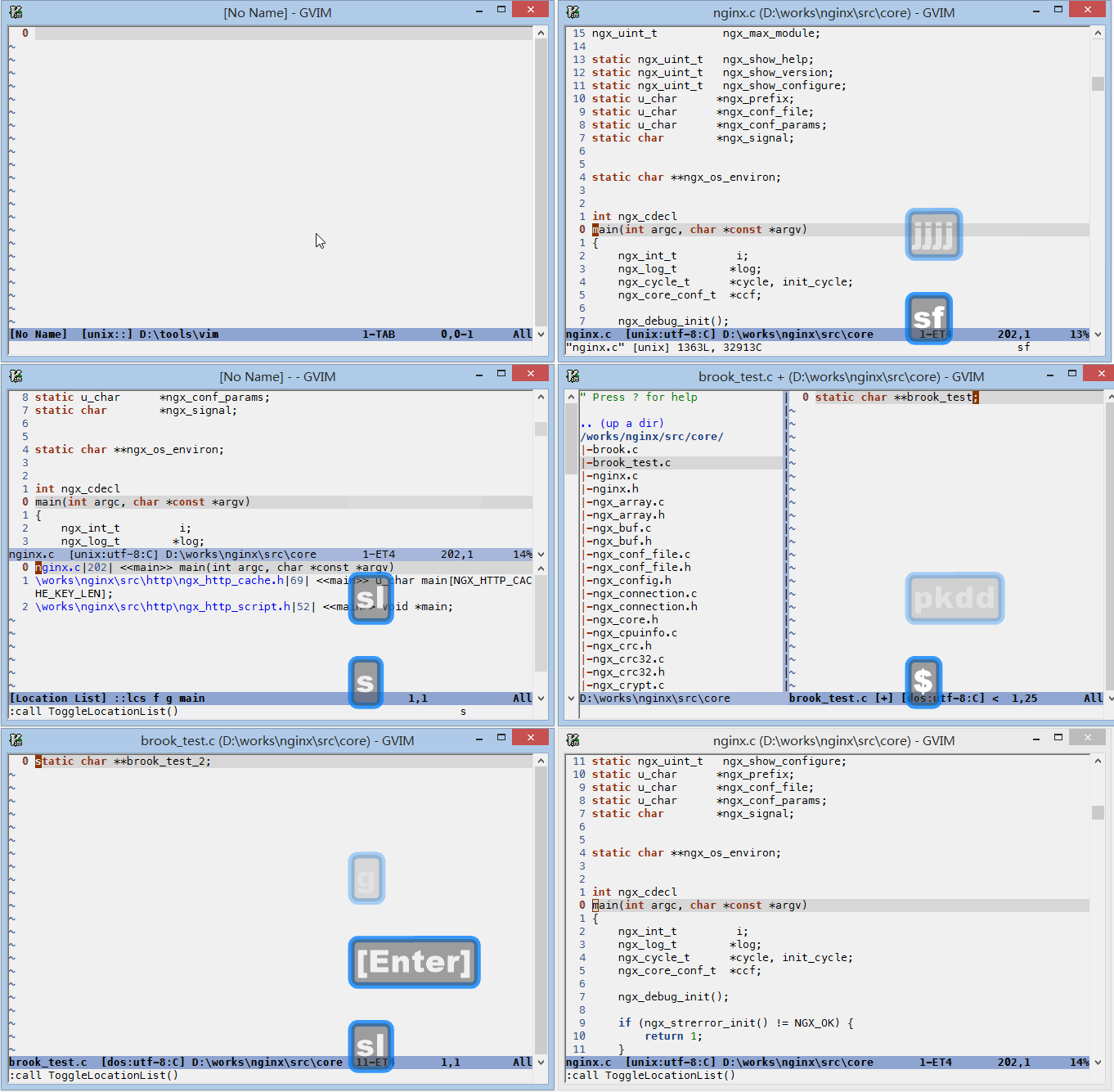
Screencast
Please note that line number changes in location list after file saved.