Ⅰ. 插件描述
Operator highlighting for C-like languages and moreⅡ. 基本信息
|
Ⅲ. 安装方法
使用Vundle管理器安装
在你的.vimrc下添加:Plugin '/csyntaxafter':source %
:PluginInstall对于Vundle版本 < 0.10.2,请用上面的Bundle替换Plugin。
使用NeoBundle管理器安装
在你的.vimrc下添加:NeoBundle '/csyntaxafter':source %
:NeoBundleInstall使用VimPlug管理器安装
在你的.vimrc下添加:Plug '/csyntaxafter':source %
:PlugInstall使用Pathogen管理器安装
在终端中运行以下命令:cd ~/.vim/bundle
git clone https://github.com/vim-scripts/cSyntaxAfterⅣ. 文档说明
This plugin was initially created for codeblock_dark color theme (vimscript #3266) to highlight operators (+ - / * = <> () and others) in C-like languages. Why it's needed? Well, by default vim doesn't do that. After switching from Code::Block to vim I got really missed it.
Then the plugin grew into something bigger. I started to use it to unify overal syntax highlighting for C-like languages.
Screenshots:
before http://www.vlasov.me/cSyntaxAfter-without.png
after http://www.vlasov.me/cSyntaxAfter-with.png
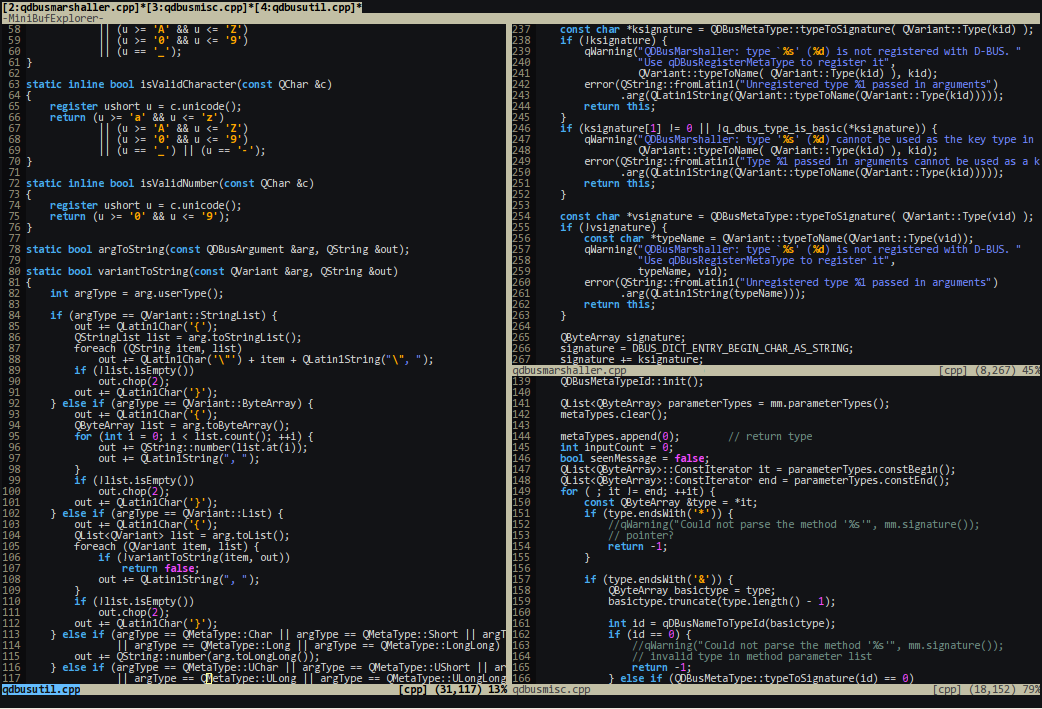

There are two ways to enable the plugin:
1. If you want to use CSyntaxAfter highlighting as is, put this into your
.vimrc:
autocmd! FileType c,cpp,java,php call CSyntaxAfter()
2. If you also want to extend the highlighting or add other C-like languages
support (Java, Go etc), create a corresponding <filetype>.vim file in
.vim/after/syntax/ and call CSyntaxAfter() from there instead.
WARNING: For same file type use either option (1.) or (2.), basically avoid calling
CSyntaxAfter() more than once.
For example, to distinguish "++" and "--" operator from "+" and "-" in C and C++,
remove "c" and "cpp" from autocmd above and instead create .vim/after/syntax/c.vim
with (cpp syntax is based on c):
if exists("*CSyntaxAfter")
call CSyntaxAfter()
endif
syntax match longOperators "++|--"
hi longOperators guifg=green guibg=red