Ⅰ. 插件描述
A command palette for vim, akin to the ones found in Atom and Sublime Text.Ⅱ. 基本信息
|
Ⅲ. 安装方法
使用Vundle管理器安装
在你的.vimrc下添加:Plugin 'dbeecham/ctrlp-commandpalette-vim':source %
:PluginInstall对于Vundle版本 < 0.10.2,请用上面的Bundle替换Plugin。
使用NeoBundle管理器安装
在你的.vimrc下添加:NeoBundle 'dbeecham/ctrlp-commandpalette-vim':source %
:NeoBundleInstall使用VimPlug管理器安装
在你的.vimrc下添加:Plug 'dbeecham/ctrlp-commandpalette-vim':source %
:PlugInstall使用Pathogen管理器安装
在终端中运行以下命令:cd ~/.vim/bundle
git clone https://github.com/dbeecham/ctrlp-commandpalette.vimⅣ. 文档说明
CtrlP-CommandPalette

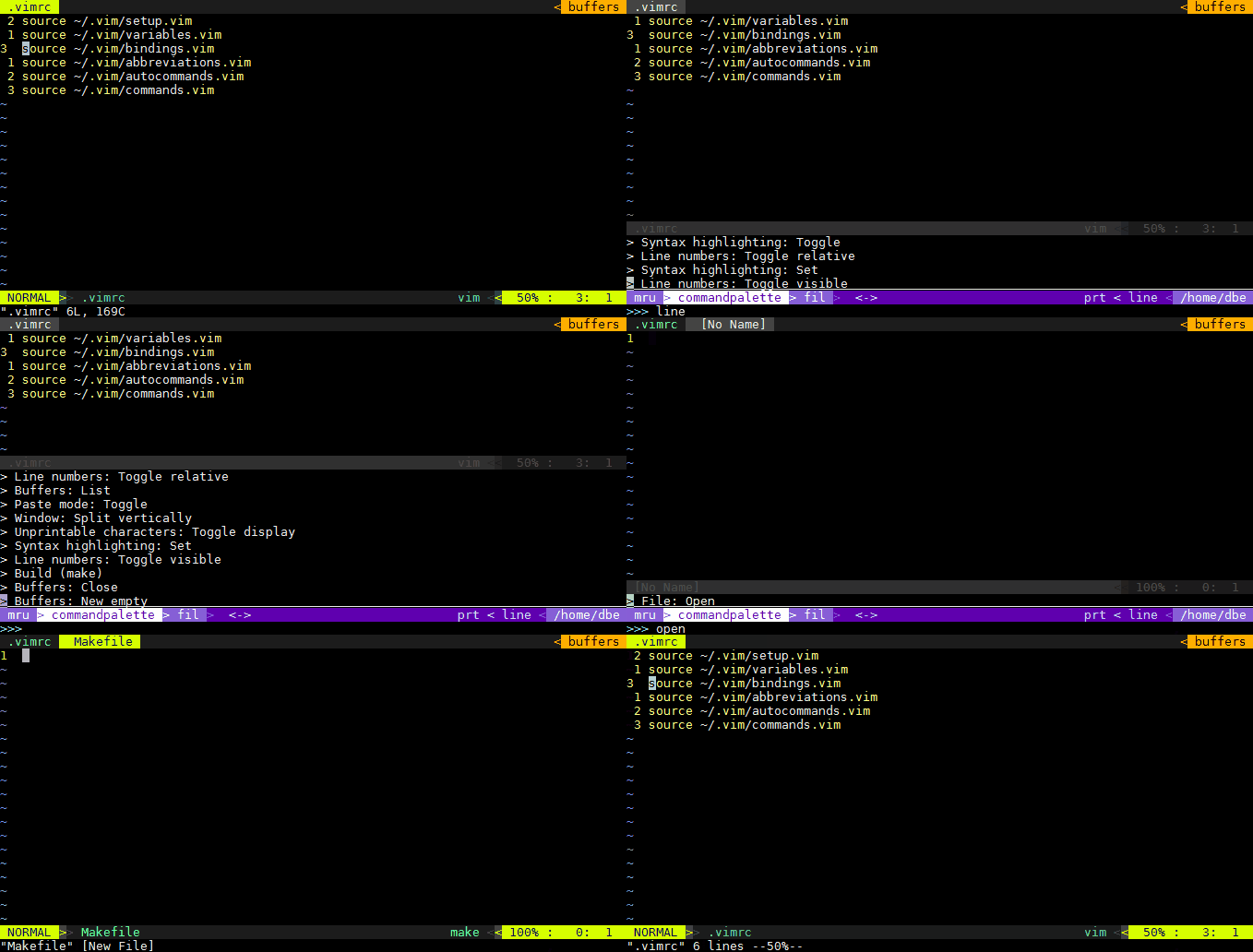
This is an extension for CtrlP which adds
a "Command Palette" akin to the ones found in Atom or Sublime Text.
It's built upon the works of Juan Pedro Fisanotti (fisadev) (thank you!),
though I felt that the changes were major enough to warrant a new project.
It is very much a new project, and still has a certain want of build-in commands.
If you have any ideas for commands to implement, or comments
about current functionality, [create an
issue](https://github.com/dbeecham/ctrlp-commandpalette.vim/issues) or [drop a line in
gitter](https://gitter.im/dbeecham/ctrlp-commandpalette.vim)!
Installation
A quick way to get going with CtrlP and CtrlP-CommandPalette is using one of the
many vim package managers like Plug,
Vundle, or
Neobundle.
If you use Plug, Add Plug 'kien/ctrlp.vim' and Plug 'dbeecham/ctrlp-commandpalette.vim to your .vimrc and run :PlugInstall.
If you use some other package manager, then do whatever that package manager
wants you to do to install this package along with CtrlP.
Usage
Spawn CtrlP-CommandPalette using :CtrlPCommandPalette. It's probably a good
idea to bind this to some key:
nnoremap <leader>t :CtrlPCommandPalette<cr>
The command palette uses a simple dictionary (:help Dictionary) for all
- If you want to create your own commands, simply define this dictionary
- in your .vimrc, example:
let g:commandPalette = {
    \ 'Ignorecase: Toggle': 'set ignorecase!',
    \ 'File: save and close': 'wc',
    \ 'Run my custom function': 'call MyFunction()'}
- CtrlP-CommandPalette will append all built-in commands to this list when
- (when spawning for the first time).
- The keys (the searchable
strings) must be unique. - You can alter the commandPalette Dictionary at any time.
- CtrlP-CommandPalette will not overwrite any entries in the
dictionary, so to overwrite built-in behaviour, simply create an entry with the
same key as the one you wish to overwrite.
Options
To completely disable the built-in commands for CtrlP-CommandPalette, add this
to your .vimrc:
let g:ctrlp_commandpalette_autoload_commands = 0
Thanks
A special thanks to Juan Pedro Fisanotti fisadev for his works on CtrlP-CmdPalette.