Ⅰ. 插件描述
fasd interface with ctrlp.vimⅡ. 基本信息
|
Ⅲ. 安装方法
使用Vundle管理器安装
在你的.vimrc下添加:Plugin 'amiorin/ctrlp-z':source %
:PluginInstall对于Vundle版本 < 0.10.2,请用上面的Bundle替换Plugin。
使用NeoBundle管理器安装
在你的.vimrc下添加:NeoBundle 'amiorin/ctrlp-z':source %
:NeoBundleInstall使用VimPlug管理器安装
在你的.vimrc下添加:Plug 'amiorin/ctrlp-z':source %
:PlugInstall使用Pathogen管理器安装
在终端中运行以下命令:cd ~/.vim/bundle
git clone https://github.com/amiorin/ctrlp-zⅣ. 文档说明
# ctrlp-z
This CtrlP extension allows you to change the current working directory and to open files using fasd and NERDTree
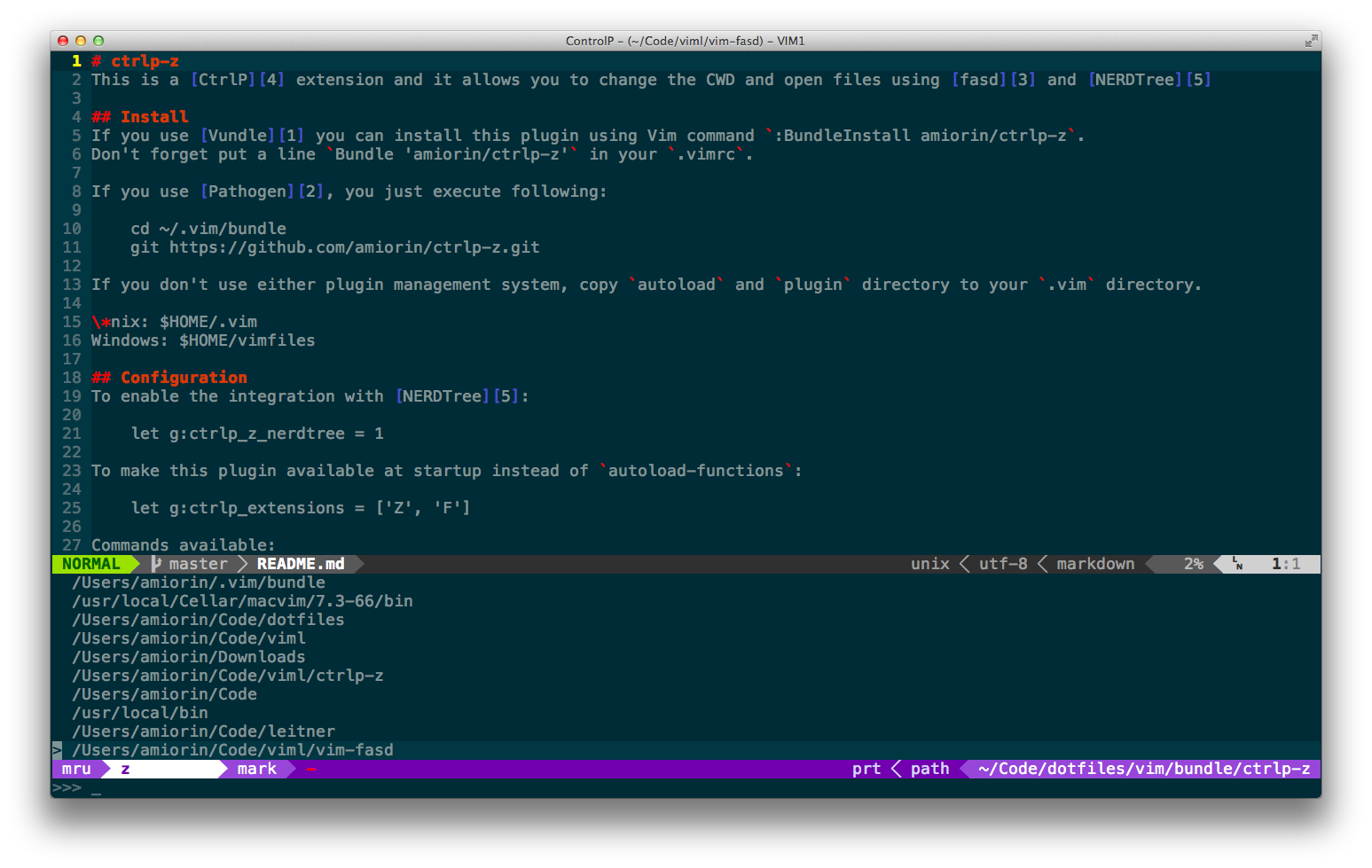
Install
If you use Vundle you can install this plugin using Vim command :BundleInstall amiorin/ctrlp-z.
Don't forget put a line Bundle 'amiorin/ctrlp-z' in your .vimrc.
If you use Pathogen, you just execute following:
cd ~/.vim/bundle
git clone https://github.com/amiorin/ctrlp-z.git
If you don't use either plugin management system, copy autoload and plugin directory to your .vim directory.
*nix: $HOME/.vim
Windows: $HOME/vimfiles
Configuration
To enable the integration with NERDTree:
let g:ctrlp_z_nerdtree = 1
To make this plugin available at startup instead of autoload-functions:
let g:ctrlp_extensions = ['Z', 'F']
Commands available:
:CtrlPZ
:CtrlPF
It might be useful like these mappings:
nnoremap sz :CtrlPZ<Cr>
nnoremap sf :CtrlPF<Cr>
Inside CtrlP use <C-r> to toggle between the string mode and full regexp mode.
Link
License
Copyright (C) 2013 Alberto Miorin. Distributed under the MIT License.
