Ⅰ. 插件描述
CVS(NT) integration plugin (Script #58 continued since 2005)Ⅱ. 基本信息
|
Ⅲ. 安装方法
使用Vundle管理器安装
在你的.vimrc下添加:Plugin '/cvsmenu-vim-updated':source %
:PluginInstall对于Vundle版本 < 0.10.2,请用上面的Bundle替换Plugin。
使用NeoBundle管理器安装
在你的.vimrc下添加:NeoBundle '/cvsmenu-vim-updated':source %
:NeoBundleInstall使用VimPlug管理器安装
在你的.vimrc下添加:Plug '/cvsmenu-vim-updated':source %
:PlugInstall使用Pathogen管理器安装
在终端中运行以下命令:cd ~/.vim/bundle
git clone https://github.com/vim-scripts/cvsmenu.vim-updatedⅣ. 文档说明
Supports most cvs commands and adds some extended functions. It also works with CVSNT quite well and has some support for multiple encodings. Part of the top-level menus are as follows (screen shot: http://wyw.dcweb.cn/download.asp?path=vim&file=vim_session.png):
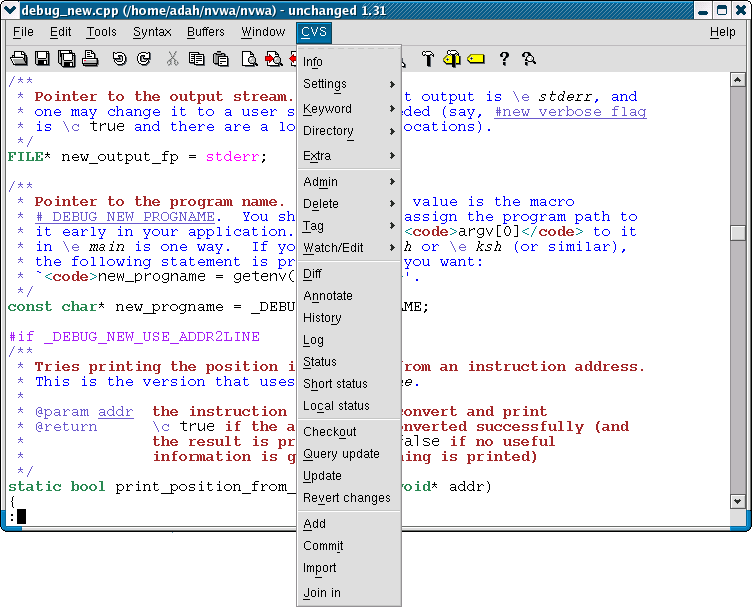)
- Info
- Setting (switches and update)
- Keyword
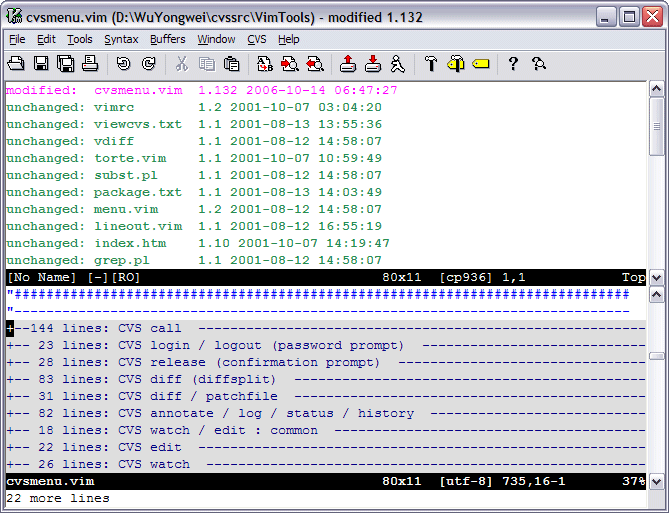
- Directory (directory operations; screen shot: http://wyw.dcweb.cn/download.asp?path=vim&file=cvs_localstatus.png)
- Extra (operations on a specific revision, etc.)
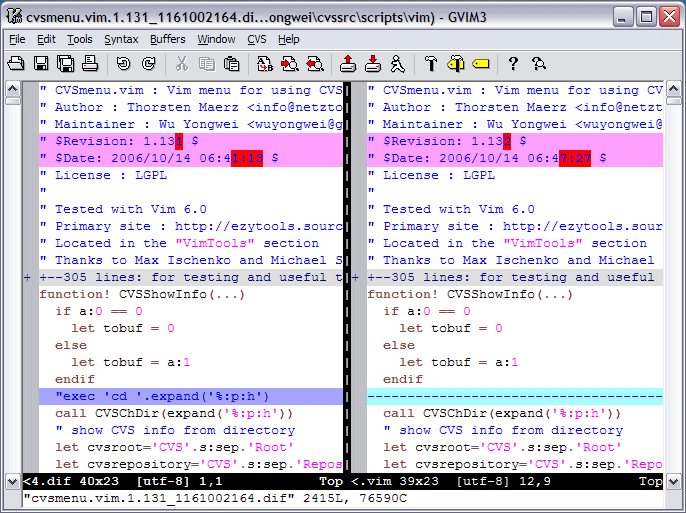
- Diff (in the split-window style of Vim; screen shot: http://wyw.dcweb.cn/download.asp?path=vim&file=cvs_diff.png)
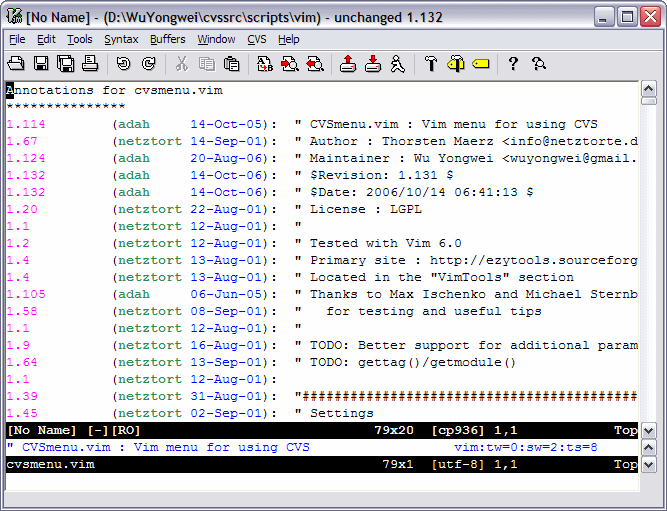
- Annotate (screen shot: http://wyw.dcweb.cn/download.asp?path=vim&file=cvs_annotate.png)
- History
- Log (screen shot: http://wyw.dcweb.cn/download.asp?path=vim&file=cvs_log.png)
- Status
- Local status (offline: displays status and version info)
- Check out
- Query update (like WinCVS/gCVS)
- Update (conflicts will be highlighted)
- Add
- Commit
)
)
)
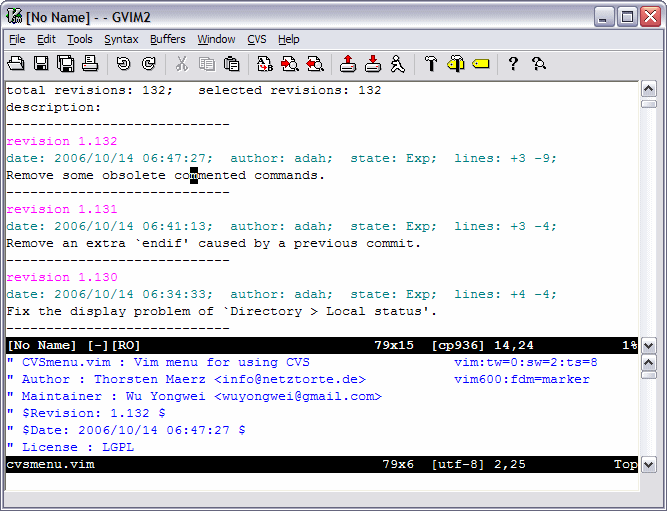)
The output can be sorted and is often clickable: it is easy to open conflicting files, etc. It works on single files as well as on whole directories, when called from fileexplorer. It also includes highlighting / mappings to navigate through cvs output or show conflicts.
The menu is displayed in GUI versions of Vim. However, it is useful even in text-only Vim. --- You may choose to use wildmenu', or you can use key sequences similar to the hot keys in menu. E.g. alt-c, i' is used to commit with the GUI menu; so ,ci' could be used in text-mode Vim to commit. The leader key, currently ,', can be easily modified in the script.
This is the re-release of Mr Thorsten Maerz's original script (vimscript #58), which was last updated in 2002. It now includes many bug fixes and enhancements. The latest revision of the cvsmenu script can also be found in the SourceForge CVS:
:pserver:anonymous@ezytools.cvs.sourceforge.net:/cvsroot/ezytools/VimTools/cvsmenu.vim
CvsMenu is able to update itself using this anonymous CVS. Find the menu items under `CVS > Settings > Install'.