Ⅰ. 插件描述
VIM Darcula ThemeⅡ. 基本信息
|
Ⅲ. 安装方法
使用Vundle管理器安装
在你的.vimrc下添加:Plugin 'blueshirts/darcula':source %
:PluginInstall对于Vundle版本 < 0.10.2,请用上面的Bundle替换Plugin。
使用NeoBundle管理器安装
在你的.vimrc下添加:NeoBundle 'blueshirts/darcula':source %
:NeoBundleInstall使用VimPlug管理器安装
在你的.vimrc下添加:Plug 'blueshirts/darcula':source %
:PlugInstall使用Pathogen管理器安装
在终端中运行以下命令:cd ~/.vim/bundle
git clone https://github.com/blueshirts/darculaⅣ. 文档说明
# VIM Darcula Theme 1.7.3
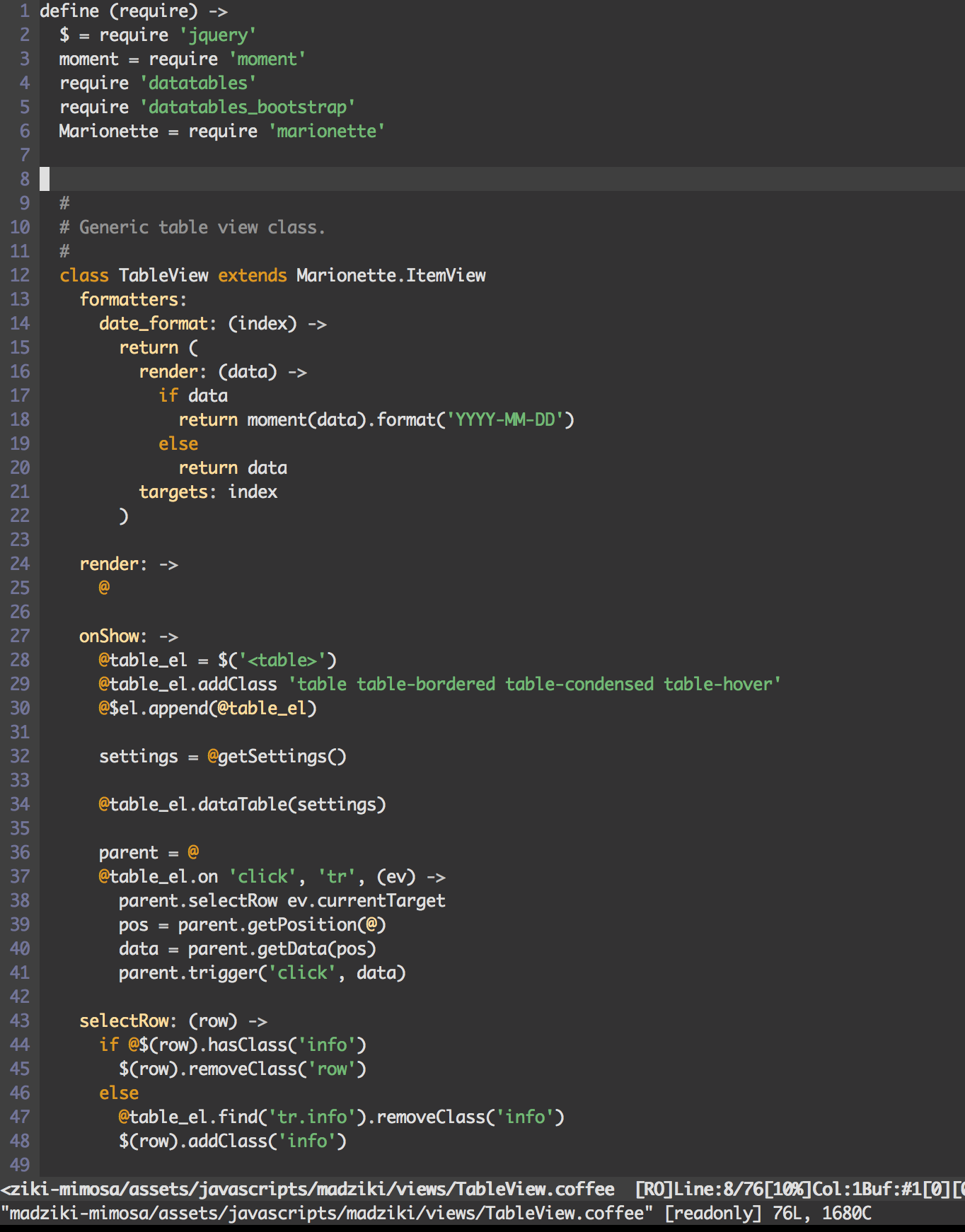
Accurate Darcula color scheme for the VIM editor. Works well with CoffeeScript projects. Can be used in 256 color mode.
What's New?
Updated the popup colors to be easier on the eyes.
What it looks like...
Using MacVim

Using iTerm2 (256)
Installation
Janus: Vim Distribution
Darcula color support has now been added to the Janus Vim Distribution (https://github.com/carlhuda/janus). Follow the instructions for installing Janus and simply enable syntax highlighting by creating/updating your ~/.vimrc.after file.
.vimrc.after:
syntax enable
colorscheme darcula
Manual Installation
Copy darcula.vim into
~/.vim/colors/(Unix) orvimfiles/colors/(Windows).$ cp darcula/colors/darcula.vim ~/.vim/colors/- Update your .vimrc file to enable highlighting.
.vimrc:
syntax enable
colorscheme darcula
CoffeeScript Configuration
Add the following content to the .vim/after/syntax/coffee/coffee.vim file. This configuration is required with most
VIM CoffeeScript syntax highlighters in order to properly color the '@' (this) symbol.
hi clear coffeeParens
hi coffeeParens NONE
syn clear coffeeParens

hi clear coffeeSpecialIdent
hi coffeeSpecialIdent NONE
syn clear coffeeSpecialIdent

hi clear coffeeCurlies
hi coffeeCoffeeCurlies NONE
syn clear coffeeCurlies

" Highlight the this symbol.
syn match coffeeThis "\v\@"
hi def link coffeeThis Keyword