Ⅰ. 插件描述
Edit fenced code blocks inside a GitHub Flavor Markdown in a better way.Ⅱ. 基本信息
|
Ⅲ. 安装方法
使用Vundle管理器安装
在你的.vimrc下添加:Plugin 'amiorin/fenced-code-blocks':source %
:PluginInstall对于Vundle版本 < 0.10.2,请用上面的Bundle替换Plugin。
使用NeoBundle管理器安装
在你的.vimrc下添加:NeoBundle 'amiorin/fenced-code-blocks':source %
:NeoBundleInstall使用VimPlug管理器安装
在你的.vimrc下添加:Plug 'amiorin/fenced-code-blocks':source %
:PlugInstall使用Pathogen管理器安装
在终端中运行以下命令:cd ~/.vim/bundle
git clone https://github.com/amiorin/vim-fenced-code-blocksⅣ. 文档说明
## Introduction
Fenced code blocks are a very useful feature of GitHub Flavored Markdown.
With this plugin you can edit the fragment of code embedded inside the
markdown with the right filetype.
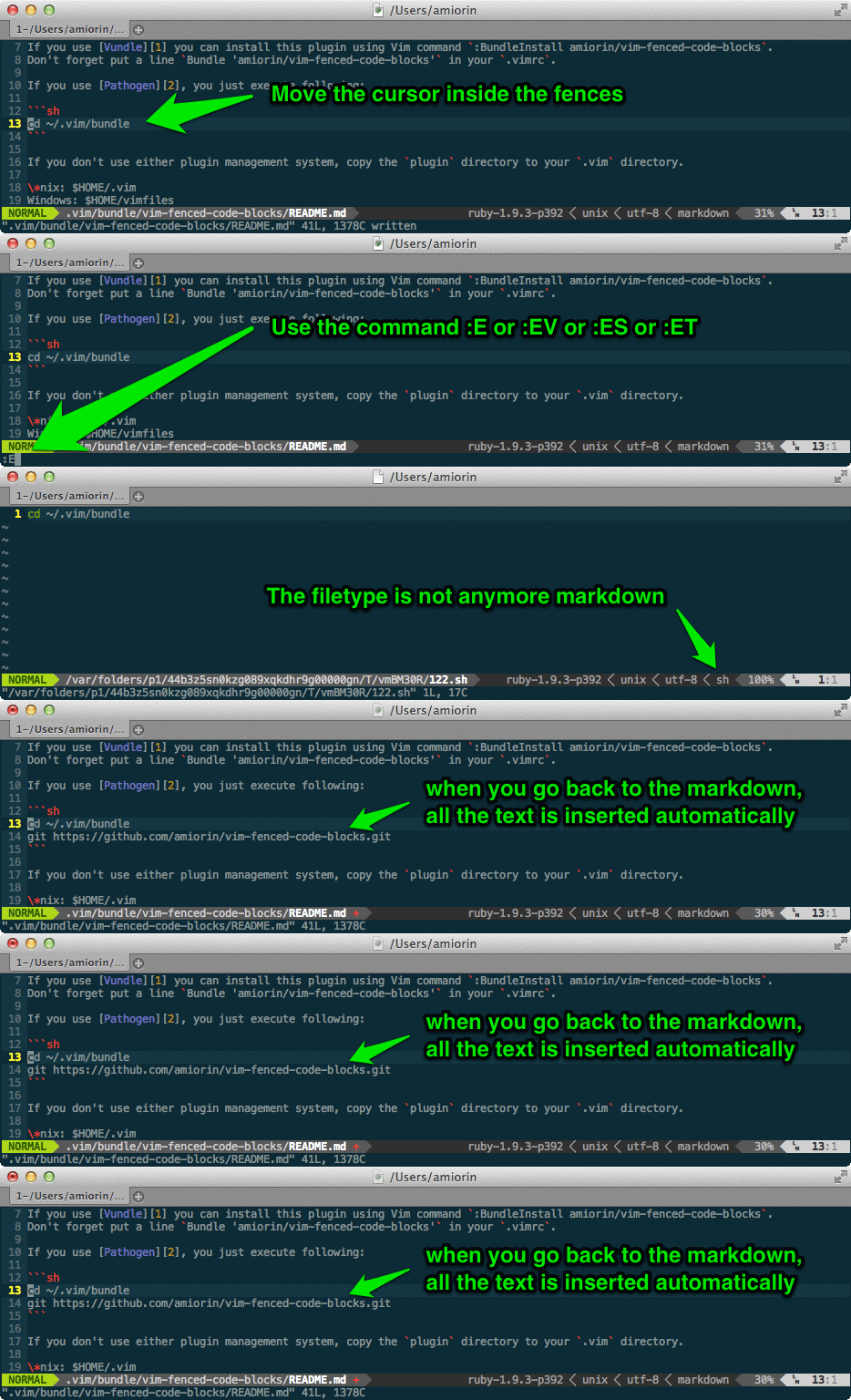
Install
If you use Vundle you can install this plugin using Vim command :BundleInstall amiorin/vim-fenced-code-blocks.
Don't forget put a line Bundle 'amiorin/vim-fenced-code-blocks' in your .vimrc.
If you use Pathogen, you just execute following:
cd ~/.vim/bundle
git clone https://github.com/amiorin/vim-fenced-code-blocks.gitIf you don't use either plugin management system, copy the plugin directory to your .vim directory.
*nix: $HOME/.vim
Windows: $HOME/vimfiles
Use
This plugin defines 4 new commands:
:Eto edit in the same window,CTRL-^to go back to the markdown file:EVto edit in the vertical split window,CTRL-W lto go back to the markdown file:ESto edit in the horizontal split window,CTRL-W jto go back to the markdown file:ETto edit in a new tab.
All the commands accept the bang.
Credits
Self-Promotion
Like this plugin?
License
Copyright (C) 2013 Alberto Miorin. Distributed under the MIT License.
