Ⅰ. 插件描述
Ⅱ. 基本信息
|
Ⅲ. 安装方法
使用Vundle管理器安装
在你的.vimrc下添加:Plugin 'luan/flytags':source %
:PluginInstall对于Vundle版本 < 0.10.2,请用上面的Bundle替换Plugin。
使用NeoBundle管理器安装
在你的.vimrc下添加:NeoBundle 'luan/flytags':source %
:NeoBundleInstall使用VimPlug管理器安装
在你的.vimrc下添加:Plug 'luan/flytags':source %
:PlugInstall使用Pathogen管理器安装
在终端中运行以下命令:cd ~/.vim/bundle
git clone https://github.com/luan/flytagsⅣ. 文档说明
# flytags
flytags is a [ctags][]-compatible tag generator for [Concourse][] pipelines.
Installation
Install or update flytags using the go get command:
go get -u github.com/luan/flytagsUsage
flytags [options] file(s)

-L="": source file names are read from the specified file. If file is "-", input is read from standard in.
-R=false: recurse into directories in the file list.
-f="": write output to specified file. If file is "-", output is written to standard out.
-silent=false: do not produce any output on error.
-sort=true: sort tags.
-tag-relative=false: file paths should be relative to the directory containing the tag file.
-v=false: print version.
Vim [Tagbar][] configuration
Put the following configuration in your vimrc:
let g:tagbar_type_concourse = {
    \ 'ctagstype' : 'concourse',
    \ 'kinds'     : [
        \ 'p:primitives',
        \ 't:resource_types',
        \ 'g:groups',
        \ 'r:resources',
        \ 'i:inputs',
        \ 'k:tasks',
        \ 'o:outputs',
        \ 'j:jobs',
    \ ],
    \ 'sro' : '.',
    \ 'kind2scope' : {
        \ 'p' : 'ptype',
        \ 'j' : 'stype'
    \ },
    \ 'scope2kind' : {
        \ 'ptype' : 'p',
        \ 'stype' : 'j'
    \ },
    \ 'ctagsbin'  : expand(bin_path),
    \ 'ctagsargs' : '-sort -silent'
\ }
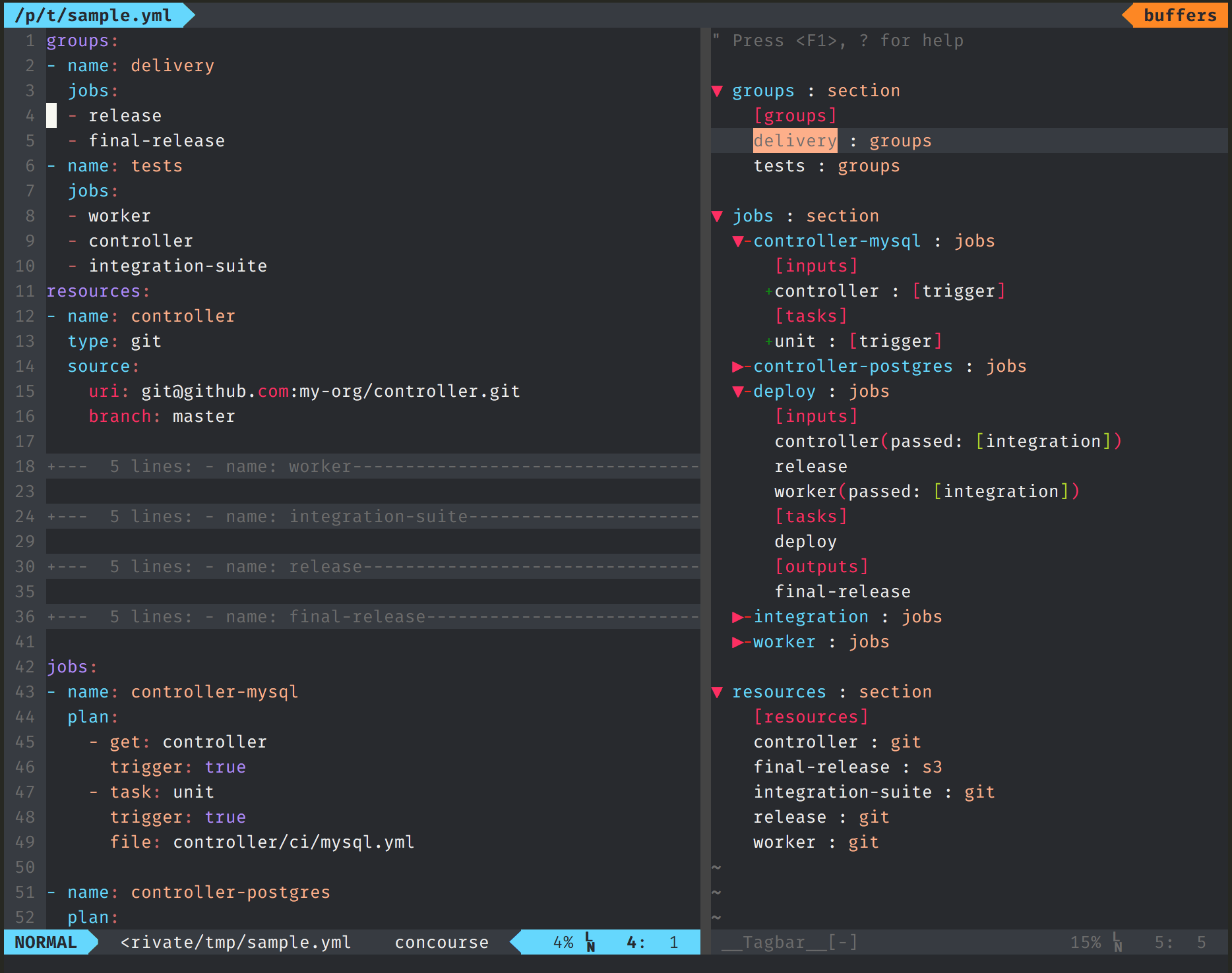
Vim+Tagbar Screenshot