Ⅰ. 插件描述
Colour lines in different intensities according to their age in git's historyⅡ. 基本信息
|
Ⅲ. 安装方法
使用Vundle管理器安装
在你的.vimrc下添加:Plugin 'joeytwiddle/git-shade-vim-you-belong-with-me':source %
:PluginInstall对于Vundle版本 < 0.10.2,请用上面的Bundle替换Plugin。
使用NeoBundle管理器安装
在你的.vimrc下添加:NeoBundle 'joeytwiddle/git-shade-vim-you-belong-with-me':source %
:NeoBundleInstall使用VimPlug管理器安装
在你的.vimrc下添加:Plug 'joeytwiddle/git-shade-vim-you-belong-with-me':source %
:PlugInstall使用Pathogen管理器安装
在终端中运行以下命令:cd ~/.vim/bundle
git clone https://github.com/joeytwiddle/git_shade.vimⅣ. 文档说明
git_shade.vim
Colour lines in different intensities according to their age in git's history
Run :GitShade to shade the file, and again to turn it off.
This is useful to see which lines were added at the same time, and which lines were added recently. It also shows you the commit message for the current line.
Screenshots
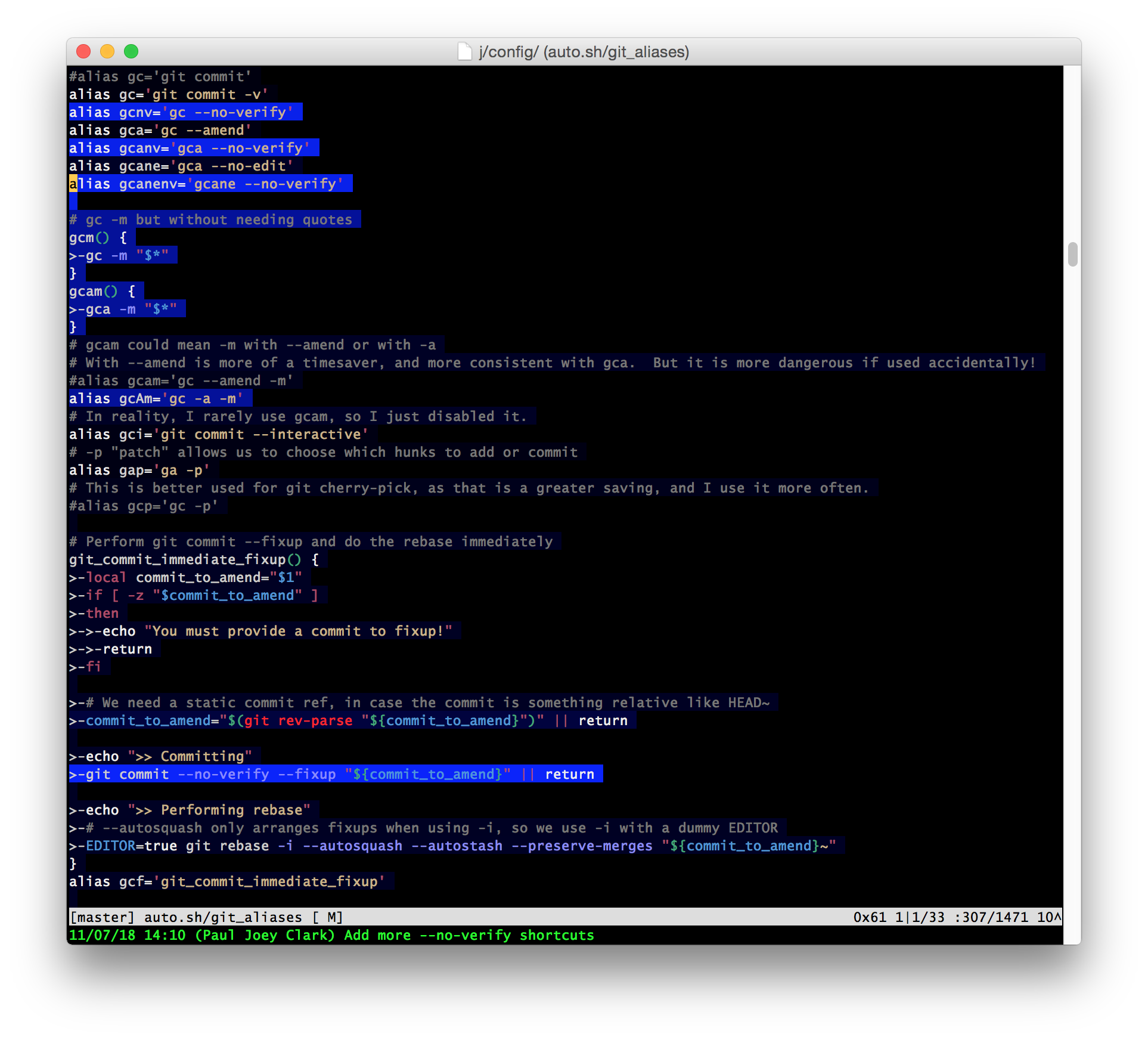
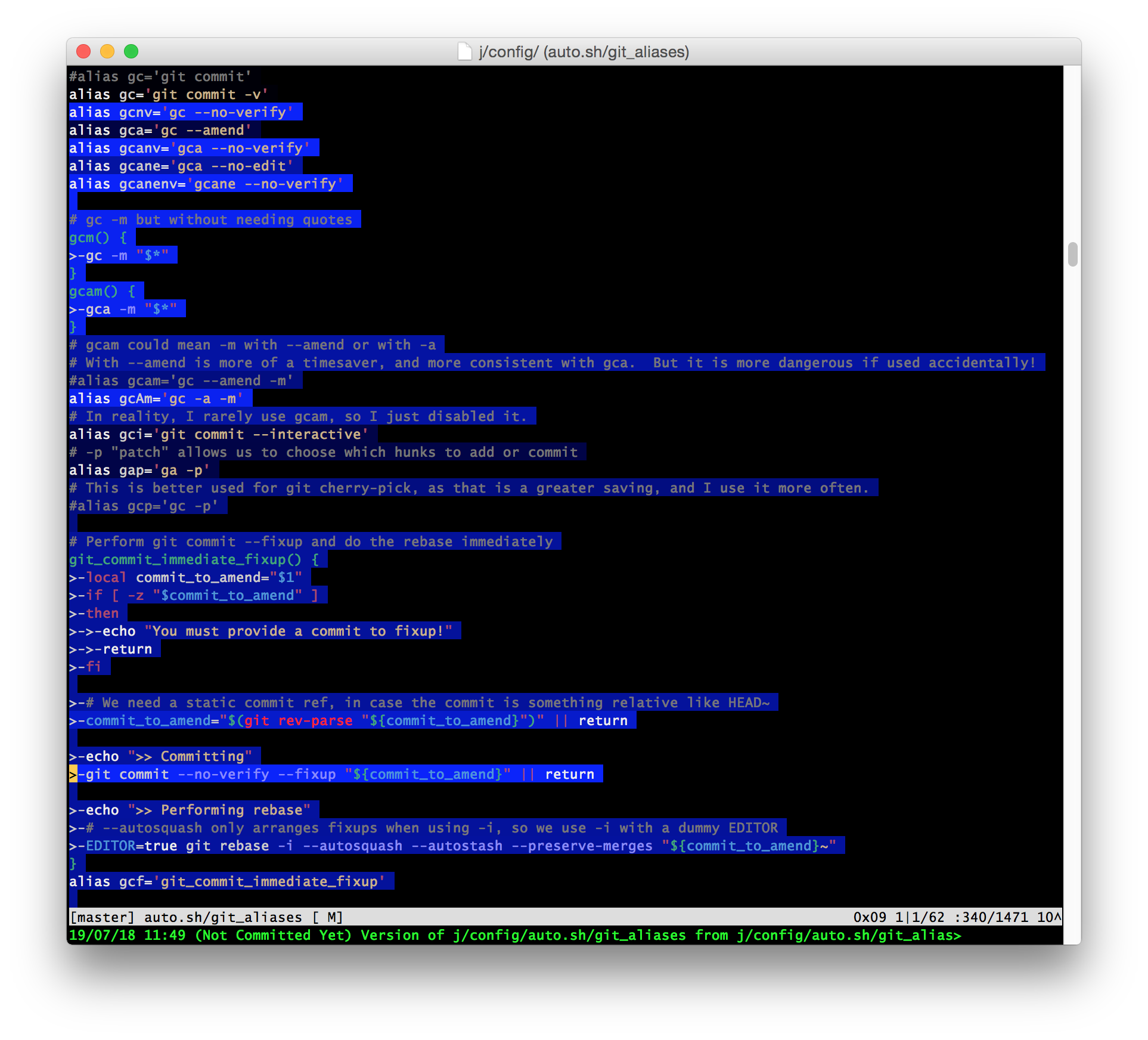
In the following screenshots a brighter blue background indicates a recently added or edited line.
With let g:GitShade_Linear = 0 (default) the most recent additions stand out clearly:
With let g:GitShade_Linear = 1 we can see the relative ages of all lines in the file:
Options
let g:GitShade_ColorGradient = "black_to_blue"
let g:GitShade_ColorWhat = "bg"

let g:GitShade_ColorGradient = "green_to_white"
let g:GitShade_ColorWhat = "fg"

" Use grays instead of blues in 256-color terminal
let g:GitShade_Colors_For_CTerm_256 = [ 0, 232, 233, 234, 235, 236, 237, 238, 239 ]
Read the script for more options.
Changelog
- September 2017: Ignore whitespace changes when searching git history.
- May 2014: Support (with limited colors) for 8, 16 and 256-color terminals. (Vim's
t_Cooption should be set appropriately.) - June 2013: Committer name, date and message for current line is now displayed in command line area.
Related
- smeargle is a similar script which also offers a mode to highlight different committers.
- fugitive.vim provides a host of useful git tools, including
:Gblamewhich presents info in the sidebar. - Gitv! lets you select a range of lines and then walk through all their previous commits.