Ⅰ. 插件描述
Actions menu for NeovimⅡ. 基本信息
|
Ⅲ. 安装方法
使用Vundle管理器安装
在你的.vimrc下添加:Plugin 'iamcco/go-to-rules-vim':source %
:PluginInstall对于Vundle版本 < 0.10.2,请用上面的Bundle替换Plugin。
使用NeoBundle管理器安装
在你的.vimrc下添加:NeoBundle 'iamcco/go-to-rules-vim':source %
:NeoBundleInstall使用VimPlug管理器安装
在你的.vimrc下添加:Plug 'iamcco/go-to-rules-vim':source %
:PlugInstall使用Pathogen管理器安装
在终端中运行以下命令:cd ~/.vim/bundle
git clone https://github.com/iamcco/go-to-rules.vimⅣ. 文档说明
# coc-actions
Actions menu for coc.nvim (neovim only)
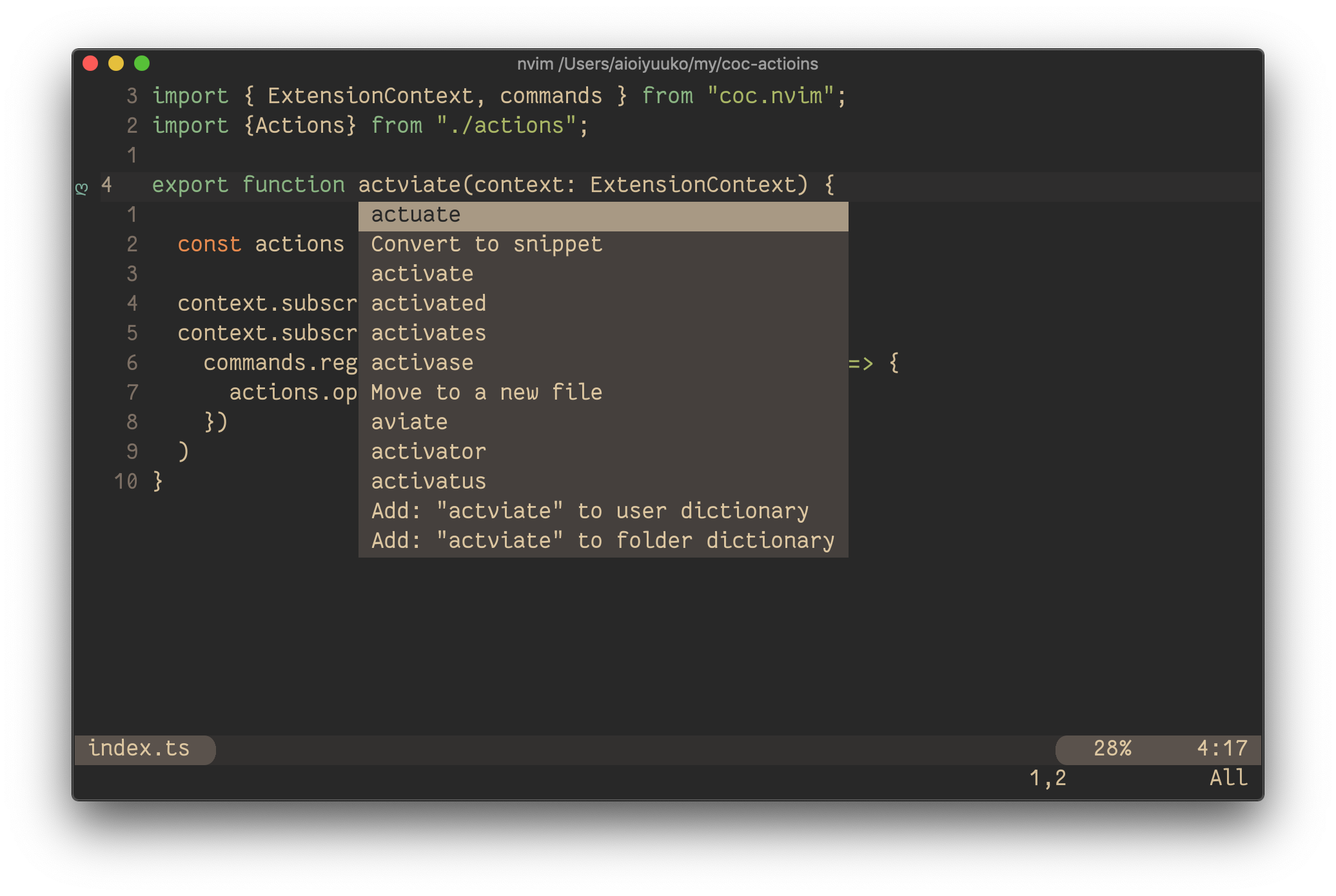
Installation
:CocInstall coc-actions
Commands
:CocCommand actions.openfor current cursor position
Mapping
Config as coc.nvim README
" Remap for do codeAction of selected region
function! s:cocActionsOpenFromSelected(type) abort
  execute 'CocCommand actions.open ' . a:type
endfunction
xmap <silent> <leader>a :<C-u>execute 'CocCommand actions.open ' . visualmode()<CR>
nmap <silent> <leader>a :<C-u>set operatorfunc=<SID>cocActionsOpenFromSelected<CR>g@
Then
<leader>afor the current selected range<leader>awfor the current word<leader>aasfor the current sentence<leader>aapfor the current paragraph
:h text-objectsto see more detail
Settings
coc-actions.hideCursor: true
Hide cursor when open actions menu
coc-actions.showActionKind: true
Show action kind
coc-actions.useCursorLine: false
Using cursorline for active line, this avoids tail whitespace
Buy Me A Coffee ☕️

