Ⅰ. 插件描述
Custom Haskell VimscriptsⅡ. 基本信息
|
Ⅲ. 安装方法
使用Vundle管理器安装
在你的.vimrc下添加:Plugin 'yogsototh/haskell-vim-long-live':source %
:PluginInstall对于Vundle版本 < 0.10.2,请用上面的Bundle替换Plugin。
使用NeoBundle管理器安装
在你的.vimrc下添加:NeoBundle 'yogsototh/haskell-vim-long-live':source %
:NeoBundleInstall使用VimPlug管理器安装
在你的.vimrc下添加:Plug 'yogsototh/haskell-vim-long-live':source %
:PlugInstall使用Pathogen管理器安装
在终端中运行以下命令:cd ~/.vim/bundle
git clone https://github.com/yogsototh/haskell-vimⅣ. 文档说明
This project has two homes.
It is ok to work in github, still, for a better decentralized web
please consider contributing (issues, PR, etc...) throught:
Haskell Syntax/Indentation
I was unhappy with the Haskell scripts that are
shipped with vim, therefore I decided to make my
own based on [idris-vim][].
I hope you find this useful.
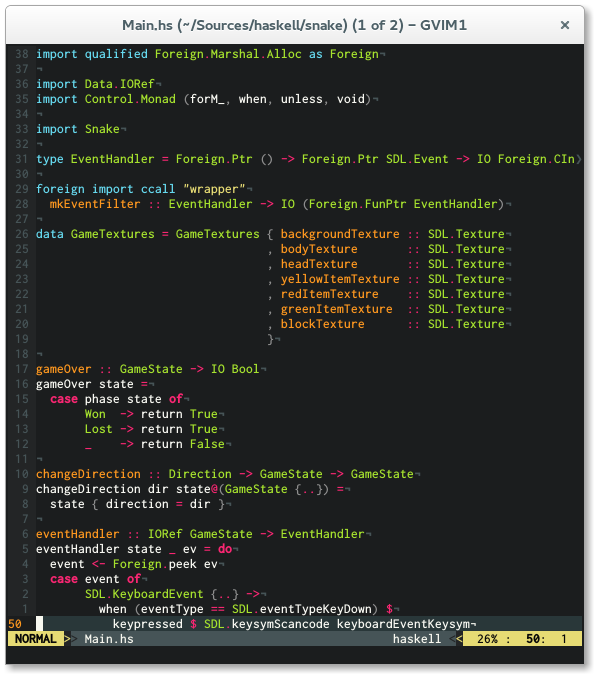
Features
- Covers a broader spectrum of keywords
- Highlighting for new features like type families, pattern synonyms, arrow syntax, recursive do
- More contextual highlighting (e.g. highlight 'as' or 'family' only in approriate places)
- Smarter indentation
Installation
I recommend using [Pathogen][] for installation. Simply clone
this repo into your ~/.vim/bundle directory and you are ready to go.
cd ~/.vim/bundle
git clone https://github.com/raichoo/haskell-vim.git
Manual Installation
Copy content into your ~/.vim directory.
Be sure that the following lines are in your.vimrc
syntax on
filetype on
filetype plugin indent on
Configuration
Features
To enable the features you would like to use, just add the according line to your.vimrc.
let g:haskell_enable_quantification = 1to enable highlighting offoralllet g:haskell_enable_recursivedo = 1to enable highlighting ofmdoandreclet g:haskell_enable_arrowsyntax = 1to enable highlighting ofproclet g:haskell_enable_pattern_synonyms = 1to enable highlighting ofpatternlet g:haskell_enable_typeroles = 1to enable highlighting of type roles
Indentation
To configure indentation in haskell-vim you can use the following variables to change indentation depth, just add the according line to your .vimrc.
let g:haskell_indent_if = 3if bool
then ...
else ...let g:haskell_indent_case = 5case xs of
[] -> ...
(y:ys) -> ...let g:haskell_indent_let = 4let x = 0 in
x
let g:haskell_indent_where = 6where f :: Int -> Int
f x = x
let g:haskell_indent_do = 3do x <- a
y <- b
let g:haskell_indent_in = 1let x = 1
in x