Ⅰ. 插件描述
Vim syntax for i3 window manager configⅡ. 基本信息
|
Ⅲ. 安装方法
使用Vundle管理器安装
在你的.vimrc下添加:Plugin 'potatoesmaster/i3-vim-syntax':source %
:PluginInstall对于Vundle版本 < 0.10.2,请用上面的Bundle替换Plugin。
使用NeoBundle管理器安装
在你的.vimrc下添加:NeoBundle 'potatoesmaster/i3-vim-syntax':source %
:NeoBundleInstall使用VimPlug管理器安装
在你的.vimrc下添加:Plug 'potatoesmaster/i3-vim-syntax':source %
:PlugInstall使用Pathogen管理器安装
在终端中运行以下命令:cd ~/.vim/bundle
git clone https://github.com/potatoesmaster/i3-vim-syntaxⅣ. 文档说明
:warning: *This syntax file is not maintained anymore. Feel free to take over or try some alternative
(eg: i3config.vim).*
This is a Vim syntax file for i3 config file.
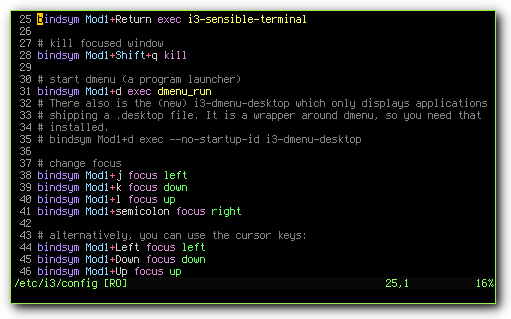
Using it
You can install it using a Vim plugin manager ([Vundle], [Pathogen], …) or just by putting i3.vim in your ~/.vim/syntax directory.
I recommend you to add # vim:filetype=i3 at the end of your i3 config file, unless you really want to type :set filetype=i3 every time you edit this file.