Ⅰ. 插件描述
An experimental color scheme for Vim.Ⅱ. 基本信息
|
Ⅲ. 安装方法
使用Vundle管理器安装
在你的.vimrc下添加:Plugin 'yuttie/inkstained-vim':source %
:PluginInstall对于Vundle版本 < 0.10.2,请用上面的Bundle替换Plugin。
使用NeoBundle管理器安装
在你的.vimrc下添加:NeoBundle 'yuttie/inkstained-vim':source %
:NeoBundleInstall使用VimPlug管理器安装
在你的.vimrc下添加:Plug 'yuttie/inkstained-vim':source %
:PlugInstall使用Pathogen管理器安装
在终端中运行以下命令:cd ~/.vim/bundle
git clone https://github.com/yuttie/inkstained-vimⅣ. 文档说明
# Inkstained theme
This repository includes an experimental color scheme file for Vim.
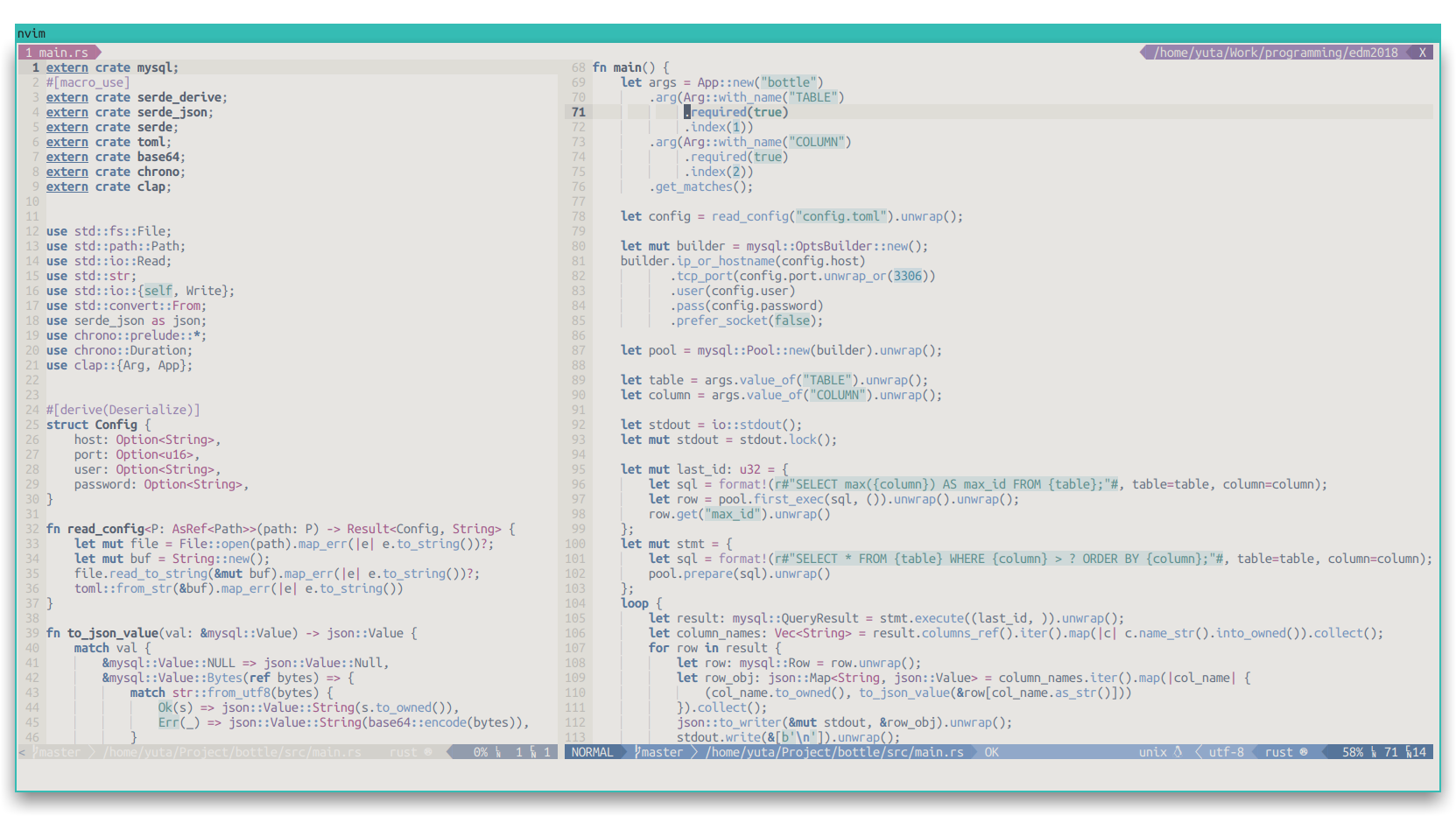
Features
- A light theme
- Includes colorscheme file for lightline.vim
- Customization via colorscheme generator script written in Python
Installation
For vim-plug users
Plug 'yuttie/inkstained-vim'Configuration
lightline.vim
lightline.vim support is included.
To use the bundled colorscheme for lightline.vim, specify 'inkstained' in a definition of your lightline as follows:
let g:lightline = {
\ 'colorscheme': 'inkstained',
\ 'component': {
\ 'readonly': '%{&readonly?"":""}',
\ },
\ 'separator': { 'left': '', 'right': '' },
\ 'subseparator': { 'left': '', 'right': '' },
\ }Contribution
Currently, the colors for terminals, i.e. cterm* values, are not tested well.
Please create an issue when you find a problem.