Ⅰ. 插件描述
Simple JavaScript testing framework for browsers and node.jsⅡ. 基本信息
|
Ⅲ. 安装方法
使用Vundle管理器安装
在你的.vimrc下添加:Plugin 'jasmine/jasmine':source %
:PluginInstall对于Vundle版本 < 0.10.2,请用上面的Bundle替换Plugin。
使用NeoBundle管理器安装
在你的.vimrc下添加:NeoBundle 'jasmine/jasmine':source %
:NeoBundleInstall使用VimPlug管理器安装
在你的.vimrc下添加:Plug 'jasmine/jasmine':source %
:PlugInstall使用Pathogen管理器安装
在终端中运行以下命令:cd ~/.vim/bundle
git clone https://github.com/jasmine/jasmineⅣ. 文档说明




A JavaScript Testing Framework
Jasmine is a Behavior Driven Development testing framework for JavaScript. It does not rely on browsers, DOM, or any JavaScript framework. Thus it's suited for websites, Node.js projects, or anywhere that JavaScript can run.
Documentation & guides live here: http://jasmine.github.io
For a quick start guide of Jasmine, see the beginning of http://jasmine.github.io/edge/introduction.html
Upgrading from Jasmine 2.x? Check out the 3.0 release notes for a list of what's new (including breaking changes).
Contributing
Please read the contributors' guide
Installation
For the Jasmine NPM module:
https://github.com/jasmine/jasmine-npm
For the Jasmine Ruby Gem:
https://github.com/jasmine/jasmine-gem
For the Jasmine Python Egg:
https://github.com/jasmine/jasmine-py
For the Jasmine headless browser gulp plugin:
https://github.com/jasmine/gulp-jasmine-browser
To install Jasmine standalone on your local box (where {#.#.#} below is substituted by the release number downloaded):
- Download the standalone distribution for your desired release from the releases page
- Create a Jasmine directory in your project -
mkdir my-project/jasmine - Move the dist to your project directory -
mv jasmine/dist/jasmine-standalone-{#.#.#}.zip my-project/jasmine - Change directory -
cd my-project/jasmine - Unzip the dist -
unzip jasmine-standalone-{#.#.#}.zip
Add the following to your HTML file:
<link rel="shortcut icon" type="image/png" href="jasmine/lib/jasmine-{#.#.#}/jasmine_favicon.png">
<link rel="stylesheet" type="text/css" href="jasmine/lib/jasmine-{#.#.#}/jasmine.css">

<script type="text/javascript" src="jasmine/lib/jasmine-{#.#.#}/jasmine.js"></script>
<script type="text/javascript" src="jasmine/lib/jasmine-{#.#.#}/jasmine-html.js"></script>
<script type="text/javascript" src="jasmine/lib/jasmine-{#.#.#}/boot.js"></script>
Supported environments
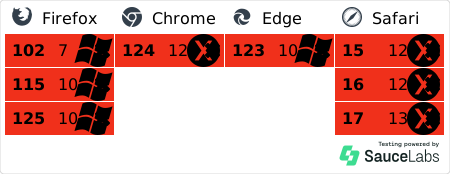
Jasmine tests itself across many browsers (Safari, Chrome, Firefox, Microsoft Edge, and new Internet Explorer) as well as nodejs. To see the exact version tests are run against look at our .travis.yml
Support
- Search past discussions: http://groups.google.com/group/jasmine-js
- Send an email to the list: jasmine-js@googlegroups.com
- View the project backlog at Pivotal Tracker: http://www.pivotaltracker.com/projects/10606
- Follow us on Twitter: @JasmineBDD
Maintainers
- Gregg Van Hove, Pivotal Labs
Maintainers Emeritus
- Davis W. Frank, Pivotal Labs
- Rajan Agaskar, Pivotal Labs
- Greg Cobb, Pivotal Labs
- Chris Amavisca, Pivotal Labs
- Christian Williams, Cloud Foundry
- Sheel Choksi
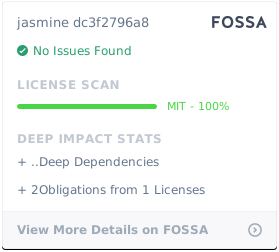
Copyright (c) 2008-2018 Pivotal Labs. This software is licensed under the MIT License.
License