Ⅰ. 插件描述
Plugin to launch javadoc for class under the cursorⅡ. 基本信息
|
Ⅲ. 安装方法
使用Vundle管理器安装
在你的.vimrc下添加:Plugin 'cskeeters/javadoc-vim-hands-off':source %
:PluginInstall对于Vundle版本 < 0.10.2,请用上面的Bundle替换Plugin。
使用NeoBundle管理器安装
在你的.vimrc下添加:NeoBundle 'cskeeters/javadoc-vim-hands-off':source %
:NeoBundleInstall使用VimPlug管理器安装
在你的.vimrc下添加:Plug 'cskeeters/javadoc-vim-hands-off':source %
:PlugInstall使用Pathogen管理器安装
在终端中运行以下命令:cd ~/.vim/bundle
git clone https://github.com/cskeeters/javadoc.vimⅣ. 文档说明
# javadoc.vim
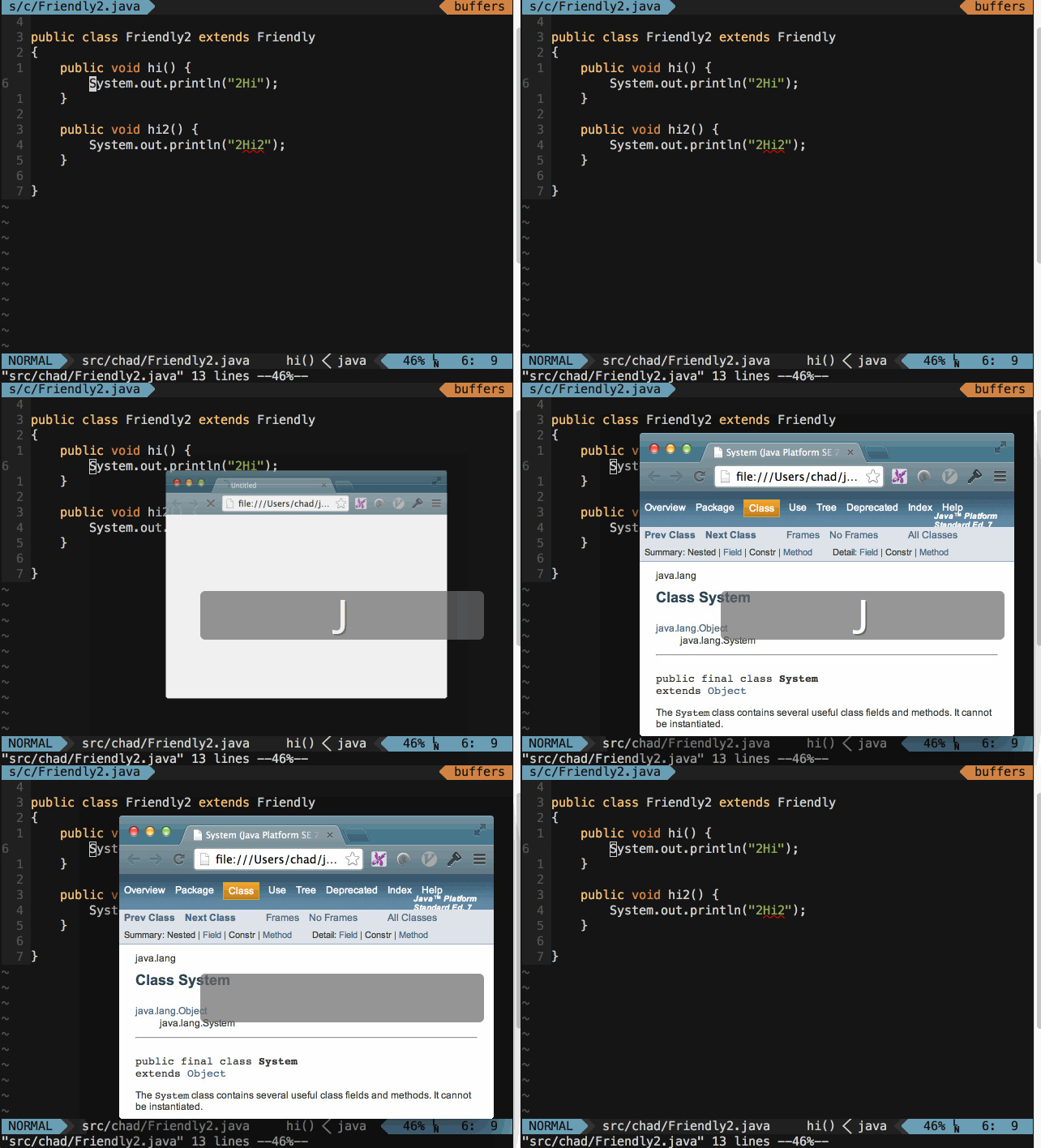
javadoc.vim is a lightweight plugin for vim. It allows a user to open a browser to the javadoc for a class which the mouse is over (inspired by eclipse).
This plugin searches g:javadoc_path for a file with the same name as the word the cursor is over. This plugin is package agnostic, so if it finds two classes with the same name, it will just open both. It depends on find, sed, pidof, basename, and an external browser - which is configurable.
If there are two matches, there is some delay in opening the second match if the browser was not running when the first match was passed to the browser. Firefox complained without the delay.
Installation
See Vundle or Pathogen
Usage
See the vim help