Ⅰ. 插件描述
Yet another Vim colorscheme on GitHub. Inspired by Molokai.Ⅱ. 基本信息
|
Ⅲ. 安装方法
使用Vundle管理器安装
在你的.vimrc下添加:Plugin 'josuegaleas/jay':source %
:PluginInstall对于Vundle版本 < 0.10.2,请用上面的Bundle替换Plugin。
使用NeoBundle管理器安装
在你的.vimrc下添加:NeoBundle 'josuegaleas/jay':source %
:NeoBundleInstall使用VimPlug管理器安装
在你的.vimrc下添加:Plug 'josuegaleas/jay':source %
:PlugInstall使用Pathogen管理器安装
在终端中运行以下命令:cd ~/.vim/bundle
git clone https://github.com/josuegaleas/jayⅣ. 文档说明
# jay
Yet another Vim colorscheme on GitHub. Inspired by Molokai.
Features
- Same color palette for both terminal and GUI Vim
- Light and dark modes, with a transparent option
- Matching themes for Airline and Lightline
- Support for 256, 16, and 8 color terminals
Explicitly supported plugins: None so far!
- Want a certain plugin themed? Feel free to open an issue!
Gallery
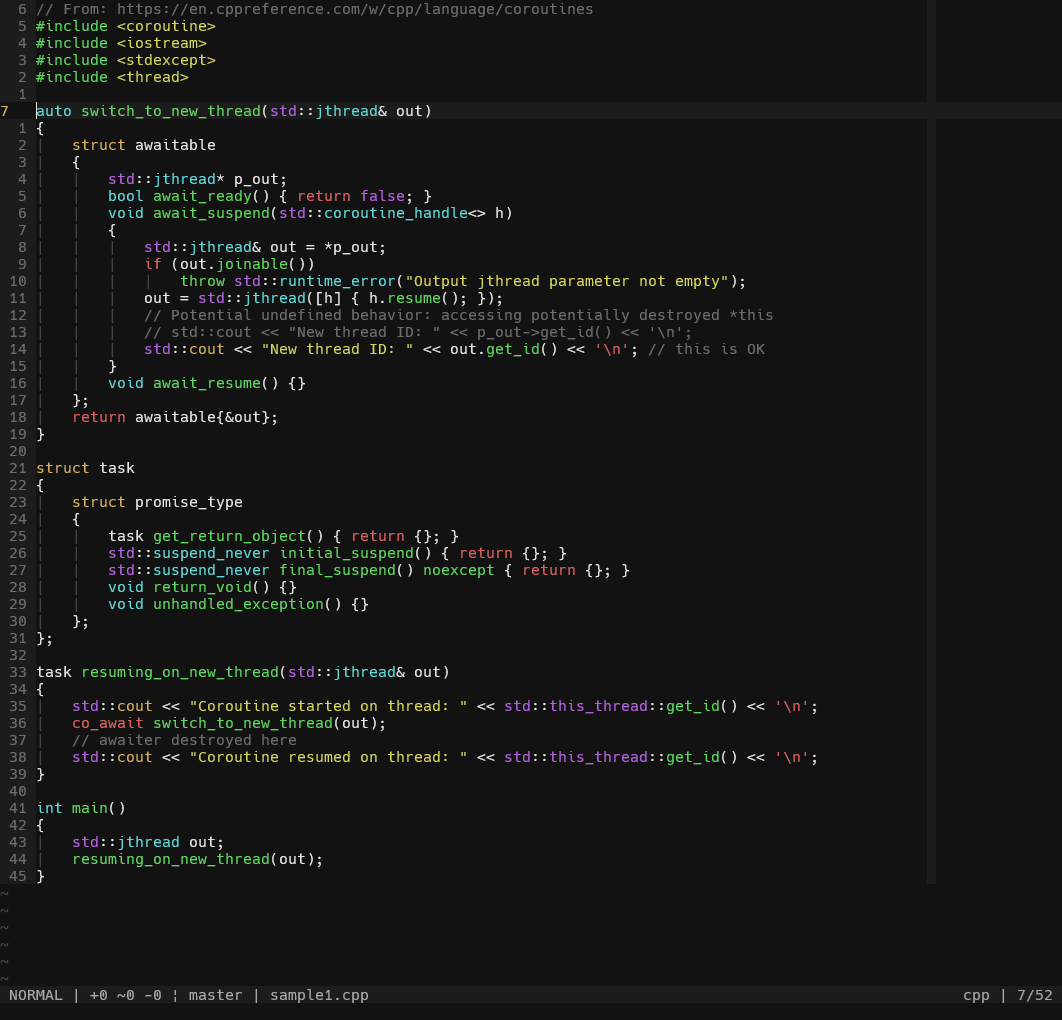
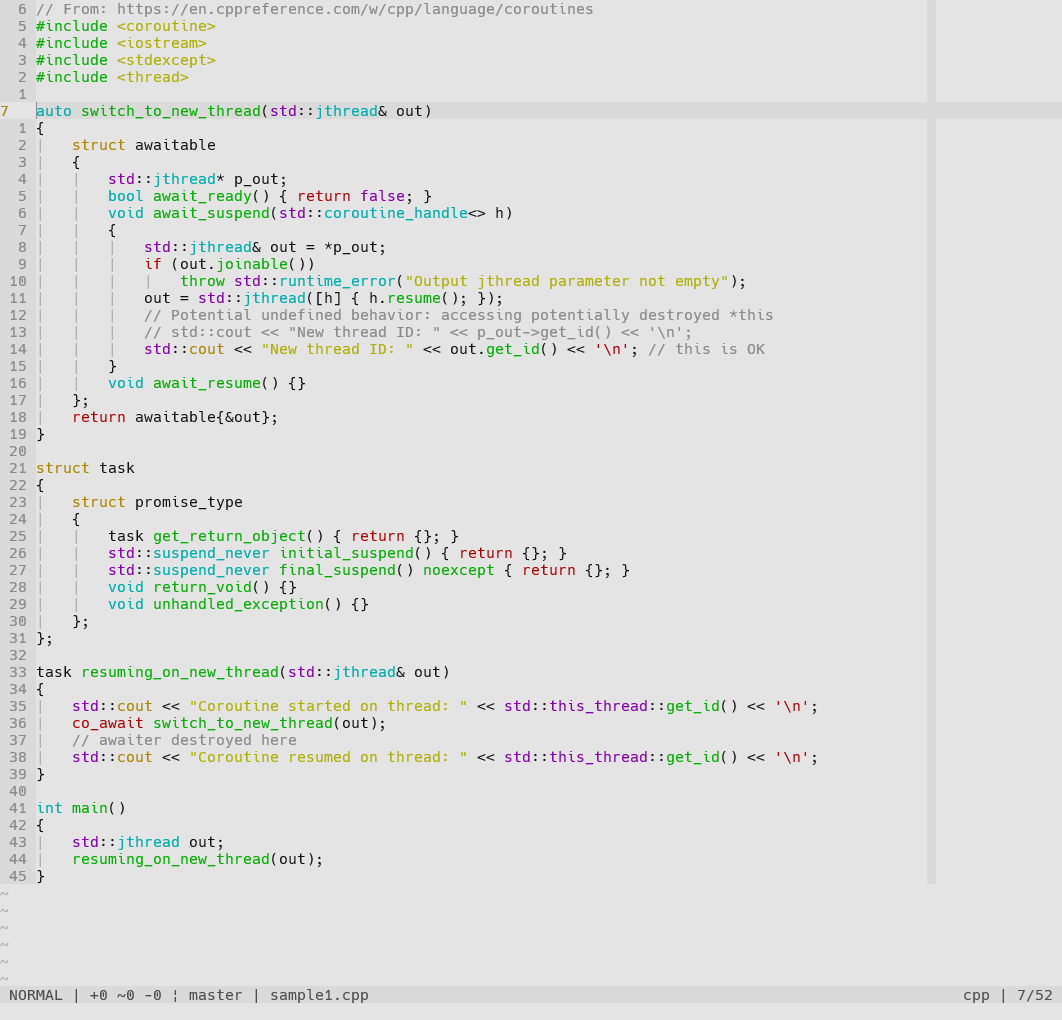
Font used in screenshots is Hack. Additional syntax highlighting done by vim-polyglot.
For more examples in different languages, visit 'jay' on colorswat.ch.
Dark Mode
Light Mode
Airline Theme


Lightline Theme


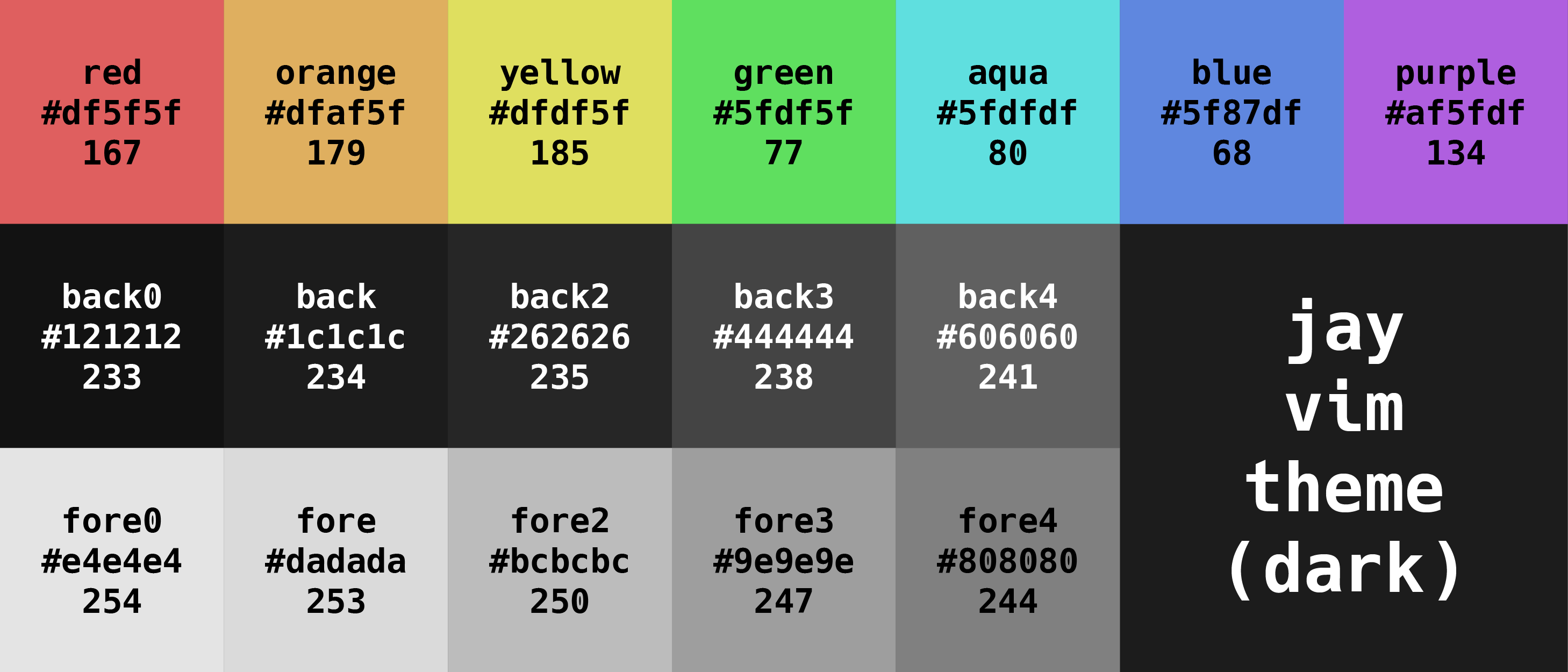
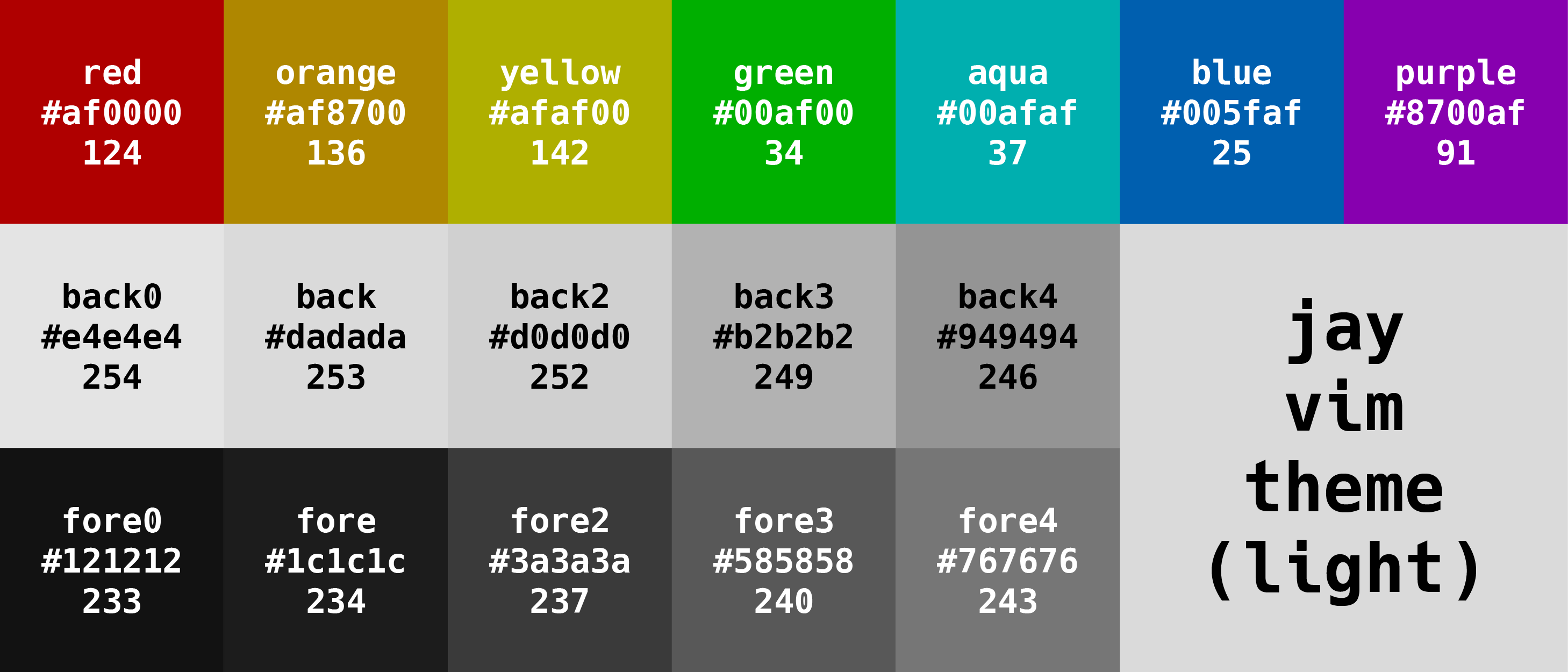
Palette
Tabulated values can be found here.
Installation
1) Installing the Theme
Manually
- Download this repository and unzip its contents
- Copy or move the contents into your
.vimdirectory (possiblyvimfileson Windows)
vim-plug (or similar plugin manager)
- Add
Plug 'josuegaleas/jay'to your.vimrcfile - Restart Vim and use
:PlugInstallto install
pathogen.vim
Clone this repository into your .vim/bundle directory (possibly vimfiles\bundle on Windows) with:
git clone --depth=1 https://github.com/josuegaleas/jay.git ~/.vim/bundle/jay/2) Updating .vimrc
Dark Mode
Add the following lines to your .vimrc file:
syntax enable
set background=dark
colorscheme jay
Light Mode
Add the following lines to your .vimrc file:
syntax enable
set background=light
colorscheme jay
Transparent Option
Add the following line anywhere before colorscheme jay to your .vimrc file:
let jay_transparent=1Matching Airline/Lightline Theme
Airline should detect your configuration without further instruction.
For Lightline, add the following line anywhere after colorscheme jay to your .vimrc file:
let g:lightline = {'colorscheme': 'jay'}Lightline should detect your configuration after the above line is added.
TODO
- [ ] Find a better solution to issue #4
- [ ] Add explicit support for various plugins
- [ ] Add support for environments that use italics
References
Tools
- Xterm Color Table
- Colorizer
- HiLinkTrace
:help highlight-groups:help group-name:highlight:source $VIMRUNTIME/syntax/hitest.vim