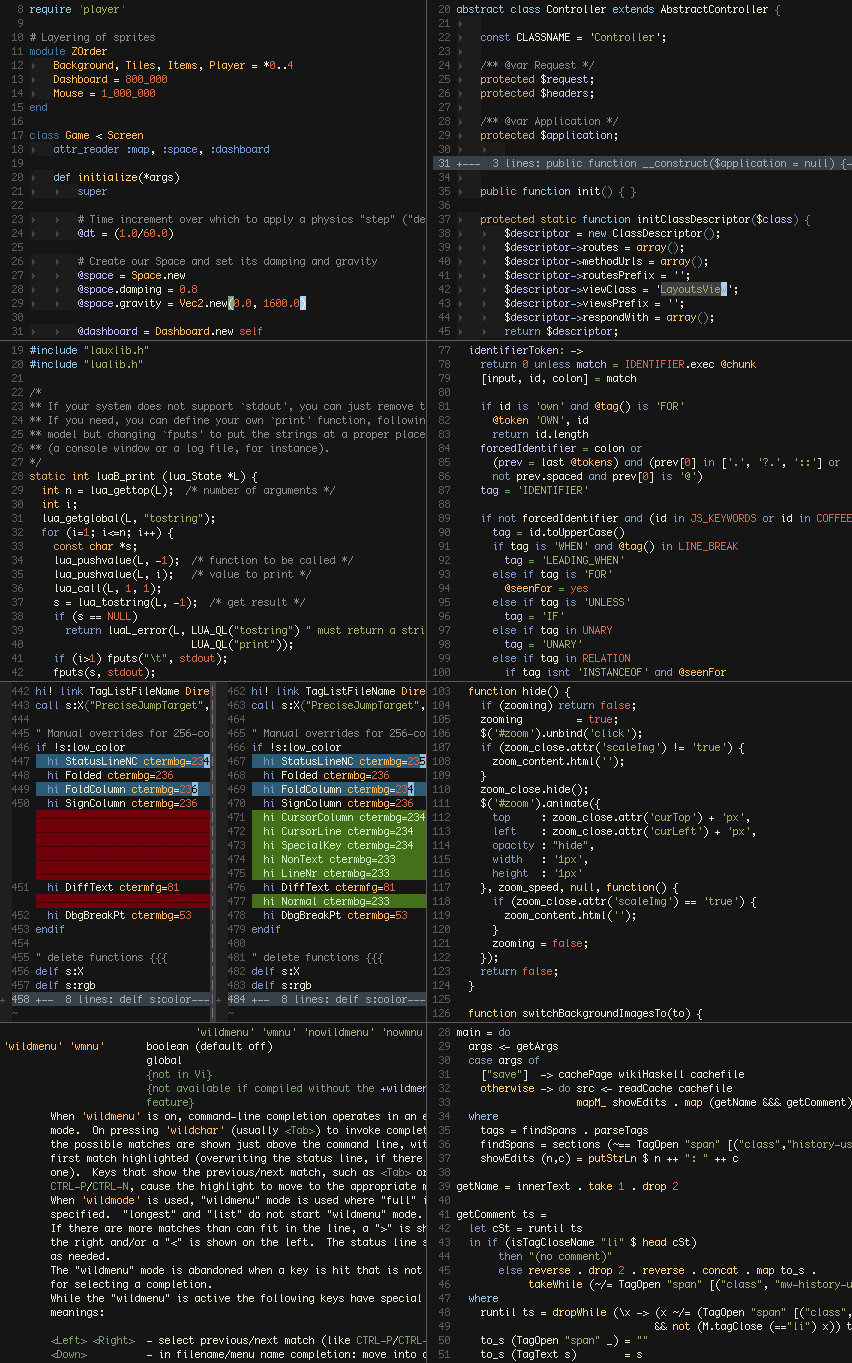
Ⅰ. 插件描述
A colorful, dark color scheme for VimⅡ. 基本信息
|
Ⅲ. 安装方法
使用Vundle管理器安装
在你的.vimrc下添加:Plugin 'mjio/jellybeans-vim-safe-and-sound':source %
:PluginInstall对于Vundle版本 < 0.10.2,请用上面的Bundle替换Plugin。
使用NeoBundle管理器安装
在你的.vimrc下添加:NeoBundle 'mjio/jellybeans-vim-safe-and-sound':source %
:NeoBundleInstall使用VimPlug管理器安装
在你的.vimrc下添加:Plug 'mjio/jellybeans-vim-safe-and-sound':source %
:PlugInstall使用Pathogen管理器安装
在终端中运行以下命令:cd ~/.vim/bundle
git clone https://github.com/mjio/jellybeans.vimⅣ. 文档说明
jellybeans.vim
A colorful, dark color scheme, inspired by [ir_black][] and [twilight][].
Designed primarily for a graphical Vim, but includes support for 256, 88, 16,
and 8 color terminals. On a 16 or 8 color terminal, replace its colors with
those in ansi-term-colors.txt for best results.
This script is vimscript #2555 at Vim.org.
Scroll down for screenshots!
Options
Custom Highlights
If you prefer slightly different colors from what Jellybeans defines,
you can set g:jellybeans_overrides in your .vimrc to a dictionary of
custom highlighting parameters:
let g:jellybeans_overrides = {
\    'Todo': { 'guifg': '303030', 'guibg': 'f0f000',
\              'ctermfg': 'Black', 'ctermbg': 'Yellow',
\              'attr': 'bold' },
\}
This removes the need to edit Jellybeans directly, simplifying
- In addition, RGB colors specified this way are run through
- same color approximation algorithm that the core theme uses, so
your colors work just as well in 256-color terminals.
If you can pick better colors than the approximator, specify them
in the 256ctermfg and 256ctermbg parameters to override
its choices.
Low-Color Black (16 and 8 color terminals)
Since the background on a dark terminal is usually black already,
Jellybeans appropriates the black ANSI color as a dark grey and
uses no color when it really wants black.
If you can’t or don’t want to change your terminal’s color
mappings, add
let g:jellybeans_use_lowcolor_black = 0
to your .vimrc to render “black” text as Vim’s grey (ANSI white).
Users of Apple’s pre-10.7 Terminal.app can use the TerminalColours
plugin (Leopard, Snow Leopard) to
change the default colors.
Screenshots