Ⅰ. 插件描述
A vim JavaScript plugin to easily navigate between alternate files (source and test)Ⅱ. 基本信息
|
Ⅲ. 安装方法
使用Vundle管理器安装
在你的.vimrc下添加:Plugin 'dunckr/js-alternate':source %
:PluginInstall对于Vundle版本 < 0.10.2,请用上面的Bundle替换Plugin。
使用NeoBundle管理器安装
在你的.vimrc下添加:NeoBundle 'dunckr/js-alternate':source %
:NeoBundleInstall使用VimPlug管理器安装
在你的.vimrc下添加:Plug 'dunckr/js-alternate':source %
:PlugInstall使用Pathogen管理器安装
在终端中运行以下命令:cd ~/.vim/bundle
git clone https://github.com/dunckr/js_alternate.vimⅣ. 文档说明
# js_alternate.vim 
Easy navigation between JavaScript alternate files (source and test). Inspired by the amazing vim-rails.
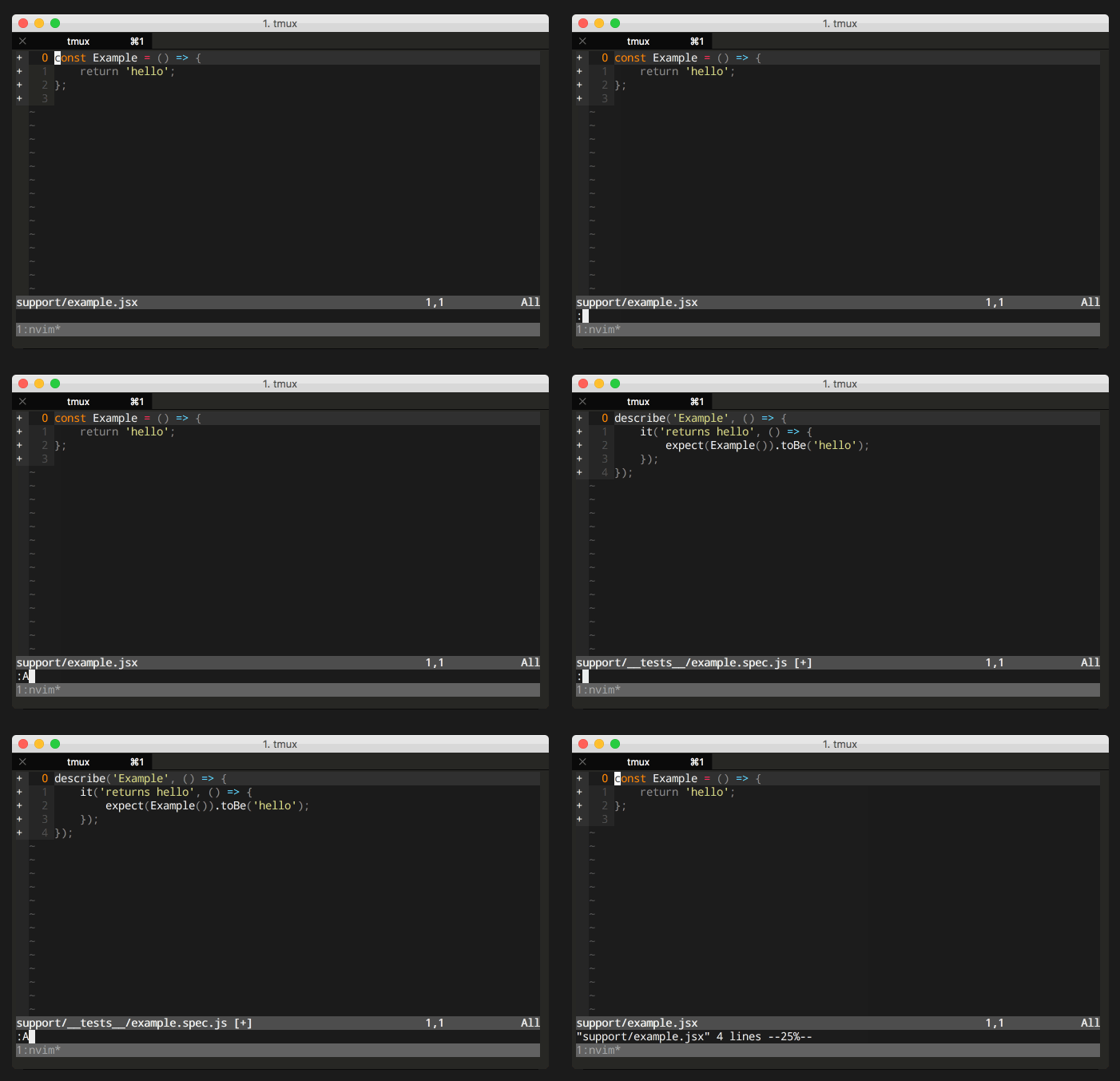
There is one command, :A (alternate) for easy jumping between a JavaScript source file and it’s corresponding test.
Looks for a variety to different test file paths including:
- Root level folders e.g.
tests/component/example.js, test/component/example.js, spec/component/example.js - Sub-folder level folders e.g.
src/component/__tests__/example.js - Suffixed extensions e.g.
example.tests.js, example.test.js, example.spec.js - Underscored folders e.g.
src/component/__tests__/example.js, src/component/__test__/example.js, src/component/__spec__/example.js - Differences of file types between source and tests files e.g.
example.js, example.jsx
For a full list of paths checked against see the tests.
Installation
Use your favourite plugin manager.
Using vim-plug:
Plug 'dunckr/js_alternate.vim'Usage
:A " Switches between JavaScript source and it's test file

" Mapping of js_alternate#run to <leader>t
nnoremap <leader>t :call js_alternate#run()<cr>
Extend
" The source folder names used to construct the source file paths:
let g:js_alternate#src_types = ['lib', 'src', 'app', 'scripts', 'js', 'javascript', 'frontend']

" The test names used to construct the test file paths:
let g:js_alternate#test_types = ['tests', 'test', 'spec', 'features']

" The extension name types used to look for:
let g:js_alternate#extension_types = ['js', 'jsx', 'coffee', 'ts', 'elm', 'purs']
License
MIT © Duncan Beaton