Ⅰ. 插件描述
Vim local themes for powerlineⅡ. 基本信息
|
Ⅲ. 安装方法
使用Vundle管理器安装
在你的.vimrc下添加:Plugin 'zhaocai/linepower-vim-safe-and-sound':source %
:PluginInstall对于Vundle版本 < 0.10.2,请用上面的Bundle替换Plugin。
使用NeoBundle管理器安装
在你的.vimrc下添加:NeoBundle 'zhaocai/linepower-vim-safe-and-sound':source %
:NeoBundleInstall使用VimPlug管理器安装
在你的.vimrc下添加:Plug 'zhaocai/linepower-vim-safe-and-sound':source %
:PlugInstall使用Pathogen管理器安装
在终端中运行以下命令:cd ~/.vim/bundle
git clone https://github.com/zhaocai/linepower.vimⅣ. 文档说明
# Vim local themes for powerline:
------------- - -----------------------------------------------
Plugin        : linepower.vim
Author        : Zhao Cai
EMail         : caizhaoff@gmail.com
Homepage      : http://zhaocai.github.io/linepower.vim/
Version       : 1.4.0
Date Created  : Tue 07 May 2013 08:59:43 PM EDT
Last Modified : Wed 08 May 2013 02:57:10 AM EDT
------------- - -----------------------------------------------
This powerline extension is a quickstart for adding customized powerline local themes in vim.
You may fork it and add more local themes.
Included Local Themes
unite.vim
 tagbar
 - rvm/rbenv version
syntastic
vimfiler
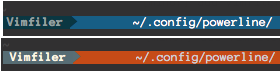vimshell
- asyncommand
previewwindow
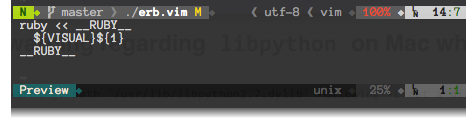quickfix / location list
 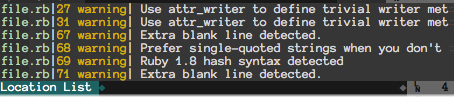nerdtree

Installation
- ( Assume powerline is configured correctly )
- Replace the json files under
configto corresponding files under~/.config/powerline. Check the diff if you already have customized configurations. - Install linepower like any other vim plugins. For Example,
- neobundle:
NeoBundle 'zhaocai/linepower.vim'- vundle:
Bundle 'zhaocai/linepower.vim'Segments
Weather Segments
    {
            "module" : "powerline.segments.common",
            "name": "weather",
            "exclude_modes": ["nc"],
            "draw_soft_divider": true,
            "priority": 10
    },