Ⅰ. 插件描述
Interlink macvim & skim for an integrated LaTeX DEⅡ. 基本信息
|
Ⅲ. 安装方法
使用Vundle管理器安装
在你的.vimrc下添加:Plugin 'keflavich/macvim-skim':source %
:PluginInstall对于Vundle版本 < 0.10.2,请用上面的Bundle替换Plugin。
使用NeoBundle管理器安装
在你的.vimrc下添加:NeoBundle 'keflavich/macvim-skim':source %
:NeoBundleInstall使用VimPlug管理器安装
在你的.vimrc下添加:Plug 'keflavich/macvim-skim':source %
:PlugInstall使用Pathogen管理器安装
在终端中运行以下命令:cd ~/.vim/bundle
git clone https://github.com/keflavich/macvim-skimⅣ. 文档说明
macvim-skim
Tools for integrating macvim with Skim.app. Adds shortcuts to vim so that you
can go to the current line in the PDF from a tex document. Adds a tool to Skim
so that shift-command-clicking on a line brings you to that line in the source code.
Example: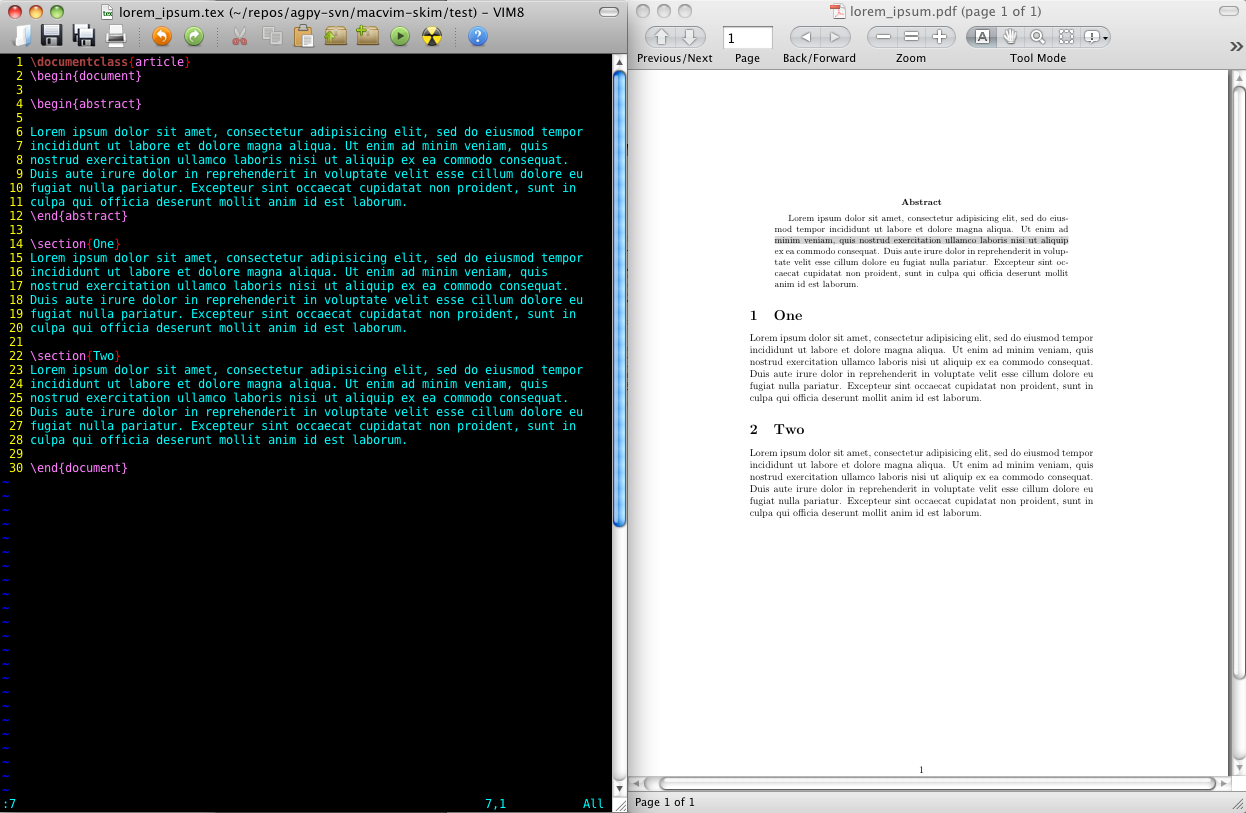
Shortcuts:
<leader>v- view current .tex file in Skim at current line<leader>p- rebuild current .tex file withpdflatex -synctex=1, then active Skim at current line<leader>m- Run the commandmakein the current directory, then activate Skim at current line<leader>r- activate Skim at current line, then bring vim back to the front<leader>t-<leader>p+<leader>r: rebuild current file, then bring vim back to the front
From Skim:
Shift-Command-click on a line to go to that line in the.texfile
INSTALLATION
Easiest way: run macvim-skim-install.sh. By default, installs a shell script
to your $HOME/bin/ directory, installs Skim.app version 1.4.1 if Skim is not already
installed, and puts WhichTab.vim in your plugins directory. It will also add
the shortcut lines to your $HOME/.vimrc.
INSTALLATION OPTIONS
Variables used in installation process:
PREFIX(default$HOME/bin)VIMDIR(default$HOME/.vim/)SKIMPATH(default/Applications/Skim.app)
If you want to specify a different install directory for the executable file, specify thePREFIX variable, e.g.:PREFIX=/usr/local ./macvim-skim-install.sh
You can also specify the path to Skim.app with the variable SKIMPATH. If
you do not use the default /Applications/Skim.app, you'll need to set the vim
variable g:macvim_skim_app_path in your ~/.vimrc (this step has been
removed from the automatic installation, as I don't think install scripts
should modify your .vimrc)
Manual Install
If you want to install manually, Copy macvim-skim to ~/.vim/plugins/. Putmacvim-load-line on your path.
Aside
Was hosted at http://code.google.com/p/agpy/source/browse/trunk#trunk%2Fmacvim-skim until 1/20/2013. No issues were posted on agpy, though.