Ⅰ. 插件描述
A completion plugin for Haskell, using ghc-modⅡ. 基本信息
|
Ⅲ. 安装方法
使用Vundle管理器安装
在你的.vimrc下添加:Plugin 'mkasa/neco-ghc-lushtags':source %
:PluginInstall对于Vundle版本 < 0.10.2,请用上面的Bundle替换Plugin。
使用NeoBundle管理器安装
在你的.vimrc下添加:NeoBundle 'mkasa/neco-ghc-lushtags':source %
:NeoBundleInstall使用VimPlug管理器安装
在你的.vimrc下添加:Plug 'mkasa/neco-ghc-lushtags':source %
:PlugInstall使用Pathogen管理器安装
在终端中运行以下命令:cd ~/.vim/bundle
git clone https://github.com/mkasa/neco-ghc-lushtagsⅣ. 文档说明
# What is neco-ghc-lushtags?
neco-ghc-lushtags is a blazing fast completion plugin
for Haskell using ghc-mod, lushtags, and ghc-mod-cache.
neco-ghc-lushtags is a project forked from
neco-ghc,
so most of the functions are derived from neco-ghc.
If you have not used neco-ghc before, please see
the site first.
Anyway, this plugin completes words in the following way:
pragma
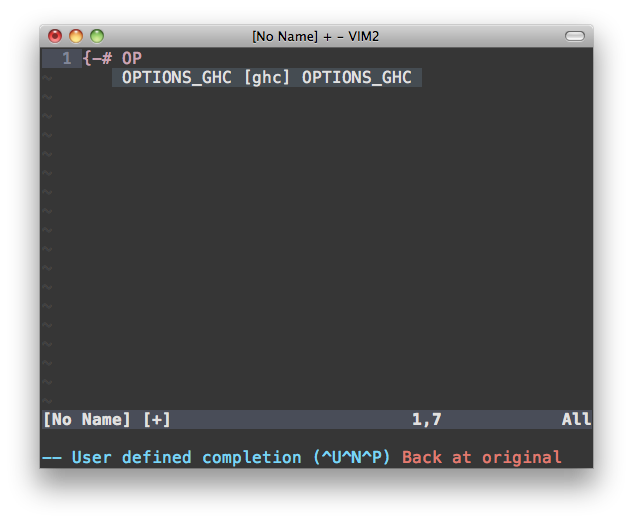language
importing a module
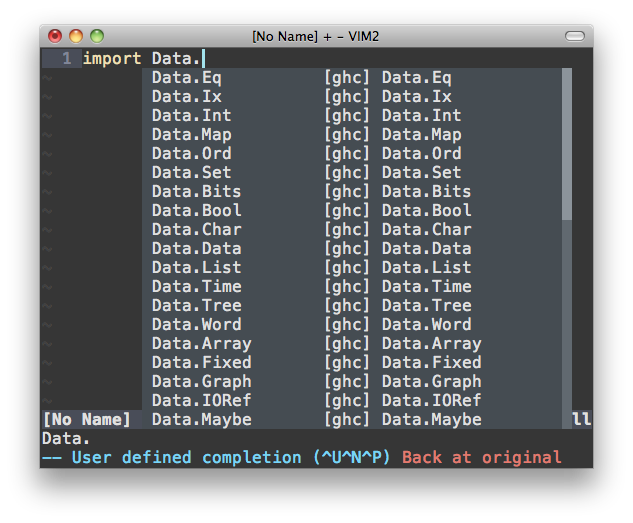importing a function of a module
function based on importing modules
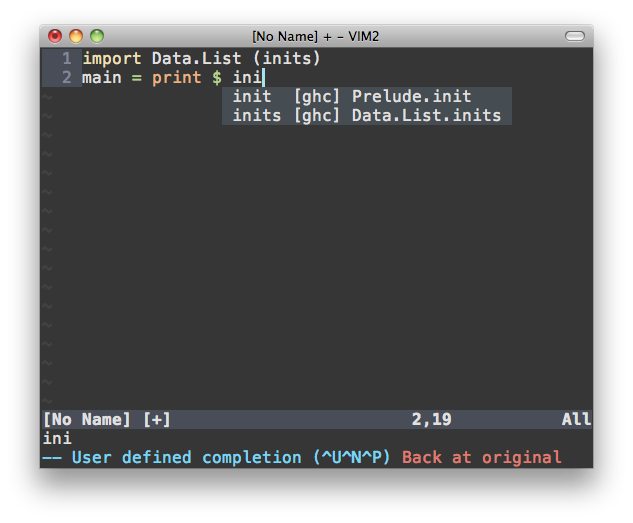record accessors
non-standard (local) modules

neco-ghc-lushtags achieves faster completion using
ghc-mod-cache, which is developed in this project.
I had been frustrated by slow ghc-mod. neco-ghc calls
ghc-mod so often, each of which calls may take a few
seconds but they often blocked vim for more than ten
seconds, which was unacceptable for me. I noticed
that results of ghc-mod could be cached in most cases,
so I developed ghc-mod-cache, which is a simple
wrapper script of ghc-mod. ghc-mod-cache caches the
result of ghc-mod browse. neco-ghc-lushtags can
response in less than a second after the result of
ghc-mod is cached.
Another source of frustration was that neco-ghc does
not complete functions in modules not installed.
Let me show an example. Suppose we are working on a
scaffolded Yesod site. neco-ghc does not complete
functions in non-standard modules such as Foundation,
Import, etc. neco-ghc-lushtags can completes such
functions.
neco-ghc was originally implemented by @eagletmt on July 25, 2010, and then
ujihisa added some new features. neco-ghc-lushtags was forked from
neco-ghc by @mkasa on May 31, 2015.
Install
- Install
stack. - Install ghc-mod package by
stack install ghc-modorcabal install ghc-mod - Install modified version of lushtags.
- Put neco-ghc-lushtags in the plugin directory (You probably use
Pathogen, NeoBundle, vim-plug, deim.vim, etc). - Copy bin/ghc-mod-cache into PATH (e.g., ~/.local/bin or ~/.cabal/bin).
- Install yaml/json modules for Python (Optional but highly
recommended).pip install pyyamlandpip install jsonusually work.
If pip is not available, type easy_install pip to install pip
- Python 2.x/3.x are both fine.
Note: If you use ghc-mod 5.4, you should use ghc-mod 5.5+.
Because, ghc-mod 5.5 fixes the rootdir problem.
https://github.com/DanielG/ghc-mod/issues/665
Usage
neco-ghc-lushtags provides necoghc#omnifunc for omni-completion.
I recommend adding the following in your ~/.vim/ftplugin/haskell.vim.
" Disable haskell-vim omnifunc
let g:haskellmode_completion_ghc = 0
autocmd FileType haskell setlocal omnifunc=necoghc#omnifunc
See :help compl-omni for details on omni-completion.
Completion engines
This plugin can be used as a source of
neocomplete.vim or
neocomplcache.vim or
deoplete.nvim.
You can enjoy auto-completions without any specific configuration.
This plugin also should work with YouCompleteMe, but not tested.
To enable auto-completions, you have to add the following setting.
let g:ycm_semantic_triggers = {'haskell' : ['.']}Options
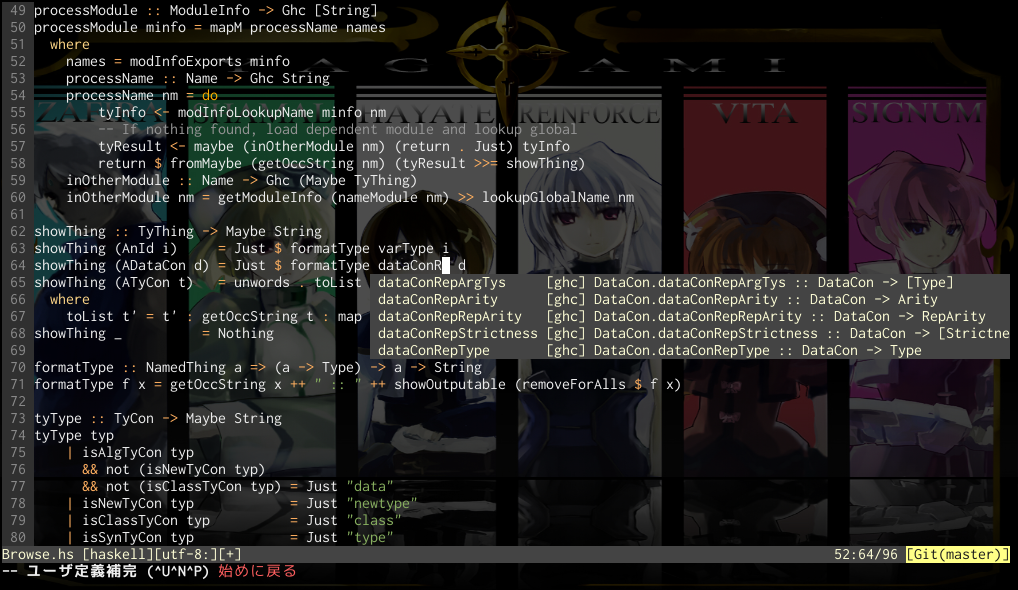
g:necoghc_enable_detailed_browse
Default: 0
Show detailed information (type) of symbols.
You can enable it by adding let g:necoghc_enable_detailed_browse = 1 in your vimrc.
While it is quite useful, it will take longer boot time.
This feature was introduced in ghc-mod 1.11.5.
g:necoghc_debug
Default: 0
Show error message if ghc-mod command fails.
Usually it will be noisy if ghc-mod browse Your.Project.Module always
fails.
Use this flag only if you have some trouble.
Troubleshoot
Q: neco-ghc-lushtags does not work
Check the $PATH variable in vim contains the path to your ghc-mod and stack command.
Or you can execute :NecoGhcDiagnostics command for debug.
License
BSD3 License, the same license as ghc-mod
and neco-ghc.