Ⅰ. 插件描述
A (new) vim color scheme based on the Railscasts Textmate theme.Ⅱ. 基本信息
|
Ⅲ. 安装方法
使用Vundle管理器安装
在你的.vimrc下添加:Plugin 'carakan/new-railscasts-theme':source %
:PluginInstall对于Vundle版本 < 0.10.2,请用上面的Bundle替换Plugin。
使用NeoBundle管理器安装
在你的.vimrc下添加:NeoBundle 'carakan/new-railscasts-theme':source %
:NeoBundleInstall使用VimPlug管理器安装
在你的.vimrc下添加:Plug 'carakan/new-railscasts-theme':source %
:PlugInstall使用Pathogen管理器安装
在终端中运行以下命令:cd ~/.vim/bundle
git clone https://github.com/carakan/new-railscasts-themeⅣ. 文档说明
# Vim Railscasts Colorscheme
A (new) color scheme based on the RailsCasts TextMate theme
with support to GUI (24 bit) colors.
Installation
Pathogen
Install Pathogen and then add a
git submodule for your plugin:
$ cd ~/.vim
$ git submodule add git@github.com:carakan/new-railscasts-theme.git bundle/railscasts-theme
Vundle
Install Vundle and then add this theme
as a plugin to your .vimrc.
Plugin 'carakan/new-railscasts-theme'Manually
Copy new-railscasts.vim into ~/.vim/colors/ (Unix) orvimfiles/colors/ (Windows).
and set your Colorscheme:
colorscheme new-railscastsGUI (neovim):
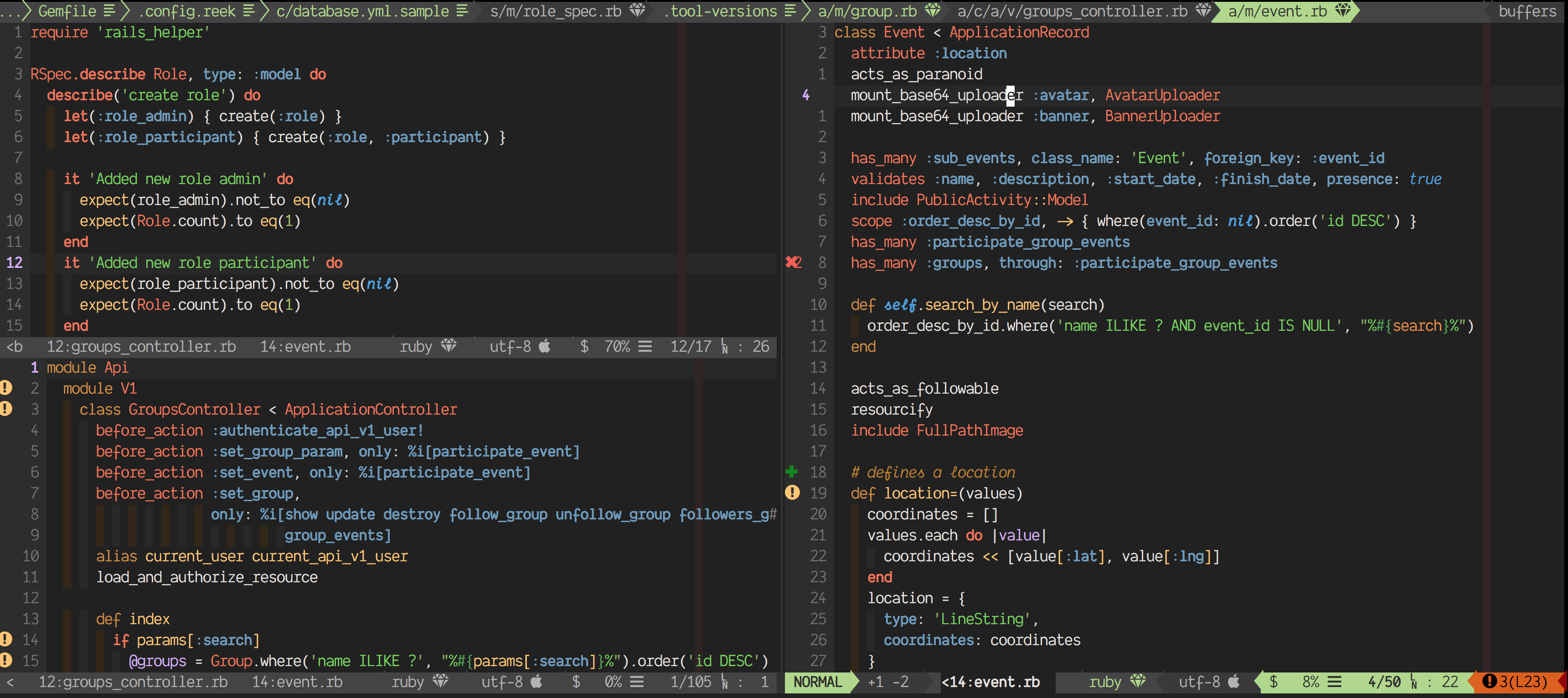
Notes
Support for typescript, ruby, elixir, yaml, javascript and so on using vim-polyglot