Ⅰ. 插件描述
A vim plugin with tools for integrating with The Foundry's NukeⅡ. 基本信息
|
Ⅲ. 安装方法
使用Vundle管理器安装
在你的.vimrc下添加:Plugin 'heavyimage/nuke-vim':source %
:PluginInstall对于Vundle版本 < 0.10.2,请用上面的Bundle替换Plugin。
使用NeoBundle管理器安装
在你的.vimrc下添加:NeoBundle 'heavyimage/nuke-vim':source %
:NeoBundleInstall使用VimPlug管理器安装
在你的.vimrc下添加:Plug 'heavyimage/nuke-vim':source %
:PlugInstall使用Pathogen管理器安装
在终端中运行以下命令:cd ~/.vim/bundle
git clone https://github.com/heavyimage/nuke.vimⅣ. 文档说明
# nuke.vim
An integration package for the Foundry's Nuke. This is my first vim plugin so go easy on me!
Included functionality
- Syntax highlighting / a simple ftdetect plugin for .nk/.gizmo files!
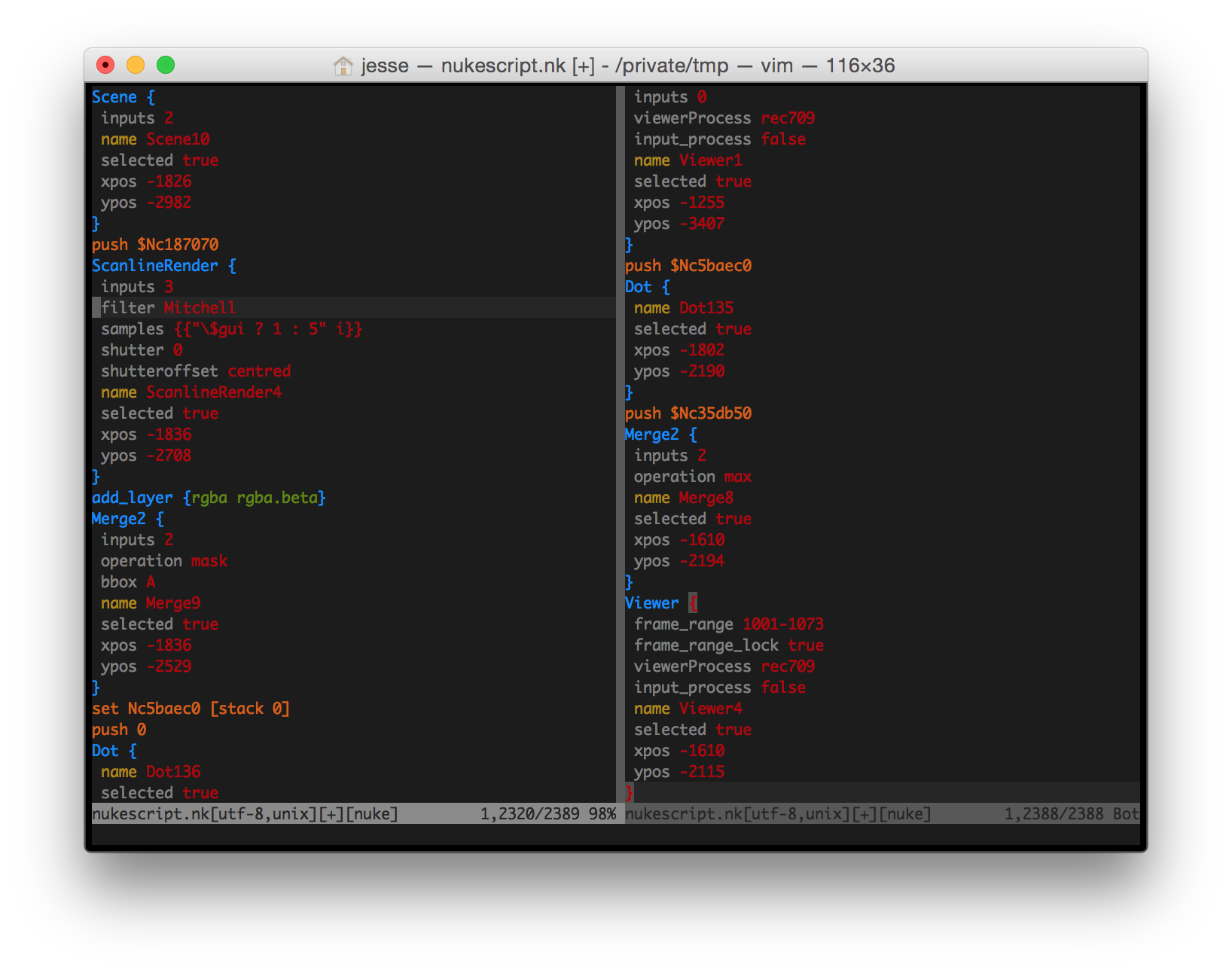
- Use vim as a replacement for the builtin nuke (Nuke Studio / Hiero) script editor(s)
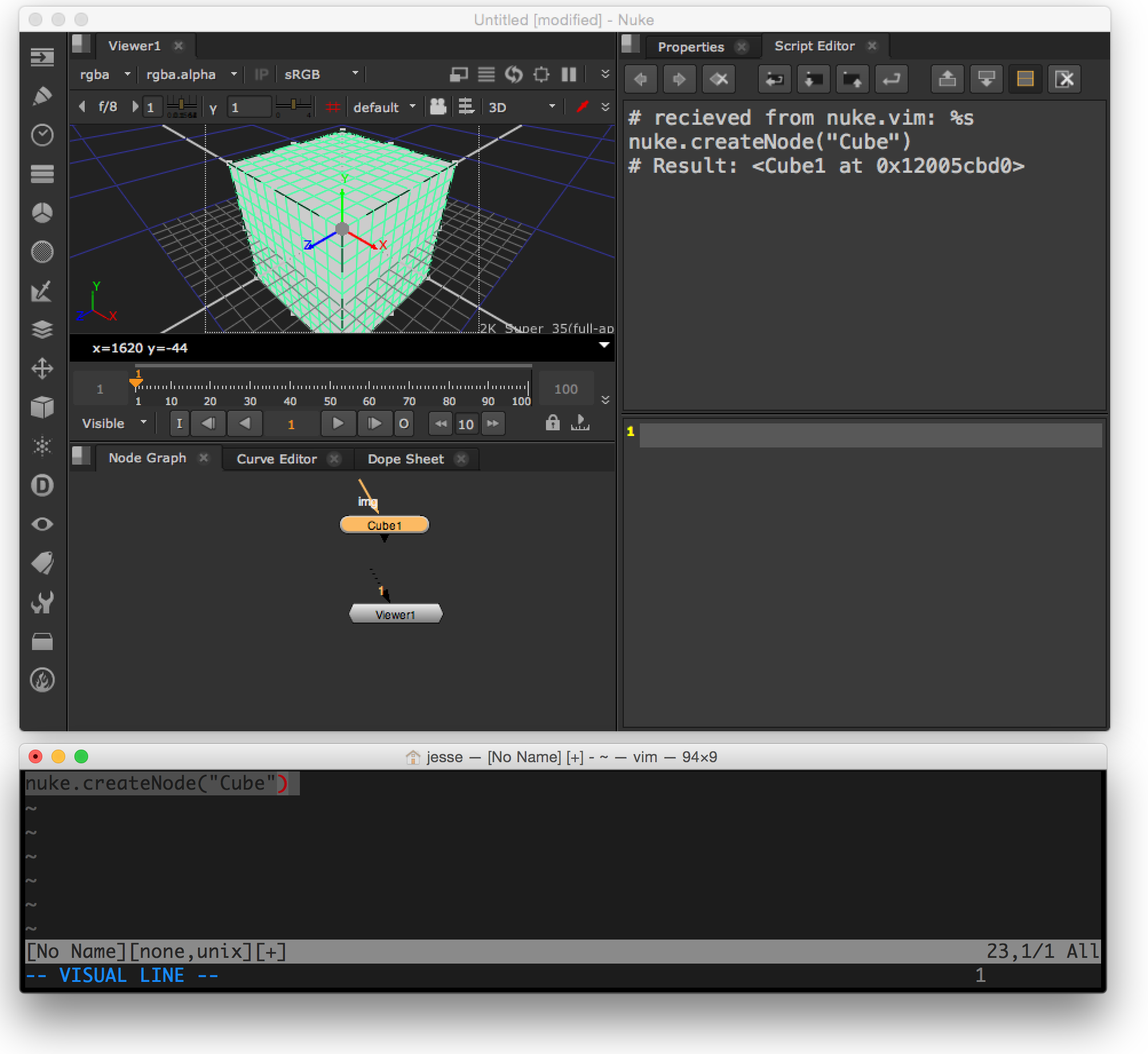
- See 'coming soon' (below) for more ideas I have for this package
Motivation
- Faster iteration in nuke; vim movement / edit commands are much faster than nuke's script editor
- Learn more about vim plugin development / scripting
- Similar tools (see acknowledgement) failed to execute nuke code in the same context as the script editor meaning that you couldn't move back and forth between vim and the built in editor
- Similar tools don't seem to send the output back to vim to make debugging and iteration even faster
- It's a ridiculous idea that no one but me will actually use
Requirements
- A copy of vim compiled with python support (check vim --version; if you don't have support, try installing an enhanced or "huge" verison of vim with more flags enabled)
- The Foundry Nuke (tested with version 10.0v2 on macOS and linux)
Installation
Copy plugin, doc, syntax, and ftdetect directories into your '~/.vim' directory. If you use Pathogen and git (recommended!), instead clone nuke.vim into your ~/.vim/bundles directory:
    $ mkdir ~/.vim/bundles
    $ cd ~/.vim/bundles
    $ git clone https://github.com/heavyimage/nuke.vim
Source the server code distributed with nuke.vim (see: nuke/nukevim_server.py) in your menu.py either
via a symlink (prefered, in case there are updates to nuke.vim's server component pushed to github)
    $ mkdir ~/.nuke
    $ ln ~/.vim/bundles/nuke.vim/nuke/nukevim_server.py ~/.nuke/nukevim_server.py
    $ cat "#start nukevim server\n\nimport nukevim_server\n\nnukevim_server.start()" >> ~/.nuke/menu.py
* or as a copy:
    $ mkdir ~/.nuke
    $ cp ~/.vim/bundles/nuke.vim/nuke/nukevim_server.py ~/.nuke/
    $ cat "#start nukevim server\n\nimport nukevim_server\n\nnukevim_server.start()" >> ~/.nuke/menu.py
* The same code should work just fine for Nuke Studio -- for Hiero, you'll have to import the server in a slightly different way (consult the docs [here](https://www.thefoundry.co.uk/products/hiero/developers/1.8/hieropythondevguide/setup.html "Maniupulating the hiero plugin path").)
Startup nuke and make sure there's a message at startup that looks something like this:
nuke.vim server: listening on 127.0.0.1:10191
Now the fun part!
Startup vim, and fill the buffer with a few python snippits
    nuke.createNode("Blur")

    10+50

    import math
    for i in range(360):
        x = int(math.cos(math.radians(i))) * 500
        y = int(math.sin(math.radians(i))) * 500
        d = nuke.createNode("Dot")
        d.setXYpos(x, y)
Then, consider the chart below:
| Command | Mnemonic | Description |
|---|---|---|
| <leader>sn | (s)end to (n)uke | Send the selection (or the current line if nothing is selected) to nuke |
| <leader>sb | (s)end (b)uffer | Send the entire buffer to nuke |
You should be iterating in no time! For more information, consult doc/nukevim.txt or me, via e-mail.
Enjoy!
Thanks to:
- Stefan Göbel's vimya, a similar plugin for Autodesk Maya and the basis for this one.
- Sylvain Delhomme's VimNuke plugin (itself an earlier clone of vimya)
- Toke Jepsen's atom-foundry-nuke for Atom
- Ian Thompson for providing a crucial bit of help
Coming soon
- Improvements to vim-as-script-editor (see TODO)
- Nuke function python code completion in vim
- A terminal based node viewer
- Broaden into vfx.vim with setups for other apps?!
- Other cool ideas you send to me