Ⅰ. 插件描述
:cat: [JS,VimL] nicolive comment viewer on Nyaovim :dog:Ⅱ. 基本信息
|
Ⅲ. 安装方法
使用Vundle管理器安装
在你的.vimrc下添加:Plugin 'maxmellon/nyaovim-nicolive-comment-viewer':source %
:PluginInstall对于Vundle版本 < 0.10.2,请用上面的Bundle替换Plugin。
使用NeoBundle管理器安装
在你的.vimrc下添加:NeoBundle 'maxmellon/nyaovim-nicolive-comment-viewer':source %
:NeoBundleInstall使用VimPlug管理器安装
在你的.vimrc下添加:Plug 'maxmellon/nyaovim-nicolive-comment-viewer':source %
:PlugInstall使用Pathogen管理器安装
在终端中运行以下命令:cd ~/.vim/bundle
git clone https://github.com/maxmellon/nyaovim-nicolive-comment-viewerⅣ. 文档说明
# About
nicolive comment viewer embeded on Nyaovim
Demo
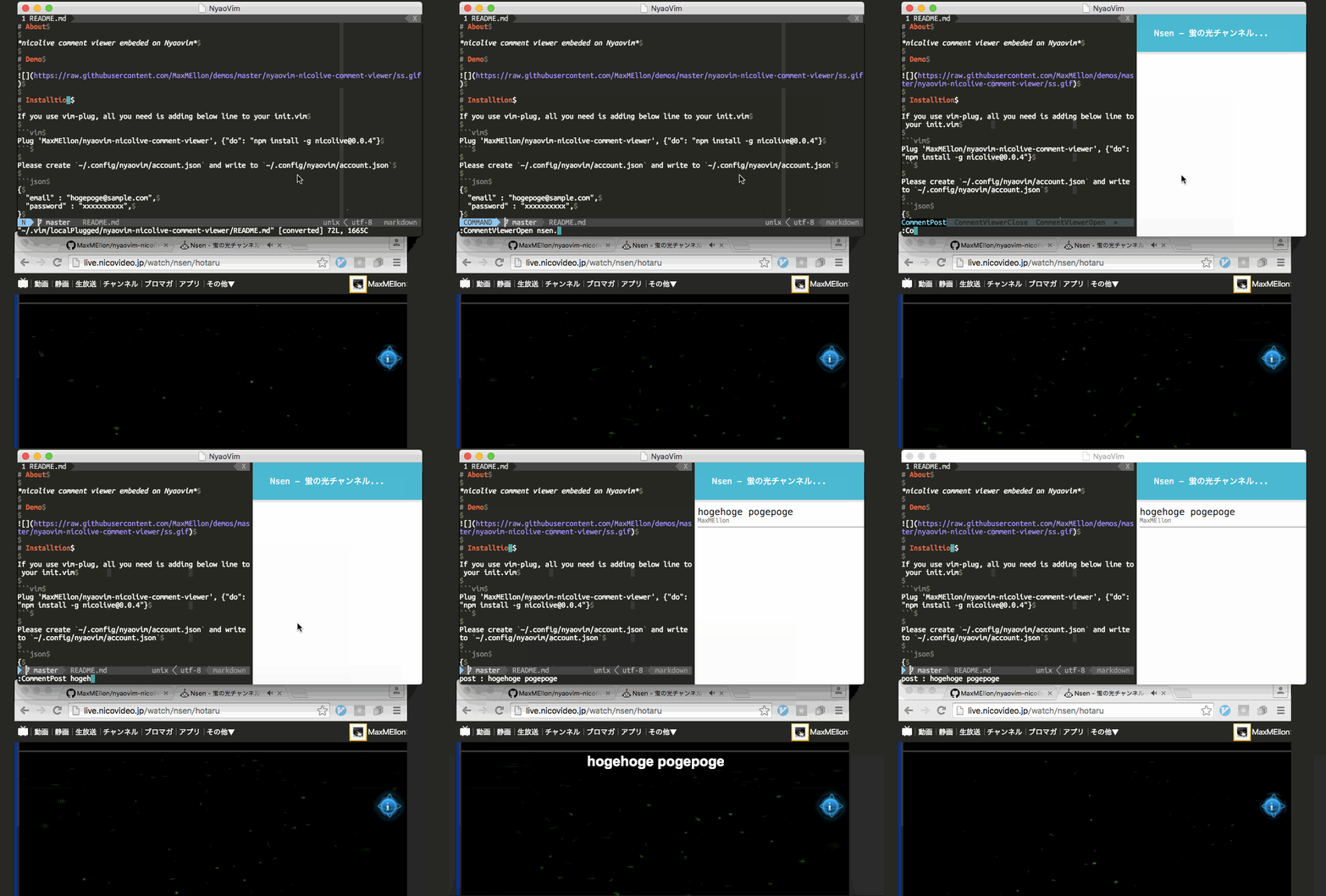
Installation
If you use vim-plug, all you need is adding below line to your init.vim
Plug 'MaxMEllon/nyaovim-nicolive-comment-viewer', {"do": "npm install -g nicolive@0.0.4"}Please create ~/.config/nyaovim/account.json and write to ~/.config/nyaovim/account.json
{
  "email" : "hogepoge@sample.com",
  "password" : "xxxxxxxxxx",
}
Usage
| command | args | description |
|---|---|---|
:CommentViewerOpen | liveid (lvXXXXXXX, nsen/hotaru) | Open nicolive comment viewer window with connect to nicolive on liveid. |
:CommentViewerClose | --- | Close nicolive comment viewer window |
:CommentViewerPost | comment | Post comment to nicolive if nyaovim is connected to live |
Sample configration
~/.config/nyaovim/nyaovimrc.html
<dom-module id="nyaovim-app">
  <template>
    <style>
.horizontal {
  display: flex;
  width: 100%;
  height: 100%;
}
neovim-editor {
  width: 100%;
  height: 100%;
}
    </style>
    <div class="horizontal">
      <neovim-editor id="nyaovim-editor"
          argv$="[[argv]]"
          font-size="14"
          font="Ubuntu Mono,monospace"
          line-height="1.0"
      ></neovim-editor>
      <mini-browser width="700" editor="[[editor]]"></mini-browser>
      <comelon-view editor="[[editor]]"></comelon-view>
    </div>
  </template>
</dom-module>
Dependency
LICENSE
This software is released under the MIT License, see LICENSE.txt.