Ⅰ. 插件描述
vim for octopressⅡ. 基本信息
|
Ⅲ. 安装方法
使用Vundle管理器安装
在你的.vimrc下添加:Plugin 'glidenote/octoeditor-vim':source %
:PluginInstall对于Vundle版本 < 0.10.2,请用上面的Bundle替换Plugin。
使用NeoBundle管理器安装
在你的.vimrc下添加:NeoBundle 'glidenote/octoeditor-vim':source %
:NeoBundleInstall使用VimPlug管理器安装
在你的.vimrc下添加:Plug 'glidenote/octoeditor-vim':source %
:PlugInstall使用Pathogen管理器安装
在终端中运行以下命令:cd ~/.vim/bundle
git clone https://github.com/glidenote/octoeditor.vimⅣ. 文档说明
octoeditor.vim (Octopress-Editor.vim)
This script is intended to automate the process of creating and editing Octopress blog posts from within vim.
Setup
Set the path to your Octopress directory in your .vimrc.(default directory $HOME/octopress)
let g:octopress_path = "path/to/dir"
You may also want to add a few mappings to stream line the behavior:
map <Leader>on  :OctopressNew<CR>
map <Leader>ol  :OctopressList<CR>
map <Leader>og  :OctopressGrep<CR>
nmap ,og  :OctopressGenerate<CR>
nmap ,od  :OctopressDeploy<CR>
Commands
Create New Post:
:OctopressNew
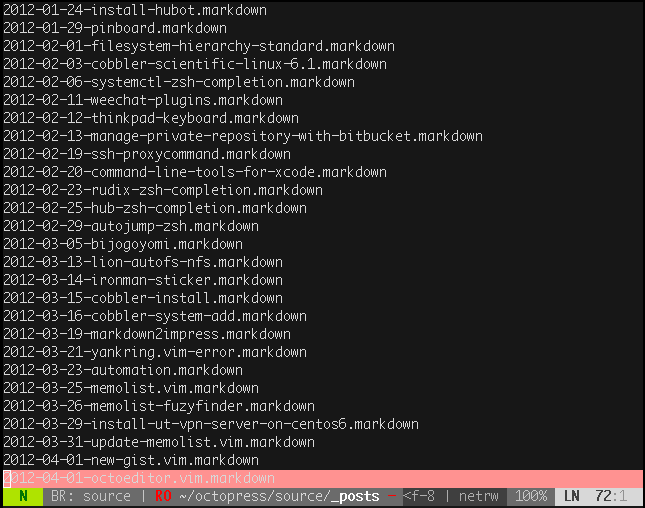
Show Posts List:
:OctopressList
Grep Octopress Posts Directory:
:OctopressGrep
Generate jekyll site(Generate Posts):
:OctopressGenerate
Deploy Posts:
:OctopressDeploy
Options
let g:octopress_post_suffix = "markdown"
let g:octopress_post_date = "%Y-%m-%d %H:%M"
let g:octopress_post_date = "epoch"
let g:octopress_post_date = "%D %T"
let g:octopress_comments = 0
let g:octopress_published = 0
let g:octopress_prompt_tags = 1
let g:octopress_prompt_categories = 1
let g:octopress_qfixgrep = 1
let g:octopress_vimfiler = 1
let g:octopress_template_dir_path = "path/to/dir"

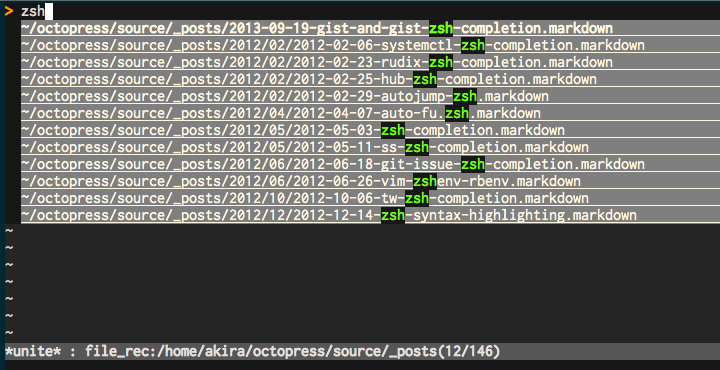
" with unite.vim
let g:octopress_unite = 1
let g:octopress_unite_option = "-auto-preview -start-insert"
let g:octopress_unite_source = "file_rec"

" use bundle exec (rake 0.9.2~)
let g:octopress_bundle_exec = 1
with unite.vim
Install
Copy it to your plugin and autoload directory.
License
License: Same terms as Vim itself (see license)