Ⅰ. 插件描述
A simple vim plugin to reference Pivotal Tracker issues with easeⅡ. 基本信息
|
Ⅲ. 安装方法
使用Vundle管理器安装
在你的.vimrc下添加:Plugin 'jonsmithers/pivotal-tracker-fzf-vim':source %
:PluginInstall对于Vundle版本 < 0.10.2,请用上面的Bundle替换Plugin。
使用NeoBundle管理器安装
在你的.vimrc下添加:NeoBundle 'jonsmithers/pivotal-tracker-fzf-vim':source %
:NeoBundleInstall使用VimPlug管理器安装
在你的.vimrc下添加:Plug 'jonsmithers/pivotal-tracker-fzf-vim':source %
:PlugInstall使用Pathogen管理器安装
在终端中运行以下命令:cd ~/.vim/bundle
git clone https://github.com/jonsmithers/pivotal-tracker-fzf.vimⅣ. 文档说明

Made to help you reference Pivotal Tracker issues in your git commit messages.
Demonstration
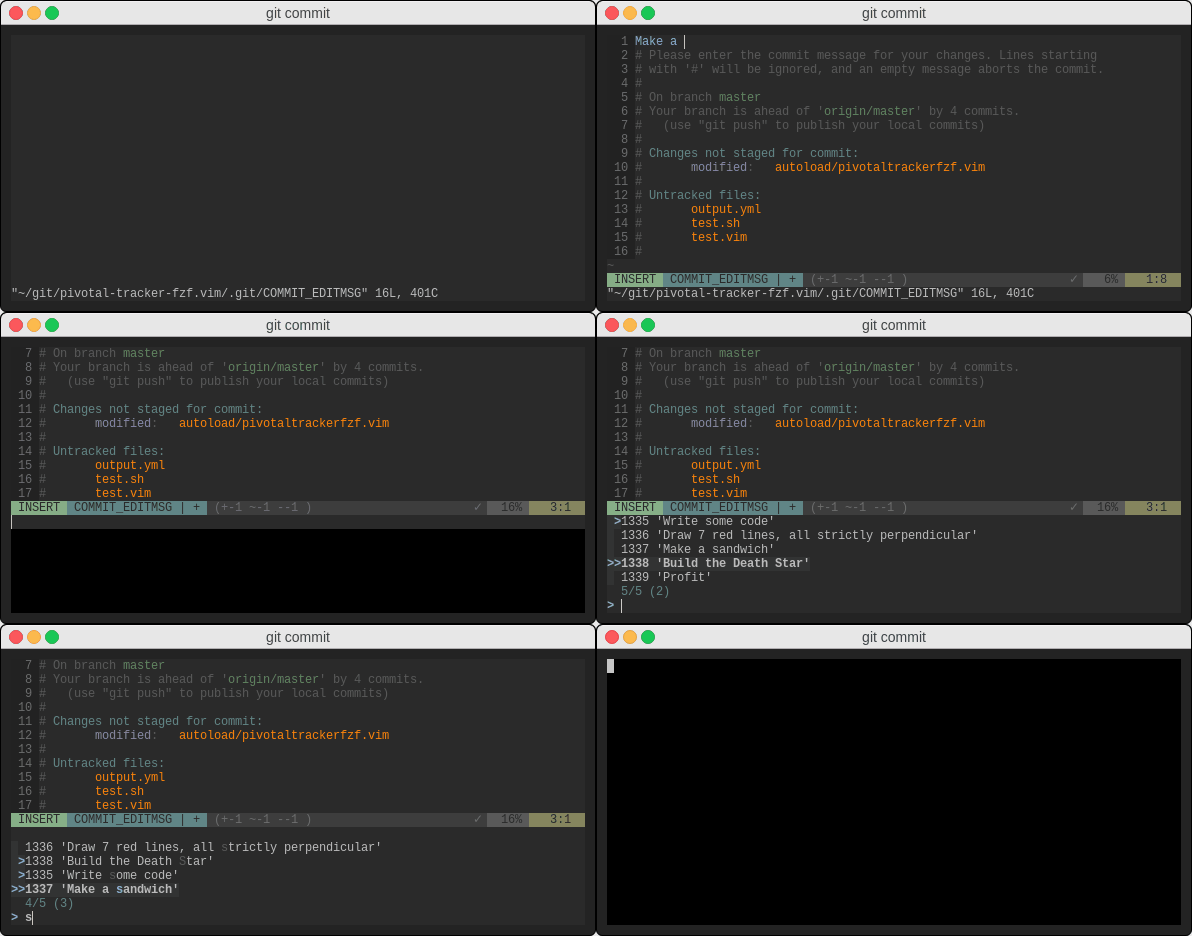
Installation
Plug 'jonsmithers/pivotal-tracker-fzf.vim'
Plug 'junegunn/fzf' " mandatory dependency
Usage
Make sure the following environment variables are defined:
| variable | source |
|---|---|
$PIVOTAL_TRACKER_PROJECT_ID | Can be obtained from project url |
$PIVOTAL_TRACKER_TOKEN | Can be obtained from user profile |
Then, while in insert mode, press Ctrl-X Ctrl-I to open the fzf prompt, and
make your selection.
Customization
Filtering
You can customize which stories are displayed using the query syntax described
in [Pivotal Tracker's advanced search
docs](https://www.pivotaltracker.com/help/articles/advanced_search/):
let g:pivotaltracker.filter = 'state:started has:owner -label:"rebel scum"'Formatting
The following variables can be changed to configure how issue ids are
formatted:
let g:pivotaltracker.delimiter   = ','
let g:pivotaltracker.prefix      = '['
let g:pivotaltracker.suffix      = ']'
let g:pivotaltracker.prefix_each = '#'
let g:pivotaltracker.suffix_each = ''
Mappings
The default mapping is Ctrl-X Ctrl-I (from insert mode), but you can map a
custom keybinding to <Plug>pivotaltracker-insert-ids:
nmap    <Leader>p <Plug>pivotaltracker-insert-ids
iabbrev @P        <Plug>pivotaltracker-insert-ids
Environment Variables 101
You can set environment variables from within vim:
:let $PIVOTAL_TRACKER_PROJECT_ID='...'
:let $PIVOTAL_TRACKER_TOKEN='...'
Or you can set them from the terminal:
export PIVOTAL_TRACKER_TOKEN=<token>
export PIVOTAL_TRACKER_PROJECT_ID=<id>
vim
PIVOTAL_TRACKER_TOKEN=<token> PIVOTAL_TRACKER_PROJECT_ID=<id> vimOr you can set them automatically with a handy tool such as
direnv or
vim-dotenv.