Ⅰ. 插件描述
PreciseJump - script to ease on-screen motion.Ⅱ. 基本信息
|
Ⅲ. 安装方法
使用Vundle管理器安装
在你的.vimrc下添加:Plugin '/precisejump':source %
:PluginInstall对于Vundle版本 < 0.10.2,请用上面的Bundle替换Plugin。
使用NeoBundle管理器安装
在你的.vimrc下添加:NeoBundle '/precisejump':source %
:NeoBundleInstall使用VimPlug管理器安装
在你的.vimrc下添加:Plug '/precisejump':source %
:PlugInstall使用Pathogen管理器安装
在终端中运行以下命令:cd ~/.vim/bundle
git clone https://github.com/vim-scripts/PreciseJumpⅣ. 文档说明
PreciseJump - script to ease on-screen motion
I find
<number>motion
not very practical for bigger <numbers>.
I usually don't know exactly how many times I want the motion to be repeated - I just see place on the screen where I want to jump to.
This script is addressing this inconvenience.
When the motion key is pressed, possible jump targets are highlighted. You just have to type character that appeared on desired place.
i.e: If you press '_fx' you get all 'x' characters that are visible in current window highlighted and changed to some unique chars. Pressing the highlighted char will quickly take the cursor to place you want.
For little demo you can see:
http://i258.photobucket.com/albums/hh246/otokan/PJ_animation.gif
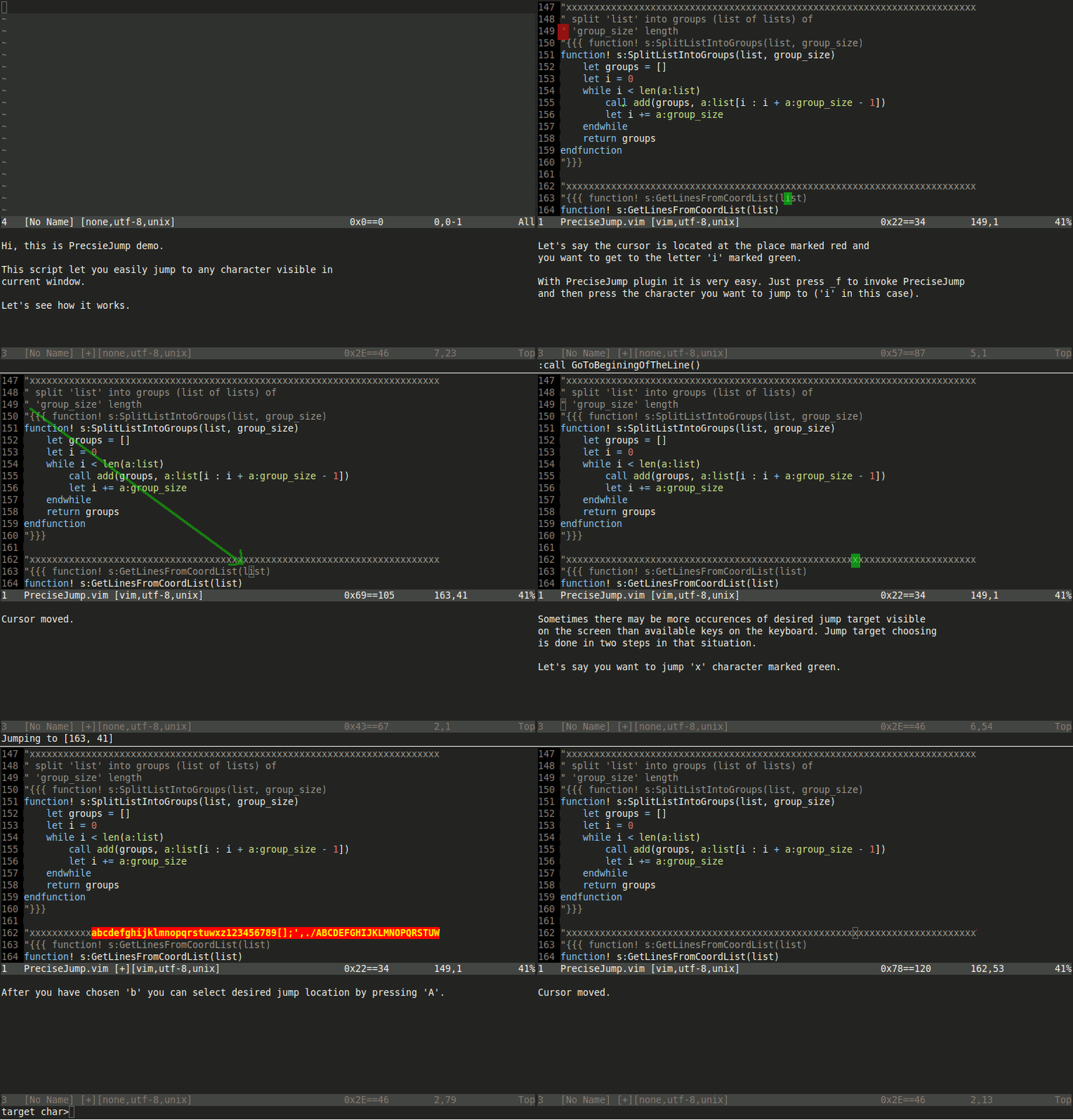
Plugin definines following mappings:
_f - jump to given char in whole window
_F - jump to given char in a line
This script is usable right now, but keep in mind that it still is being developed.
If you have any comments, have found bugs, know how to make something better
- let me know.
Special thanks to: Filip, Adam, Sergey, John, Jim