Ⅰ. 插件描述
a vim plugin to filter entries in QuickfixⅡ. 基本信息
|
Ⅲ. 安装方法
使用Vundle管理器安装
在你的.vimrc下添加:Plugin 'sk1418/qfgrep':source %
:PluginInstall对于Vundle版本 < 0.10.2,请用上面的Bundle替换Plugin。
使用NeoBundle管理器安装
在你的.vimrc下添加:NeoBundle 'sk1418/qfgrep':source %
:NeoBundleInstall使用VimPlug管理器安装
在你的.vimrc下添加:Plug 'sk1418/qfgrep':source %
:PlugInstall使用Pathogen管理器安装
在终端中运行以下命令:cd ~/.vim/bundle
git clone https://github.com/sk1418/qfgrepⅣ. 文档说明
QFGrep README file
   ____    ____________
  / __ \  / ____/ ____/_______  ____
 / / / / / /_  / / __/ ___/ _ \/ __ \
/ /_/ / / __/ / /_/ / /  /  __/ /_/ /
\___\_\/_/    \____/_/   \___/ .___/
                            /_/
QFGrep
(http://www.vim.org/scripts/script.php?script_id=4490)
The Idea of QFGrep came from this Question@Stackoverflow: Is it possible to grep Vim's quickfix By Arnis L. Thank Arnis!
The QFGrep plugin would be helpful when you got a lot of entries in Quickfix/location-list. For example, you did an Ack/Grep with a not strict criteria. QFGrep can do further filtering for you, so that you could narrow your focus and jump to the right file right line quickly. At any time you could restore the original Quickfix/location-list entries.
Features
- filter(Grep) entries in Quickfix/location-list
- restore original Quickfix/location-list entries
Usage
- fill Quickfix/location-list window with some entries (grep, vimgrep, ack or make), move cursor to quickfix/location-list buffer
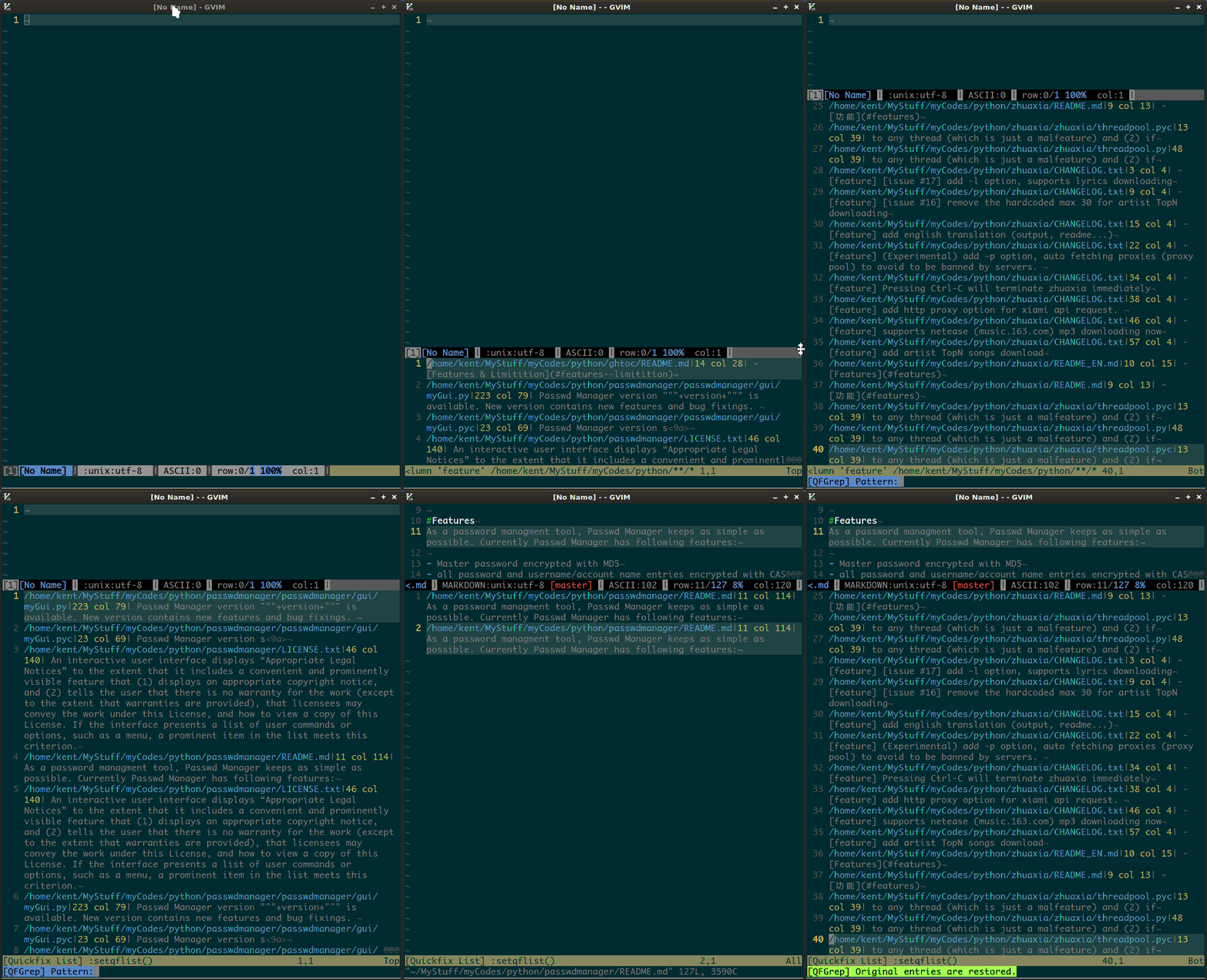
<Leader>ginput pattern to do further filtering<Leader>vinput pattern to do further inverted filtering (like grep -v)<Leader>rrestore the Quickfix/location-list with original entries- check the GIF animation below
Customization
- mapping customization
- message color-highligting customization
:h QFGrepto check details
Screencast
vim:ft=markdown:ts=2:sw=2:ts=2:fdm=marker:expandtab