Ⅰ. 插件描述
Quicksilver is a VIM plugin whose purpose is to quicken the process of opening files from inside VIM.Ⅱ. 基本信息
|
Ⅲ. 安装方法
使用Vundle管理器安装
在你的.vimrc下添加:Plugin 'bogdanp/quicksilver-vim':source %
:PluginInstall对于Vundle版本 < 0.10.2,请用上面的Bundle替换Plugin。
使用NeoBundle管理器安装
在你的.vimrc下添加:NeoBundle 'bogdanp/quicksilver-vim':source %
:NeoBundleInstall使用VimPlug管理器安装
在你的.vimrc下添加:Plug 'bogdanp/quicksilver-vim':source %
:PlugInstall使用Pathogen管理器安装
在终端中运行以下命令:cd ~/.vim/bundle
git clone https://github.com/bogdanp/quicksilver.vimⅣ. 文档说明
Quicksilver
Quicksilver is a VIM plugin whose purpose is to quicken the process of
opening files from inside VIM.
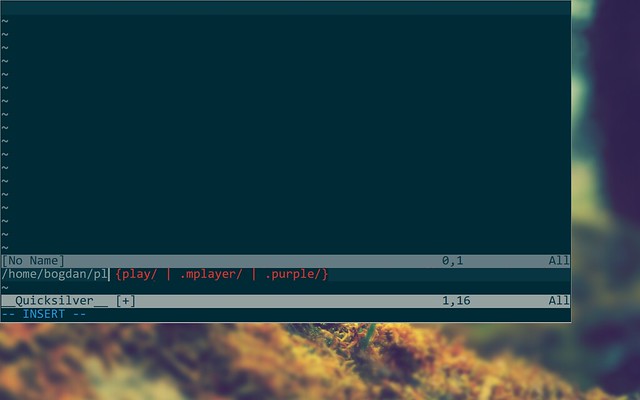
Preview
Installation
Use pathogen and clone this repo into your ~/.vim/bundle directory.
Mappings
By default, <leader>q will activate the Quicksilver buffer and switch to
insert mode. Typing any key will update the list of suggestions and pressingCR will open the first item in the suggestion list. Use C-c to quickly
close the buffer.
To remap quicksilver to <leader>r you can add to following to your.vimrc file:
nmap <leader>r <Plug>ActivateQS
You may cycle through the suggestion list using Tab and S-Tab. CR will
open the current suggestion (that's the first item in the list of matches).
If there is only one item in the suggestion list, pressing Tab will open
that item.
Pressing CR when there is no pattern will go up a directory.
C-w clears the entire pattern. If there is no pattern, it will go up a
directory.
C-t toggles whether or not to ignore filename character case. Case is
ignored by default.
If a file with the given pattern does not exist then a new file will be
opened for editing with the given pattern as its filename. If a pattern
ends in /, quicksilver will create a new folder, change its CWD to
that folder and remain in insert mode expecting a file name.
Matching
C-f turns on fuzzy matching. Fuzzy matching will match any filename
that contains every character in the pattern in order. For example, the
pattern rdm will match README but not REMADE.
C-n turns on normal matching. Normal matching will match any
filename that contains the exact pattern within it. For example, the
pattern foo will match foo and foob but not ofo or oof.
If you prefer fuzzy matching and would like Quicksilver to default to using it
instead of normal matching then you can add let g:QSMatchFn = "fuzzy"
to your .vimrc.
Patterns that start or end in a wildcard (*) are treated as glob
- For example, the pattern
*.mdwill open all the files that - the extension
.mdin the CWD.
Other
It is possible to ignore certain items by setting a global variableg:QSIgnore that contains one or more regular expressions separated by a
- For example, to ignore files with the .pyc extension and files with
- .swp extension, one could add the following line to their .vimrc file:
let g:QSIgnore = ".*\.pyc$;.*\.swp$"
This feature was inspired by ombarg's fork.
Windows-specific
On Windows it is possible to switch partitions by using the QSChangeDrive
- Simply execute it (
:QSChangeDrive<CR>) and you will be asked for a - to change to.
Requirements
- VIM 7.0+ compiled with +python
- Python 2.6+