Ⅰ. 插件描述
Collection of color schemes with minimal amount of highlighting for Vim.Ⅱ. 基本信息
|
Ⅲ. 安装方法
使用Vundle管理器安装
在你的.vimrc下添加:Plugin 'vonheikemen/rubber-themes-vim':source %
:PluginInstall对于Vundle版本 < 0.10.2,请用上面的Bundle替换Plugin。
使用NeoBundle管理器安装
在你的.vimrc下添加:NeoBundle 'vonheikemen/rubber-themes-vim':source %
:NeoBundleInstall使用VimPlug管理器安装
在你的.vimrc下添加:Plug 'vonheikemen/rubber-themes-vim':source %
:PlugInstall使用Pathogen管理器安装
在终端中运行以下命令:cd ~/.vim/bundle
git clone https://github.com/vonheikemen/rubber-themes.vimⅣ. 文档说明
# Rubber themes
A collection of color schemes with minimal amount of highlighting for Vim. Based on rubber-theme for VSCode.
Inspired by the same premise of the alabaster color scheme for Sublime Text it defines just four classes:
- Strings
- Known constants (numbers, symbols, booleans)
- Comments
- Functions
Getting Started
Available themes
- rubber
- rubber-owl
Installation
Using vim-plug
Plug 'VonHeikemen/rubber-themes.vim'Activation
" For vim > 8
if (has("termguicolors"))
 set termguicolors
endif

" For Neovim 0.1.3 and 0.1.4
let $NVIM_TUI_ENABLE_TRUE_COLOR=1

syntax enable
colorscheme rubber
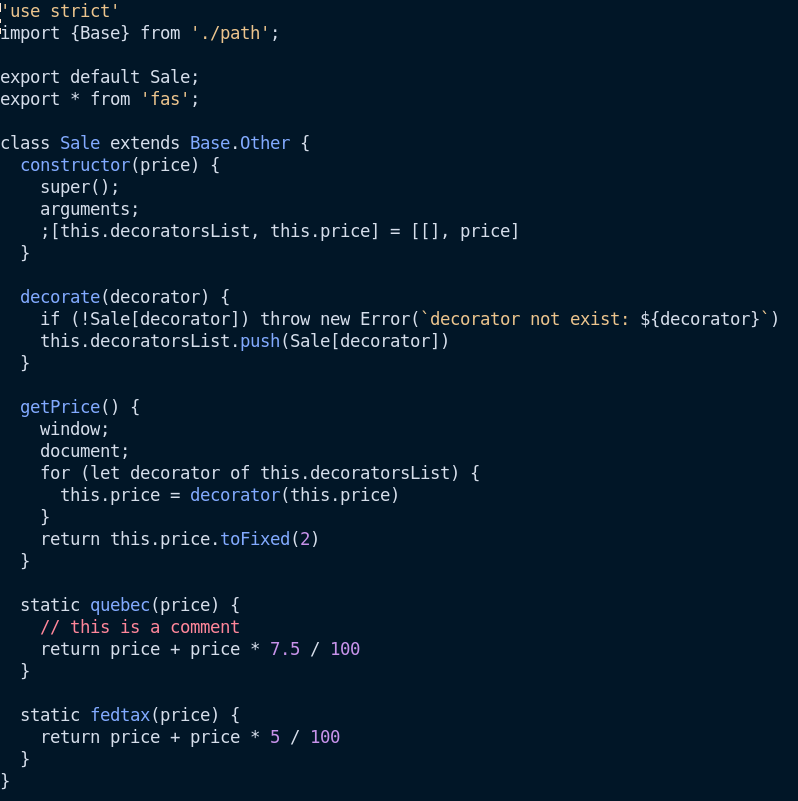
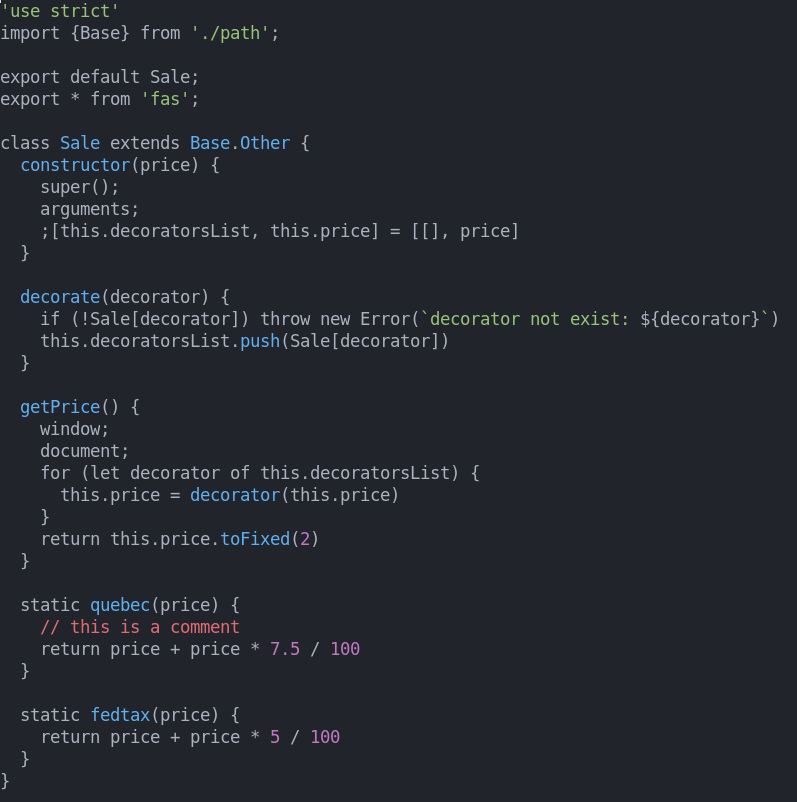
Screenshots
- rubber
background: #21252B
- rubber-owl
background: #011627